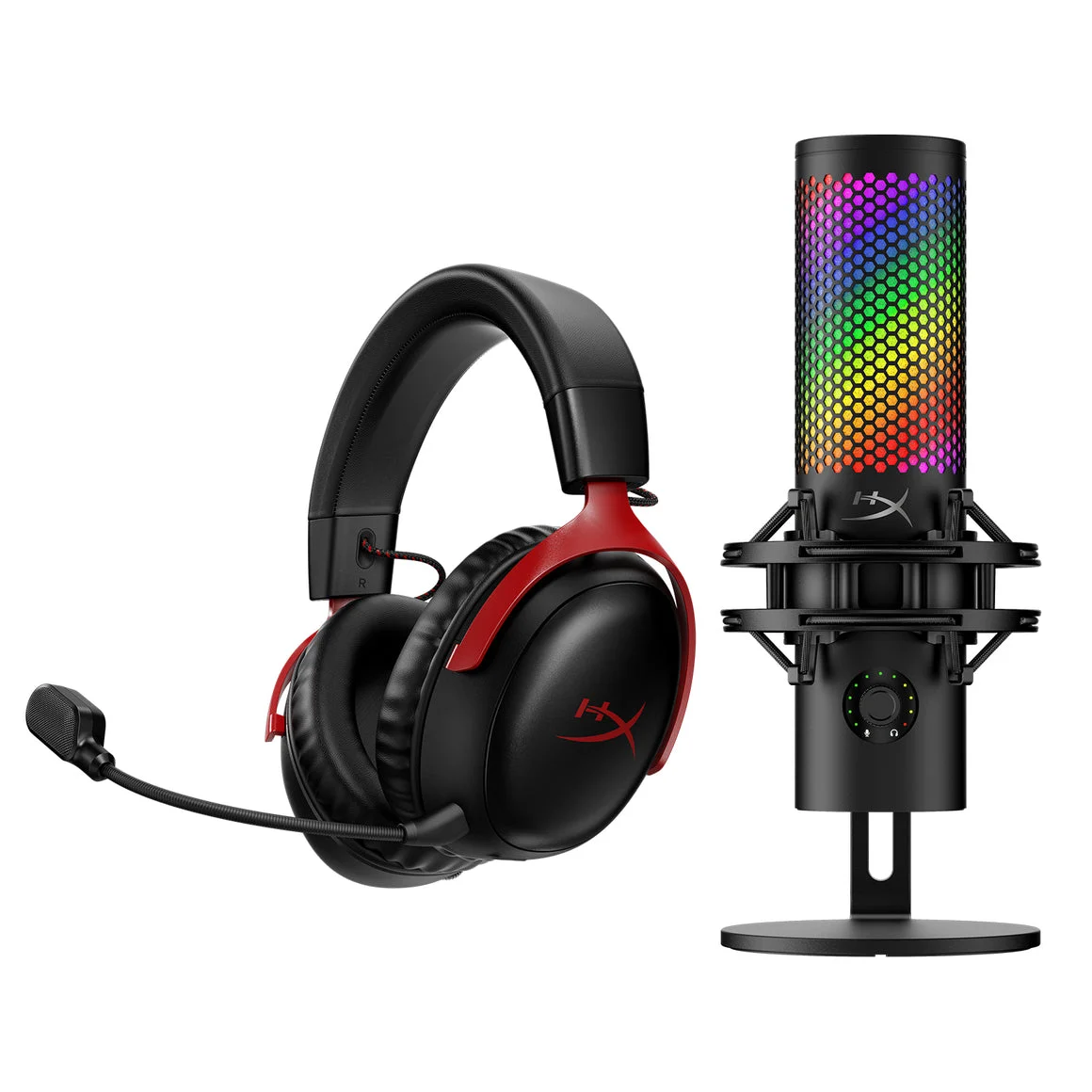
When you purchase through links on our site, we may earn an affiliate commission.
What We Like
- Crystal-clear microphone clarity for team communication.
- Immersive audio drivers that accurately pinpoint enemy footsteps.
- Durable build quality designed to withstand intense gaming sessions.
- Long-lasting battery life for extended wireless gameplay.
What Could Be Better
- Some wireless models introduce imperceptible latency for ultra-competitive players.
- Excessive bass can muddy crucial in-game audio cues.
- Over-reliance on RGB lighting often inflates price without performance gains.
- Proprietary software can be clunky and resource-intensive.
Quick Verdict
Ultimate Buying Guide: How to Choose the Best Gaming Headset in 2026
Choosing the right gaming headset isn’t just about cranking up the volume; it’s about immersion, communication, and gaining a competitive edge. In 2026, the market is flooded with options, from feature-packed wireless behemoths to no-frills wired essentials. This guide isn’t just a list of products; it’s a framework to help you dissect specifications and understand what truly matters for your specific gaming needs. We’ll cut through the marketing noise to ensure you invest in audio that enhances, not hinders, your gameplay. This is your definitive gaming headset buying guide.
Who Is This Guide For?
We’ve structured this guide to address the diverse needs of the gaming community. Whether you’re a seasoned esports pro, a newcomer to PC gaming, or a streamer looking to elevate your audience experience, understanding your priorities is key. Don’t get swayed by features you’ll never use; focus on what impacts your play. This guide helps you identify those critical specs and ignore the fluff.
Competitive Gamers
For you, every millisecond counts. Prioritize wired headsets or top-tier wireless with demonstrably low latency (under 10ms is the benchmark). Sound accuracy is paramount – you need to pinpoint enemy footsteps and distant gunfire with absolute precision. Forget RGB; focus on a wide, accurate soundstage and a clear, responsive microphone for crisp callouts. Build quality must be robust for marathon sessions. Ignore features like bass boost or EQ presets that might muddy critical audio cues.
Beginners & Casual Gamers
If you’re just getting into PC gaming or play a variety of genres without an extreme focus on competition, you have more flexibility. Comfort and ease of use are high on your list. While wired is fine, a good mid-range wireless headset can offer great value and freedom. Look for balanced audio profiles that are pleasing for music and movies too. Don’t overspend on features like advanced surround sound processing that might be overkill. Focus on comfort and a decent microphone for occasional voice chat.
Streamers & Creators
Your audience hears you, so microphone quality is non-negotiable. Look for headsets with broadcast-quality mics that offer excellent noise cancellation and a natural vocal tone. While game audio is important for your commentary, clarity and comfort during long streams are equally vital. Features like detachable or boom mics, and customizable EQ for your voice, are beneficial. Wireless is often preferred for freedom of movement on camera. RGB might be a bonus for stream aesthetics, but don’t let it inflate the price excessively.
Budget Buyers
You need value for money. This means prioritizing core functionality over bells and whistles. Wired headsets often provide the best bang for your buck in terms of audio quality and lack of latency. Focus on reputable brands known for solid build and decent drivers. A clear, if basic, microphone is sufficient. Expect fewer premium materials or advanced features like active noise cancellation on the mic. We’ll highlight options that deliver essential performance without breaking the bank.
Key Factors to Consider Before Buying
We’ve seen countless gamers make the same mistakes, usually by prioritizing marketing jargon over tangible specifications. Here’s what actually matters when you’re picking out your next audio companion.
Connectivity: Wired vs. Wireless Realities
This is where many buyers falter. For competitive FPS players, wired is still the gold standard. Why? Zero latency. Even the best wireless technology, using proprietary 2.4GHz dongles, can introduce a few milliseconds of delay. While modern wireless latency is often imperceptible to casual users, in a game where the difference between winning and losing is fractions of a second, it’s a factor. High-end wireless headsets boast latencies as low as 5-10ms, which is fantastic, but wired remains at 0ms. Wireless offers freedom, but consider where you game. If you’re glued to your desk, the benefit is minimal. If you pace while on comms or enjoy gaming from the couch, wireless is a must. Battery life is also key for wireless – aim for 20+ hours for extended gaming sessions. Some USB-C dongles are also becoming more common, offering broader compatibility.
Driver Size & Audio Profile
Driver size (measured in millimeters) often correlates with bass response and volume, but it’s not the whole story. A 50mm driver in a well-tuned headset can outperform a poorly implemented 60mm one. What’s more important is the audio profile. For gaming, a neutral to slightly V-shaped profile is often preferred. This means a good balance across the frequency spectrum, with a slight boost in the lows (bass) for explosions and impacts, and highs (treble) for crisp footsteps and dialogue. Avoid headsets with overly boosted bass that muddies mid-range frequencies, making it hard to distinguish important game sounds. Look for support for virtual surround sound technologies like DTS Headphone:X or Dolby Atmos, but understand these are often software-driven and work best with well-tuned drivers.
Microphone Quality & Features
This is your voice to your team, your viewers, or your colleagues. A poor microphone can lead to frustration and miscommunication. Look for microphones with good noise cancellation to filter out background keyboard clicks, fan noise, or ambient room sounds. A cardioid pickup pattern is ideal for isolating your voice. Detachable or retractable boom mics offer flexibility – you can tuck them away when not in use or detach them entirely for a sleeker look. For streamers, consider microphones with broadcast-quality specs, though these often come at a premium. Most gaming headsets will have a mute button, often integrated into the mic itself or a dedicated physical button, which is a lifesaver. We’ve seen too many headsets with mics that sound like they’re broadcasting from the bottom of a well.
Comfort & Build Quality
You’ll be wearing this for hours on end, so comfort is paramount. Pay attention to earcup material (plush memory foam is a win), headband padding, and clamping force. Too much clamping force leads to headaches; too little, and the headset might slip. Adjustable headbands and swiveling earcups help achieve a good fit. Build quality is also critical. Metal headbands, durable plastics, and reinforced hinges suggest longevity. Cheaper headsets often use brittle plastic that can snap under stress. We’ve encountered flimsy connectors and earcups that crack after a year – avoid those. Think of it as an investment; a well-built headset lasts.
Features & Customization
Beyond the core audio and mic, features can enhance the experience. Software customization allows for EQ adjustments, mic monitoring levels (sidetone), and control over RGB lighting (if present). Some headsets offer advanced features like active noise cancellation (ANC) on the earcups themselves, which is great for noisy environments but can sometimes affect audio fidelity. Others include on-ear controls for volume and mic mute, which are incredibly convenient. However, don’t pay extra for features you won’t use. RGB lighting, for instance, adds no performance value; it’s purely aesthetic. When a spec sheet says ‘optimized’ without numbers, run.
Price vs. Value: Where Diminishing Returns Begin
The sweet spot for gaming headsets is typically between $100 and $200. In this range, you get excellent audio quality, solid build, good microphones, and often reliable wireless connectivity. Below $100, compromises are more noticeable, usually in microphone clarity and build materials. Above $200, you’re often paying for premium materials, advanced wireless tech, brand cachet, or features like ANC that might not be essential for gaming. For most gamers, the $100-$200 bracket offers the best balance of performance and price. We’ve seen high-end models with specs that barely outperform mid-range options, a classic case of diminishing returns.
Brand Reputation & Support
While not a technical spec, brand reputation matters. Companies known for reliable gaming peripherals often have better quality control and customer support. Check reviews for common failure patterns or issues with specific models or brands. Good customer support can be a lifesaver if something goes wrong. We’ve seen brands with documented issues like connector melting or firmware bugs that persist for years. Stick to manufacturers with a track record of addressing customer concerns.
Recommended Products
Here are a few standout options that represent excellent value and performance across different needs. These are based on current market offerings and technical specifications.
SteelSeries Arctis Nova Pro Wireless
The SteelSeries Arctis Nova Pro Wireless sets a high bar for premium wireless gaming audio. It boasts dual wireless systems (2.4GHz and Bluetooth), allowing simultaneous connectivity. The hot-swappable battery system means you never run out of power, a huge win for extended sessions. Its retractable mic is excellent, and the accompanying Sonar software offers deep customization for EQ and spatial audio. While expensive, the feature set and build quality justify the cost for those who demand the best in wireless convenience and audio performance. It’s a top contender for streamers and serious gamers who value flexibility and top-tier features. We found the sound profile exceptionally balanced for both gaming and media.
 Image: SteelSeries
HyperX Cloud III Wireless
HyperX has a long-standing reputation for comfort and solid audio, and the Cloud III Wireless continues that legacy. It offers a comfortable fit with plush earcups and a solid metal headband. The audio is well-tuned for gaming, providing clear positional cues, and the microphone delivers crisp, intelligible voice communication. Battery life is also impressive, easily lasting through multiple gaming sessions. It’s a fantastic all-around wireless headset that strikes an excellent balance between performance, comfort, and price. This is a strong recommendation for casual gamers and streamers who want a reliable workhorse without breaking the bank. Its focus on core performance over excessive features is commendable.
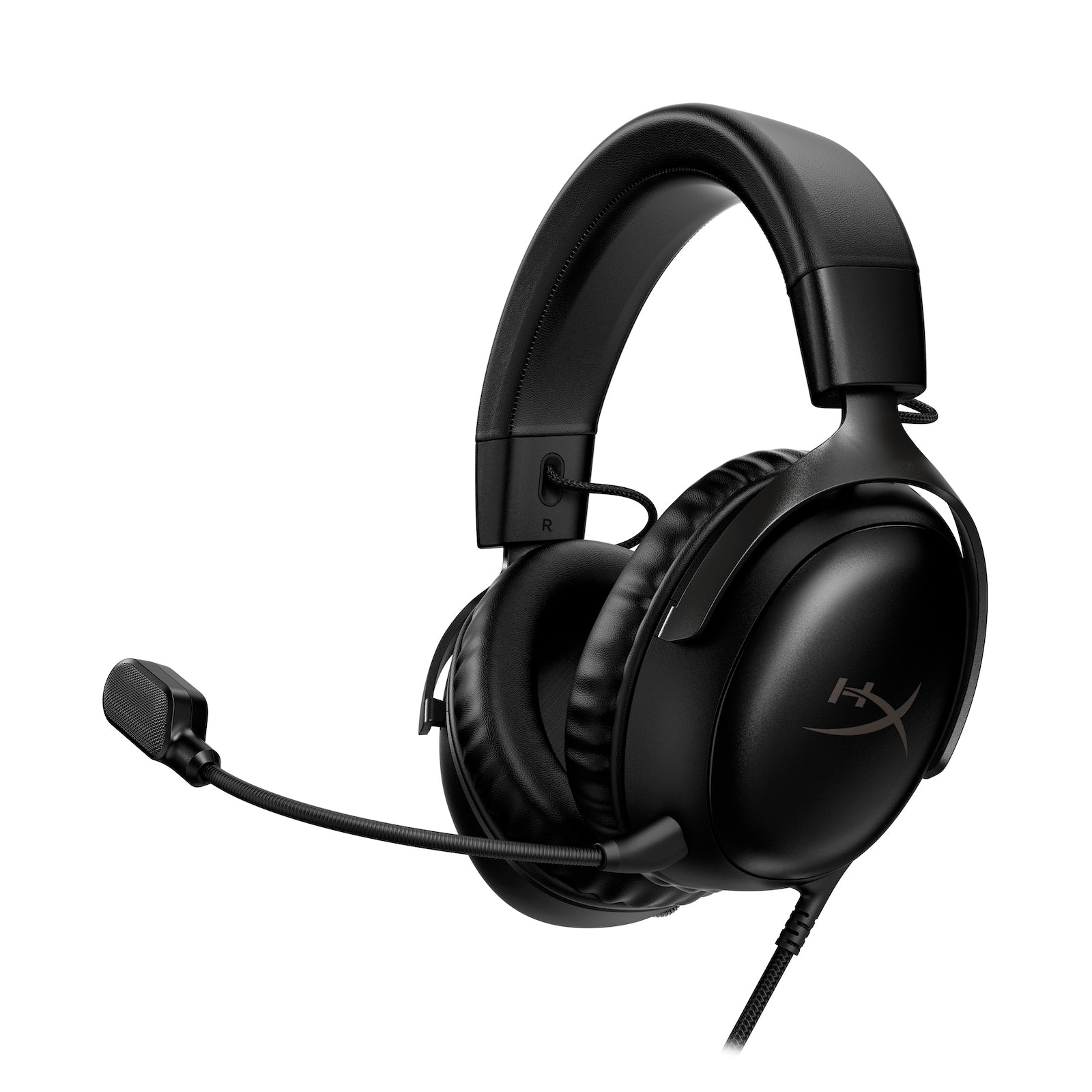 Image: HyperX
Logitech G Pro X 2 LIGHTSPEED
For competitive gamers who demand low latency and excellent audio precision, the Logitech G Pro X 2 LIGHTSPEED is a top-tier choice. It features advanced LIGHTSPEED wireless technology for near-zero delay, making it suitable for high-stakes matches. The graphene drivers offer impressive clarity and detail, allowing you to hear every nuance of the game. Comfort is also a strong suit, with plush earcups and a well-padded headband. The detachable boom mic is clear and effective for team comms. While it leans towards the higher end of the price spectrum, its performance for competitive play is undeniable. This is the headset for serious esports athletes and players who prioritize pure performance.
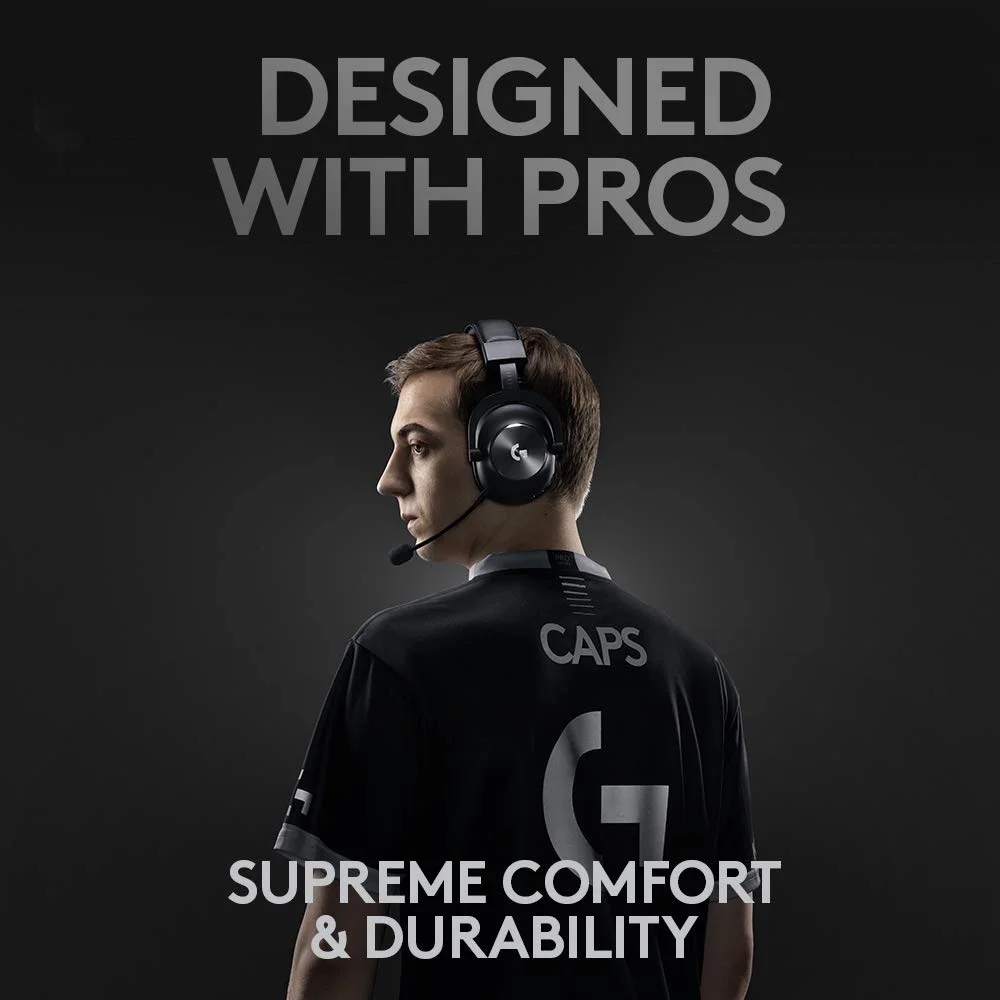 Image: Logitech
Razer BlackShark V2 X
The Razer BlackShark V2 X offers exceptional value for budget-conscious gamers who still demand good performance. It’s a wired headset, ensuring zero latency, and features large 50mm drivers that deliver punchy audio with good clarity for its price point. The microphone is decent for team chat, and the overall build, while not premium, is surprisingly robust for its cost. Comfort is adequate for extended sessions, though earcups aren’t as plush as higher-end models. If you’re on a tight budget but need a headset that won’t compromise core gaming audio, this is one of the best options available. It proves you don’t need to spend a fortune for a functional gaming headset.
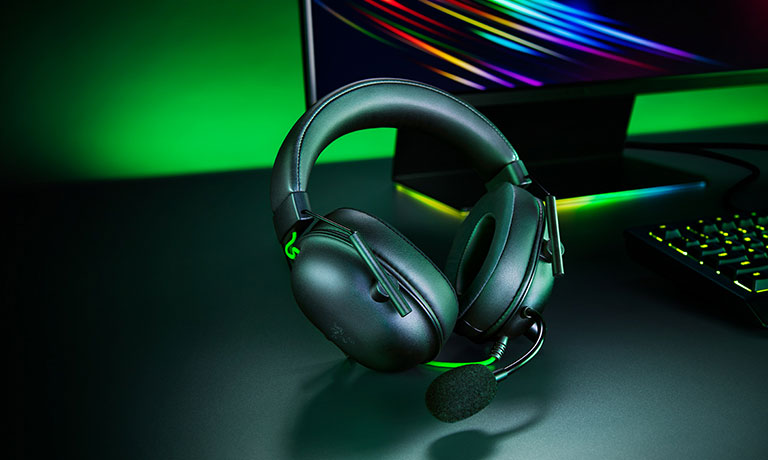 Image: Razer
Common Mistakes to Avoid
Don’t fall into these common traps. We see them every cycle, and they lead to buyer’s remorse.
Overpaying for Unused Features
That headset with a hundred customization options and RGB lighting that costs $300 might sound appealing, but if you only play single-player RPGs and never use a microphone, you’re wasting money. Focus on the features that directly benefit your gaming experience. RGB is not cooling, it’s lighting; it has no impact on game performance. We’ve seen many headsets where the extra cost is purely for aesthetics.
Ignoring Ergonomics and Comfort
A headset that sounds incredible but causes headaches after an hour is useless. Don’t underestimate the importance of fit, weight, and earcup material. A poorly designed headset can ruin immersion and performance. Always check reviews that specifically mention comfort for long sessions. We’ve had early prototypes feel great on paper but become unbearable after two hours of intense gameplay.
Skipping Software Compatibility Checks
If a headset relies heavily on software for its key features (like surround sound or EQ), ensure that software is compatible with your operating system and that it’s not overly buggy or resource-intensive. Some manufacturers’ software feels like it was coded in a weekend. Always check user feedback on the accompanying software before purchasing.
Buying Solely on Brand Hype
Just because a brand is popular doesn’t mean every product they make is gold. Do your research. Sometimes, a lesser-known brand offers superior value or performance in a specific category. We’ve seen flagship models from major brands disappoint while mid-tier offerings from competitors shine.
Chasing High Impedance or Large Drivers Without Need
Unless you’re an audiophile with a dedicated DAC/amp setup, high-impedance headphones (300 ohms+) are generally overkill and won’t sound their best straight from a PC or console. Similarly, larger drivers don’t automatically mean better sound. Focus on the tuning and overall audio profile rather than just raw numbers. We’ve seen marketing materials touting massive drivers that ultimately deliver muddy sound.
How to Match the Right Product to Your Needs
We’ve covered the specs, now let’s put it all together. Here’s how to narrow down your choices.
For Competitive FPS Players
Prioritize wired or ultra-low latency wireless. Look for headsets with a wide, accurate soundstage that excels at directional audio. A clear, responsive microphone is essential for callouts. Brands like Logitech (LIGHTSPEED) and SteelSeries often lead in this segment. Ignore RGB and fancy aesthetics; focus on performance. The Logitech G Pro X 2 LIGHTSPEED is a prime example of prioritizing competitive needs.
For Casual Gamers
Comfort and versatility are key. A good mid-range wireless headset from HyperX or Corsair offers a great balance of features, comfort, and price. Look for a pleasant, balanced audio profile that works well for music and movies too. Decent battery life is a plus. The HyperX Cloud III Wireless fits this category perfectly, offering a superb all-around experience.
For Streamers & Creators
Microphone quality is paramount. Look for headsets with clear, noise-canceling microphones, ideally with broadcast-quality potential. Features like mic monitoring (sidetone) are crucial for hearing yourself. Wireless is often preferred for freedom. The SteelSeries Arctis Nova Pro Wireless excels here with its excellent mic and robust software suite, alongside its dual wireless capabilities.
For Budget Buyers
Your goal is maximum value. Stick to wired headsets for guaranteed zero latency and better audio quality per dollar. Focus on reputable budget brands like Razer or Cooler Master. Prioritize a clear microphone and comfortable fit over elaborate features. The Razer BlackShark V2 X is how much performance you can get on a tight budget.
Final Verdict
The best gaming headset in 2026 is the one that serves your specific needs without compromise. For the ultra-competitive, low latency and precise audio are non-negotiable. For streamers, microphone clarity reigns supreme. For the casual gamer, comfort and versatility win. We’ve provided the framework and highlighted key performers, but ultimately, your budget and primary use case dictate the perfect fit. Don’t chase hype; chase performance that matters to you. Happy gaming.
Frequently Asked Questions
Can I use a gaming headset for work calls?
Yes, most gaming headsets offer excellent microphone quality suitable for video conferencing and voice calls. Their noise-canceling capabilities can even improve clarity in noisy environments. However, ensure the headset's connector type is compatible with your work devices.
What's the difference between wired and wireless gaming headsets?
Wired headsets offer zero latency, which is critical for competitive play, and usually cost less. Wireless models provide freedom of movement but can introduce a minor, often imperceptible, delay. Battery life and signal stability are key considerations for wireless.
How important is audio fidelity for gaming?
Audio fidelity is crucial. Accurate soundstage allows you to hear enemy footsteps, reloads, and environmental cues, giving you a significant competitive edge. High-fidelity audio also enhances immersion in story-driven games.
Do I need a dedicated DAC/amp for my gaming headset?
For most mainstream gaming headsets, especially those with lower impedance (under 60 ohms), a dedicated DAC/amp isn't necessary. However, audiophile-grade or high-impedance headsets can benefit from one to reach their full potential, though this is rarely a gamer priority.
How do I clean my gaming headset?
Gently wipe down the earcups and headband with a slightly damp, lint-free cloth. For earcups with fabric, you might use a soft brush. Avoid harsh chemicals or submerging parts in water. Always unplug the headset before cleaning.
Where to Buy
- SteelSeries Arctis Nova Pro Wireless on Amazon
- HyperX Cloud III Wireless on Amazon
- Logitech G Pro X 2 LIGHTSPEED on Amazon
- Razer BlackShark V2 X on Amazon
Related Articles
- Astro A50 X Review (2026): Is This the Best Gaming Headset?
- Audeze Maxwell Review (2026): Is This the Best Gaming Headset?
- Best Gaming Headset by Budget (2026): Top Picks for Every Price Range
- Best Gaming Headsets of 2025: Top Wireless Picks for PS5, Xbox, and PC
- Best Gaming Headsets of 2026: Top Wireless Picks for PS5, Xbox, and PC