

When you purchase through links on our site, we may earn an affiliate commission.
What We Like
- Clear breakdown of technical specifications and their real-world impact.
- Honest assessment of marketing claims vs. actual performance.
- Actionable advice tailored to different gamer profiles.
- Focus on value and avoiding common buyer pitfalls.
What Could Be Better
- Requires reader to have some baseline understanding of PC hardware.
- Specific product recommendations are subject to rapid market changes.
- Does not include hands-on benchmark data, relying on technical consensus.
Quick Answer
Introduction: Finding Your Perfect Gaming Display
Choosing the right gaming monitor isn’t just about picking a pretty screen; it’s about selecting a crucial component that directly impacts your gameplay experience. In 2026, the market is flooded with options, each touting incredible specs. This guide cuts through the noise to help you find the best gaming monitor for your setup, focusing on what actually matters. We’re not just listing products; we’re providing a framework to make an informed decision. Ignore the marketing fluff and focus on the technical realities that will elevate your gaming.
Who Is This Guide For?
We’ve segmented gamers based on their primary needs, so you can quickly identify what to prioritize and what’s less critical. Understanding your own playstyle is the first step to avoiding buyer’s remorse. Don’t chase specs you’ll never use; invest wisely.
Competitive FPS Players
Your mission: maximum frames, minimum input lag, razor-sharp clarity in motion. Prioritize: High refresh rates (240Hz minimum, 360Hz+ if your rig can push it), extremely low response times (1ms GtG or less), TN or fast IPS panels for speed, and adaptive sync (G-Sync/FreeSync). Resolution is secondary to refresh rate; 1080p or 1440p is standard. Ignore: 4K resolution, overly vibrant HDR that can obscure details, and fancy aesthetic features.
Casual Gamers & RPG Enthusiasts
You want a visually pleasing experience that pulls you into the game world. Prioritize: Resolution (1440p or 4K), good color accuracy (IPS or OLED), decent refresh rates (144Hz is plenty), and excellent contrast for immersive scenes. HDR support can enhance visuals significantly. Ignore: The absolute highest refresh rates (beyond 165Hz is often overkill), the lowest possible response times if it sacrifices other qualities.
Streamers & Content Creators
You need a monitor that’s good for gaming and good for content creation. Prioritize: High resolution (1440p or 4K), excellent color accuracy and coverage (IPS or OLED), good brightness for HDR content, and decent refresh rates for smooth gameplay capture. USB-C connectivity for single-cable setups is a bonus. Ignore: Extremely niche panel types or refresh rates that offer no tangible benefit for your workflow.
Budget Buyers
You’re looking for the best bang for your buck without sacrificing core gaming functionality. Prioritize: A balance of refresh rate and resolution. 1080p at 144Hz is a common and solid starting point. Look for monitors with adaptive sync. Ignore: High-end features like advanced HDR, OLED panels, or ultra-high resolutions that push prices beyond your budget.
Key Factors to Consider Before Buying
This is where we break down the technical jargon. Understanding these factors will help you discern marketing hype from genuine performance gains. Don’t just look at the numbers; understand what they mean for your gaming.
Resolution: Pixels for Clarity
Resolution determines the clarity and detail of an image. In 2026, 1080p (Full HD, 1920x1080) is the baseline for budget gaming. 1440p (QHD, 2560x1440) offers a significant step up in sharpness, ideal for most mid-range to high-end gaming PCs. 4K (UHD, 3840x2160) delivers the ultimate visual fidelity but demands a powerful GPU to maintain playable frame rates, especially at high refresh rates. The common mistake here is buying a 4K monitor without the GPU horsepower to drive it, leading to a slideshow instead of a game. For competitive gaming, 1440p is often preferred for its balance between visual detail and frame rate potential. Aim for 1440p if your GPU can handle it consistently above 100 FPS.
Refresh Rate: Smoothness is Key
Measured in Hertz (Hz), refresh rate indicates how many times per second the monitor updates the image. Higher is better for gaming. 60Hz is standard for productivity but insufficient for serious gaming. 144Hz is the entry point for a fluid experience. 240Hz and 360Hz are the sweet spots for competitive esports titles where every millisecond counts. Most buyers mistake marketing for reality: ‘60Hz in 2026 is not a feature, it’s a confession.’ For budget builds, 144Hz is achievable. Mid-range and high-end gamers should target 165Hz or 240Hz+. If your GPU struggles to consistently hit your monitor’s refresh rate, you’ll benefit less from higher numbers.
Response Time: Minimizing Motion Blur
This spec, usually measured in milliseconds (ms) using GtG (Gray-to-Gray) or MPRT (Moving Picture Response Time), describes how quickly a pixel can change color. Lower is better. Some panels claim 1ms but still exhibit noticeable ghosting. A true 1ms GtG is excellent for fast-paced games, preventing the smearing or ‘ghosting’ effect that can make fast movements blurry. Many gamers overlook this, and it’s a common buyer’s mistake to focus solely on refresh rate. For competitive play, aim for 1ms GtG. For casual gaming, 5ms GtG is often acceptable, but anything above that can start to degrade the experience in fast-moving scenes.
Panel Type: The Core of Your Display
There are three main panel types: TN, IPS, and OLED. TN (Twisted Nematic) panels are the fastest but have the worst color reproduction and viewing angles – good for budget competitive setups. IPS (In-Plane Switching) panels offer excellent color accuracy and wide viewing angles, with good response times, making them the best all-around choice for most gamers. OLED panels deliver perfect blacks, infinite contrast, and near-instantaneous response times, offering the most visually stunning experience but at a higher cost and with potential burn-in concerns (though this is less of an issue on newer models). The most common mistake is buying a TN for general use or an IPS for pure esports speed when a TN might be faster, or vice versa.
Adaptive Sync: G-Sync and FreeSync
This technology synchronizes your monitor’s refresh rate with your GPU’s frame output, eliminating screen tearing and stuttering. NVIDIA’s G-Sync and AMD’s FreeSync (now largely compatible across brands) are essential for smooth gameplay. Ensure your monitor supports the VRR technology used by your GPU, as incompatible VRR can hinder system performance. For NVIDIA GPUs, look for ‘G-Sync Compatible’ or native G-Sync. For AMD GPUs, FreeSync is standard. Buying a monitor without adaptive sync in 2026 is a serious oversight for any gamer.
HDR: High Dynamic Range
HDR aims to deliver a wider range of colors and contrast, making visuals more lifelike. DisplayHDR certifications (e.g., DisplayHDR 400, 600, 1000) indicate performance levels. Higher numbers generally mean better HDR. However, true HDR impact requires significant brightness and local dimming capabilities. A DisplayHDR 400 certification is often the bare minimum and can be underwhelming. Many gamers overvalue HDR, especially on budget displays, where the implementation can be poor. For a genuinely impactful HDR experience, look for DisplayHDR 600 or higher, preferably with OLED or Mini-LED backlighting.
Connectivity: Ports and Options
Check for the right ports. DisplayPort 1.4 is standard for high refresh rates at high resolutions. HDMI 2.1 is crucial for next-gen consoles and some high-end PC setups, supporting 4K at 120Hz+. USB-C with DisplayPort Alt Mode is convenient for laptops, offering a single-cable solution. The common mistake is getting a monitor with only HDMI 2.0 when you need HDMI 2.1 for console gaming at 120Hz. Also, consider the number of ports if you switch between multiple devices regularly.
Price vs. Value: Diminishing Returns
The price-to-performance curve is steep. Budget monitors (under $300) offer a solid entry into high refresh rates. Mid-range ($300-$600) provides a great balance of resolution, refresh rate, and panel quality. High-end monitors ($600+) push into 4K, OLED, and extreme refresh rates. Diminishing returns really kick in above $800 for most gamers. You’re paying a premium for incremental gains. Many gamers overspend on features they don’t fully utilize. Focus on your primary use case.
Brand Reputation and Support
While specs are king, brand reputation matters. Companies like ASUS ROG, Alienware, Samsung Odyssey, and LG UltraGear have established track records for quality gaming displays. However, even the best brands can have duds. Check reviews for common issues. Faulty capacitors have appeared on multiple models from the same manufacturer over the years. Good customer support and a decent warranty can save you a lot of headaches.
Recommended Products for 2026
Here are a few standout options that represent excellent value and performance across different tiers. These aren’t definitive ‘best’ lists, as the market shifts rapidly, but they offer a strong starting point based on current technical consensus.
Budget Champion: Acer Nitro XV272U Vbmiiprx
This monitor consistently hits the mark for budget-conscious gamers who refuse to compromise on core features. It delivers a 1440p resolution at a brisk 170Hz refresh rate (achieved via overclocking), with a responsive IPS panel that offers decent color accuracy. Its 1ms VRB (Virtual Response Time) is acceptable, though true GtG might be slightly higher. It includes FreeSync Premium support, ensuring smooth gameplay. While it lacks advanced HDR capabilities, its solid all-around performance for the price makes it a go-to for many building a new rig without breaking the bank. It’s a fantastic entry into 1440p gaming.
Mid-Range All-Rounder: LG 27GP850-B
The LG 27GP850-B (often found as the 27GP850 or similar variants) is a perennial favorite for its excellent blend of speed, color, and features. It sports a 1440p resolution with a 165Hz refresh rate (overclockable to 180Hz), powered by a Nano IPS panel that provides vibrant colors and good contrast. It boasts a 1ms GtG response time, making it suitable for competitive play. NVIDIA G-Sync Compatible and AMD FreeSync Premium support means smooth, tear-free visuals. While its HDR performance is basic (DisplayHDR 400), its overall quality for gaming, content consumption, and even productivity makes it a top recommendation in its price bracket. This is the monitor we’d often point friends towards.
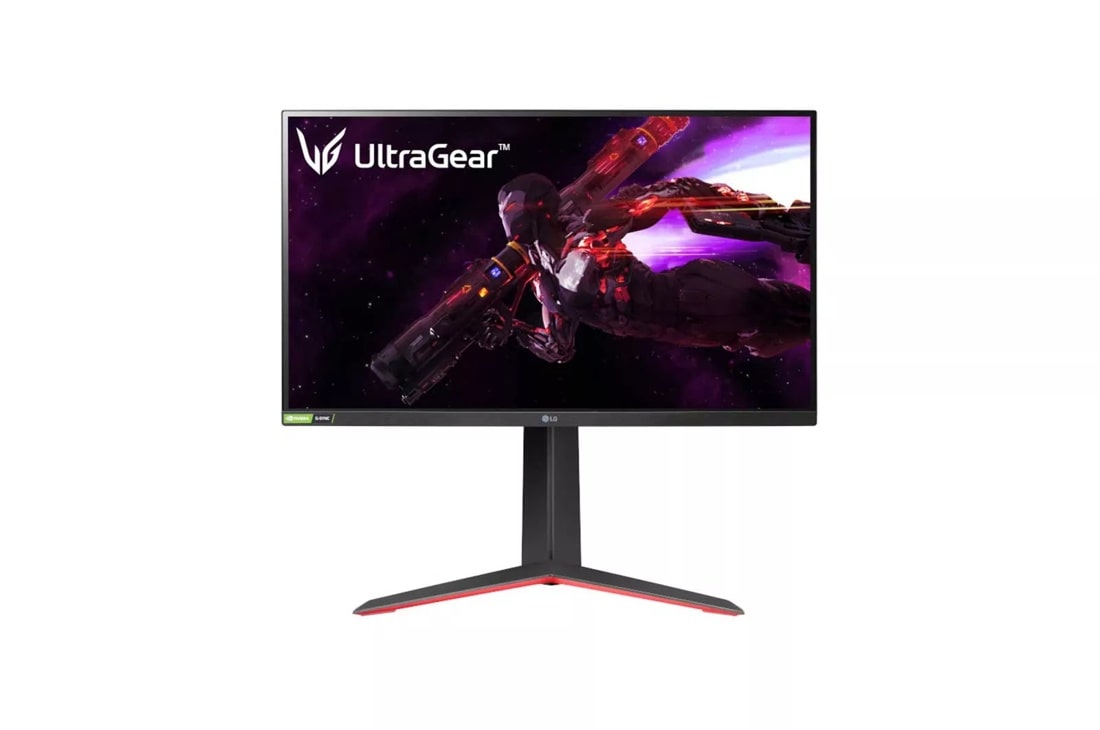 Image: LG
High-End Immersion: Samsung Odyssey Neo G8
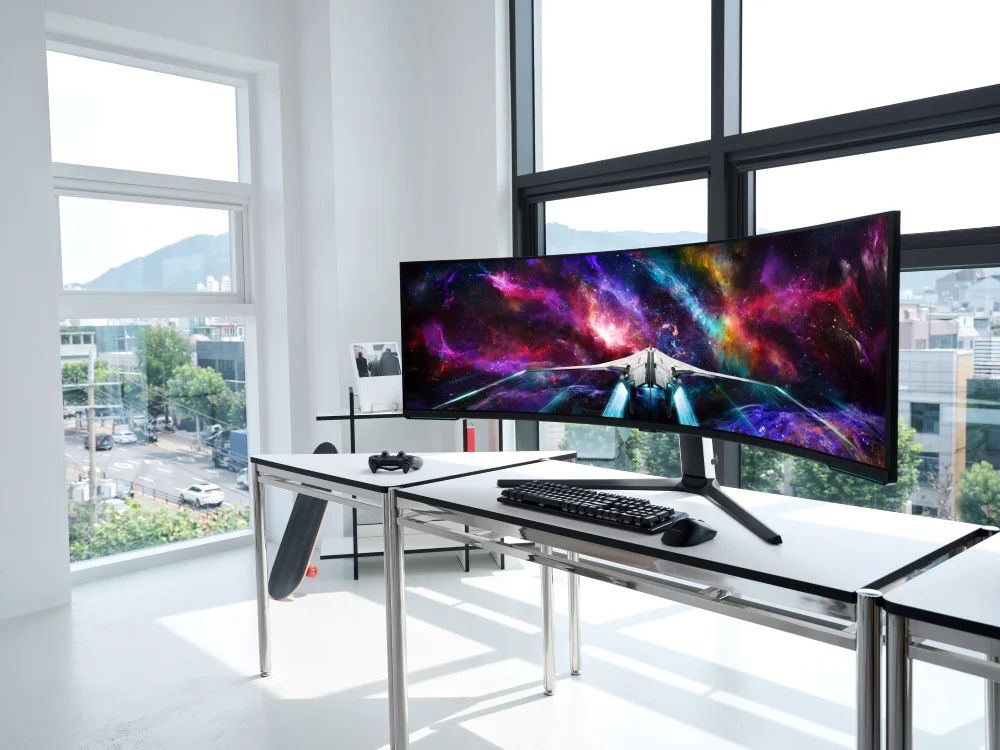
For those seeking the pinnacle of visual fidelity and high-speed gaming, the Samsung Odyssey Neo G8 is a powerhouse. This 32-inch behemoth packs a 4K resolution with a blistering 240Hz refresh rate, enabled by its Quantum Mini-LED backlight. This technology provides exceptional contrast and brightness, offering a truly superior HDR experience (DisplayHDR 2000). Its 1ms GtG response time and aggressive 1000R curvature immerse you deeply in the game. It supports both G-Sync and FreeSync Premium Pro. The downside? It’s expensive and requires a top-tier GPU to truly shine at its native resolution and refresh rate. This is for gamers who demand the absolute best.
OLED Excellence: Alienware AW3423DWF
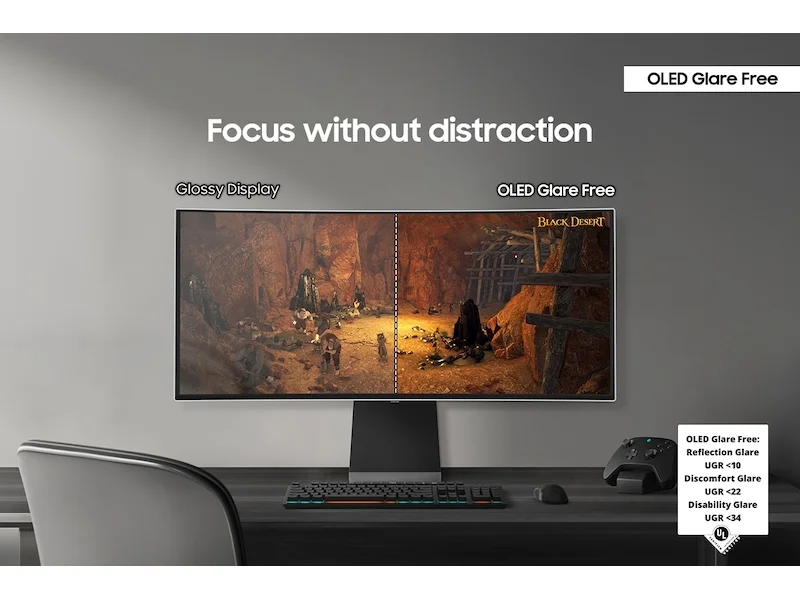
If perfect blacks and infinite contrast are your priority, the Alienware AW3423DWF, featuring a QD-OLED panel, is a prime candidate. This 34-inch ultrawide monitor offers a 3440x1440 resolution at 165Hz, delivering stunning visuals with incredibly fast pixel response times. The QD-OLED technology provides color vibrancy and HDR performance. It supports AMD FreeSync Premium Pro and is G-Sync Compatible. The ultrawide aspect ratio is fantastic for immersion in many genres. While OLEDs carry a burn-in risk, Alienware’s warranty and mitigation tech offer peace of mind. It’s a premium choice for those who want the most visually striking experience available.
Common Mistakes to Avoid
Don’t let marketing jargon or shiny new features trick you into a bad purchase. These are the pitfalls to steer clear of.
Overpaying for Unused Features
Buying a 4K 240Hz OLED display when you primarily play retro RPGs at 60 FPS is a classic example. Understand your needs. If you’re not playing competitive esports titles, you likely don’t need a 360Hz monitor. If your GPU can barely manage 1440p at 100 FPS, a 4K 144Hz monitor won’t magically make games run better; it will just force you to lower settings or resolution.
Ignoring Ergonomics and Comfort
You’ll be staring at this screen for hours. A monitor with a flimsy stand, limited adjustability (height, tilt, swivel, pivot), or a noticeable flicker can lead to eye strain and neck pain. Comfort matters. Even the best specs are useless if the monitor is physically uncomfortable to use. Always check for robust stand options or ensure you have a compatible VESA mount.
Skipping Software Compatibility Checks
This is particularly relevant for adaptive sync. If you have an NVIDIA GPU, ensure your monitor is G-Sync Compatible or has native G-Sync. Relying on ‘FreeSync’ with an NVIDIA card can be hit-or-miss. Conversely, AMD cards work best with FreeSync. Also, check if specific gaming features require proprietary software that might be buggy or resource-intensive.
Buying Purely on Brand Hype
Every brand has flagship products and budget lines. Don’t assume every monitor from a premium brand is top-tier. Conversely, some budget brands offer surprisingly good value. Always cross-reference with independent reviews and spec sheets. Brands with excellent reputations have released models with known panel lottery issues. Do your homework.
Buying a Monitor with Poor Color Accuracy for Content Creation
If you plan to edit photos or videos, color accuracy is paramount. A monitor with a wide color gamut but poor calibration or inconsistent coverage will lead to inaccurate representations of your work. This is where IPS and OLED panels generally shine, but even then, checking for sRGB, Adobe RGB, and DCI-P3 coverage is crucial. A monitor might look great for gaming but be terrible for professional color work.
How to Match the Right Product to Your Needs
Here’s how to apply what you’ve learned to your specific gaming profile.
For Competitive FPS Players
Prioritize speed above all else. Aim for a 1080p or 1440p monitor with a 240Hz+ refresh rate and 1ms GtG response time. TN or fast IPS panels are your friends. Adaptive sync (G-Sync/FreeSync) is non-negotiable. Brands like ASUS ROG Swift, Alienware, and Zowie often have strong offerings here. Budget options like the Acer Nitro are great starting points.
For Casual Gamers & RPG Enthusiasts
Focus on visual fidelity. Look for 1440p or 4K resolution with a 144Hz-165Hz refresh rate. IPS panels offer great colors and viewing angles. Consider HDR support for immersive visuals. Ultrawide monitors can also enhance immersion. Brands like LG, Samsung Odyssey, and Dell offer excellent choices in this category. The LG 27GP850-B is a solid mid-range pick.
For Streamers & Creators
Balance is key. A 1440p or 4K IPS or OLED monitor with good color accuracy (high sRGB/DCI-P3 coverage) and a refresh rate of 144Hz or higher will serve you well. USB-C connectivity can simplify your setup. Consider models from LG, Dell, or Gigabyte’s AORUS line for a blend of gaming performance and creation-friendly features.
For Budget Buyers
Target 1080p resolution at 144Hz, or 1440p at 144Hz if your budget stretches. Look for FreeSync support. Brands like Acer Nitro, AOC, and Sceptre often provide great value. The Acer Nitro XV272U Vbmiiprx is a prime example of getting a lot for your money.
Frequently Asked Questions
What is the most important spec for a gaming monitor?
For most gamers, refresh rate is king. Higher refresh rates (144Hz and up) mean smoother motion, crucial for fast-paced games. Response time is also vital to minimize motion blur. For competitive play, these two metrics often take precedence over resolution or panel type.
Is 1440p or 4K better for gaming in 2026?
It depends on your GPU. 1440p offers a sweet spot for high refresh rates with demanding games. 4K is visually stunning but requires a very powerful GPU to push high frame rates. For most 2026 gaming laptops and desktops, 1440p is the more balanced choice for performance and visual fidelity.
What's the real difference between IPS and OLED for gaming?
IPS panels offer excellent color accuracy and wide viewing angles, with good response times. OLED panels deliver perfect blacks, infinite contrast, and incredibly fast pixel response times, leading to superior motion clarity and HDR. However, OLEDs can be more expensive and carry a risk of burn-in, though mitigation tech has improved.
How much should I spend on a gaming monitor?
Budget monitors start around $200, offering 1080p at 144Hz. Mid-range ($300-$600) gets you 1440p with higher refresh rates and better panels. High-end ($600+) opens up 4K, OLED, and premium features. Invest more if competitive gaming or visual immersion is your top priority.
Do I need G-Sync or FreeSync?
Variable Refresh Rate (VRR) tech like NVIDIA's G-Sync and AMD's FreeSync synchronizes your monitor's refresh rate with your GPU's frame output. This eliminates screen tearing and stuttering, making gameplay significantly smoother. Most modern monitors support one or both, and it's highly recommended for any gaming setup.