When you purchase through links on our site, we may earn an affiliate commission.
What We Like
- Prioritize core count and clock speed for maximum FPS.
- Understand socket compatibility to avoid costly mistakes.
- Consider integrated graphics only if you’re on an absolute budget.
What Could Be Better
- Overspending on cores you won’t use for gaming.
- Ignoring motherboard VRM quality for high-end CPUs.
- Failing to account for cooling requirements.
The Quest for Peak Frame Rates: Why Your CPU Choice Matters
The hunt for the fastest gaming CPU is a perennial obsession for PC builders. It’s not just about bragging rights; it’s about unlocking those buttery-smooth frame rates that separate a good gaming experience from a truly immersive one. In 2026, the processor you choose is more critical than ever, especially if you’re aiming for high refresh rates at 1440p or 4K. This guide cuts through the marketing noise to give you a clear decision framework, not just a list of shiny boxes. We’ll help you understand the silicon that powers your play, ensuring you invest wisely. Choosing the best gaming CPU means understanding the interplay of cores, clock speeds, and cache, all while keeping your specific gaming habits and budget in sharp focus. Forget the fluff; we’re here for the facts.
Who Is This Guide For?
This guide is for anyone looking to upgrade their gaming rig or build a new one with performance as the top priority. We’ve segmented the advice to align with your specific needs. For competitive esports players, every millisecond counts, and high, stable frame rates are non-negotiable. Prioritize raw clock speed and minimum frame rate performance. Beginners might feel overwhelmed; we’ll highlight accessible options that offer great bang for your buck without requiring deep technical knowledge. Casual gamers often balance performance with price; we’ll point you toward CPUs that deliver excellent gameplay without breaking the bank. If you’re a streamer or content creator who also games, you’ll need a CPU that handles both demanding tasks simultaneously, so core count and multi-threaded performance become more important. Budget buyers, rejoice; we’ll show you where to get the most gaming performance without dipping into your rent money. We’ll help you ignore the specs that don’t move the needle for your personal use case.
Key Factors to Consider Before Buying
Navigating the CPU market in 2026 requires a keen eye for detail. It’s not just about the number on the box; it’s about how those numbers translate into real-world gaming performance. We’ll break down the critical components of a gaming CPU, from the raw power of clock speed to the subtle but significant impact of cache. Understanding these elements is your first step to making an informed purchase. Don’t get swayed by marketing jargon; focus on the specifications that actually matter for your gameplay. We’ve seen too many builds hobbled by a CPU choice that looked good on paper but failed to deliver in practice. Let’s ensure that doesn’t happen to you. We’ll cover the essential specs, build quality considerations, and the ever-important value proposition. Get ready to decode the silicon.
Performance & Specifications
This is where the rubber meets the road. For gaming, the two most critical specs are clock speed and cache size. Clock speed, measured in GHz, dictates how many operations per second a core can perform. Higher is generally better for gaming, especially for titles that aren’t heavily multi-threaded. Look for CPUs with boost clocks north of 5.5 GHz for enthusiast-level performance. Core count is also important, but the sweet spot for gaming is typically 6-8 high-performance cores. More cores are beneficial for multitasking, like streaming while gaming, but can offer diminishing returns for pure gaming. Cache, particularly AMD’s 3D V-Cache, can provide significant performance uplifts in specific games by reducing the time the CPU waits for data from RAM. Buyer’s mistake: Overemphasizing core count for gaming and ignoring clock speed and cache. If a spec sheet says ‘optimized’ without numbers, run.
Build Quality & Durability
While CPUs are generally robust, build quality still matters. This primarily relates to the manufacturing process and the silicon lottery. Some chips will overclock better or run cooler than others, even within the same model. More critically, the CPU’s integration with the motherboard matters. High-end CPUs, especially Intel’s K-series chips, can draw significant power and generate substantial heat. This necessitates a motherboard with robust Voltage Regulator Modules (VRMs) to deliver stable power without overheating. A cheap motherboard with a high-end CPU is a recipe for thermal throttling or, in extreme cases, instability. Buyer’s mistake: Pairing a power-hungry CPU with a motherboard that has inadequate VRMs, leading to performance degradation.
Comfort & Ergonomics
When we talk about CPU comfort, we’re not talking about how it feels in your hand. This factor pertains to the thermal envelope and power consumption. A CPU that runs hotter requires a more substantial and expensive cooler, adding to your build cost and potentially noise levels. Conversely, a more power-efficient CPU can be paired with a smaller cooler, leading to a quieter and potentially more compact build. AMD’s X3D processors are often lauded for their performance-per-watt, meaning they can deliver top-tier gaming frame rates while consuming less power than comparable Intel chips. Buyer’s mistake: Underestimating the cooling requirements of a high-end CPU, leading to thermal throttling and noise issues.
Features & Customization
Features on CPUs are becoming more nuanced. Overclocking is a primary customization avenue for enthusiasts, allowing you to push clock speeds beyond stock. Both Intel (K-series) and AMD CPUs offer overclocking potential, though the gains vary. Some CPUs come with integrated graphics (iGPUs), which are useful for troubleshooting or basic display output if you don’t have a discrete GPU. However, for serious gaming, an iGPU is rarely sufficient. Other features include support for specific memory standards (DDR5 in 2026) and PCIe generations (PCIe 5.0 for future-proofing). Buyer’s mistake: Paying a premium for features like integrated graphics when you already have or plan to buy a discrete GPU.
Connectivity
While the CPU itself has limited ‘connectivity’ in the traditional sense, its chipset and integrated memory controller dictate support for crucial technologies like RAM speed and PCIe lanes. For gaming, ensuring your CPU and motherboard support DDR5 RAM at high speeds (e.g., 6000MHz CL30 or better) is vital for performance. Similarly, support for PCIe 5.0 offers double the bandwidth of PCIe 4.0, which is becoming increasingly relevant for the latest high-end GPUs and NVMe SSDs, though the immediate gaming benefit is often marginal. Wired vs. wireless latency is not a CPU concern; it’s a peripheral and network issue. Buyer’s mistake: Skimping on RAM speed when the CPU and motherboard could support much faster memory, leaving performance on the table.
Price vs Value
The ‘fastest’ CPU is rarely the best value. Diminishing returns are a harsh reality. Spending an extra $200 for a 2% performance uplift isn’t smart. We aim for the sweet spot where performance gains are significant and the price jump is justifiable. For example, a mid-range CPU might offer 90% of the performance of the absolute top-tier chip for 60% of the cost. The highest-end CPUs often target enthusiasts willing to pay a premium for every last frame. Buyer’s mistake: Buying the most expensive CPU available without considering if the marginal performance gains justify the significant price increase for their specific use case.
Brand Reputation & Support
AMD and Intel have been the primary players in the CPU market for decades. Both offer competitive products with generally good reliability. Support typically comes through motherboard manufacturers for BIOS updates and troubleshooting. Processor warranties are standard. For critical issues, direct manufacturer support is available, though the need is rare for modern CPUs. Publicly documented failure patterns are rare for current-generation CPUs, but older socket designs sometimes had known issues with bent pins or thermal paste application problems. Buyer’s mistake: Choosing a lesser-known brand solely on price without considering long-term support and potential compatibility issues.
Recommended Products
In 2026, the CPU market is fiercely competitive. We’ve identified a few standout performers that represent different tiers of gaming prowess and value. These aren’t just specs on a sheet; they’re processors that consistently deliver in real-world gaming scenarios. We’ve focused on models that are readily available and represent current technological advancements. Remember, the ‘best’ CPU is subjective and depends heavily on your specific needs and budget. This selection aims to cover the bases for gamers serious about performance.
AMD Ryzen 9 7950X3D
This CPU is a titan for gaming, especially in cache-sensitive titles. Its massive 128MB of L3 cache via 3D V-Cache technology provides a substantial boost in games that can utilize it, often surpassing even Intel’s top offerings in specific benchmarks. It also boasts 16 cores and 32 threads, making it a powerhouse for multitasking and productivity when you’re not gaming. While its all-core boost clocks might not reach the absolute peaks of some Intel chips, the sheer cache advantage is a for many titles. It runs on the AM5 platform, offering future upgrade potential. However, it’s a premium option and requires a robust motherboard and cooling solution to perform optimally.
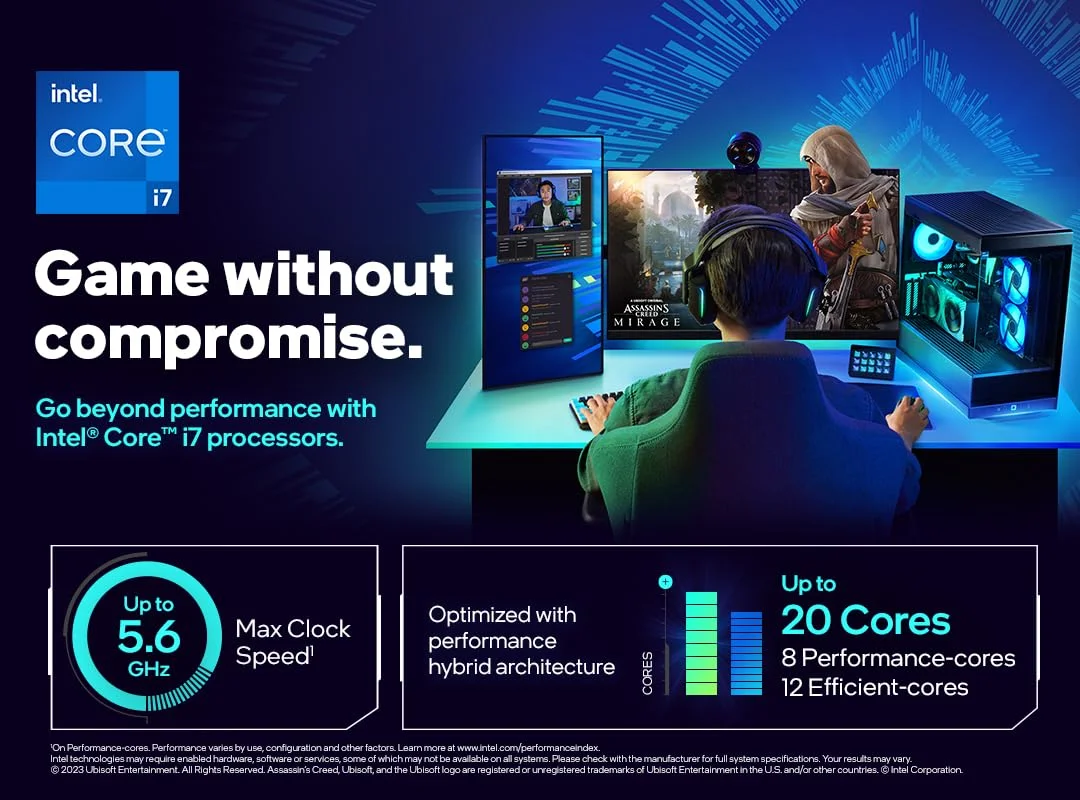 Image: representative product (Intel)
Intel Core i9-14900K
Intel’s flagship for 2026, the i9-14900K, is a raw performance monster. It pushes incredibly high clock speeds, often exceeding 6.0 GHz on its performance cores, which translates to exceptional frame rates in a wide variety of games, particularly those that favor high single-core performance. With 24 cores (8 Performance-cores and 16 Efficient-cores) and 32 threads, it’s also a beast for productivity tasks. Its main drawbacks are its high power consumption and heat output, demanding a top-tier cooling solution and a motherboard with excellent VRMs. If you want the absolute highest peak FPS in most gaming scenarios and don’t mind the power draw, this is a prime contender.
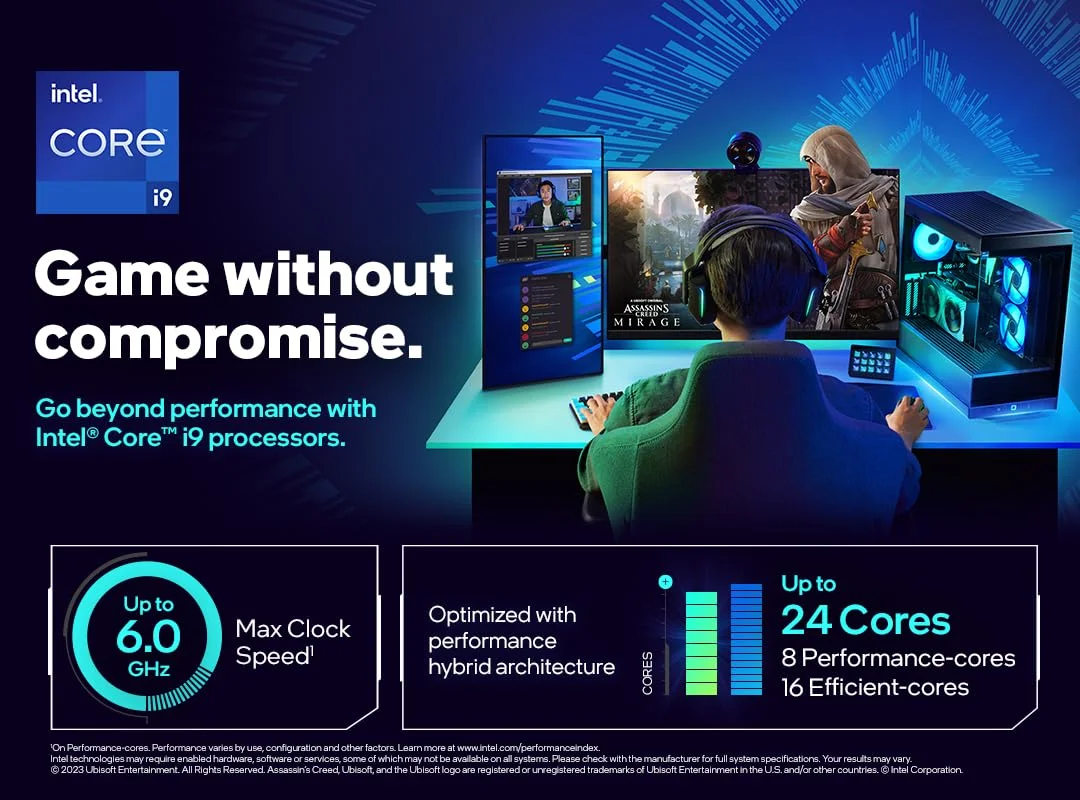 Image: representative product (Intel)
AMD Ryzen 7 7800X3D
For pure gaming performance without the stratospheric price tag of the 7950X3D, the 7800X3D is arguably the current king of value. It features 8 cores and 16 threads, all with the benefit of AMD’s 3D V-Cache technology, delivering performance that rivals or even beats higher-core-count CPUs in many gaming benchmarks. Its power efficiency is also excellent, meaning it runs cooler and quieter than many competitors, making it easier to cool effectively. This CPU is ideal for gamers who prioritize in-game frame rates above all else and don’t require the immense multi-threaded power for heavy content creation. It’s a fantastic all-around gaming processor that hits a sweet spot for performance and efficiency.
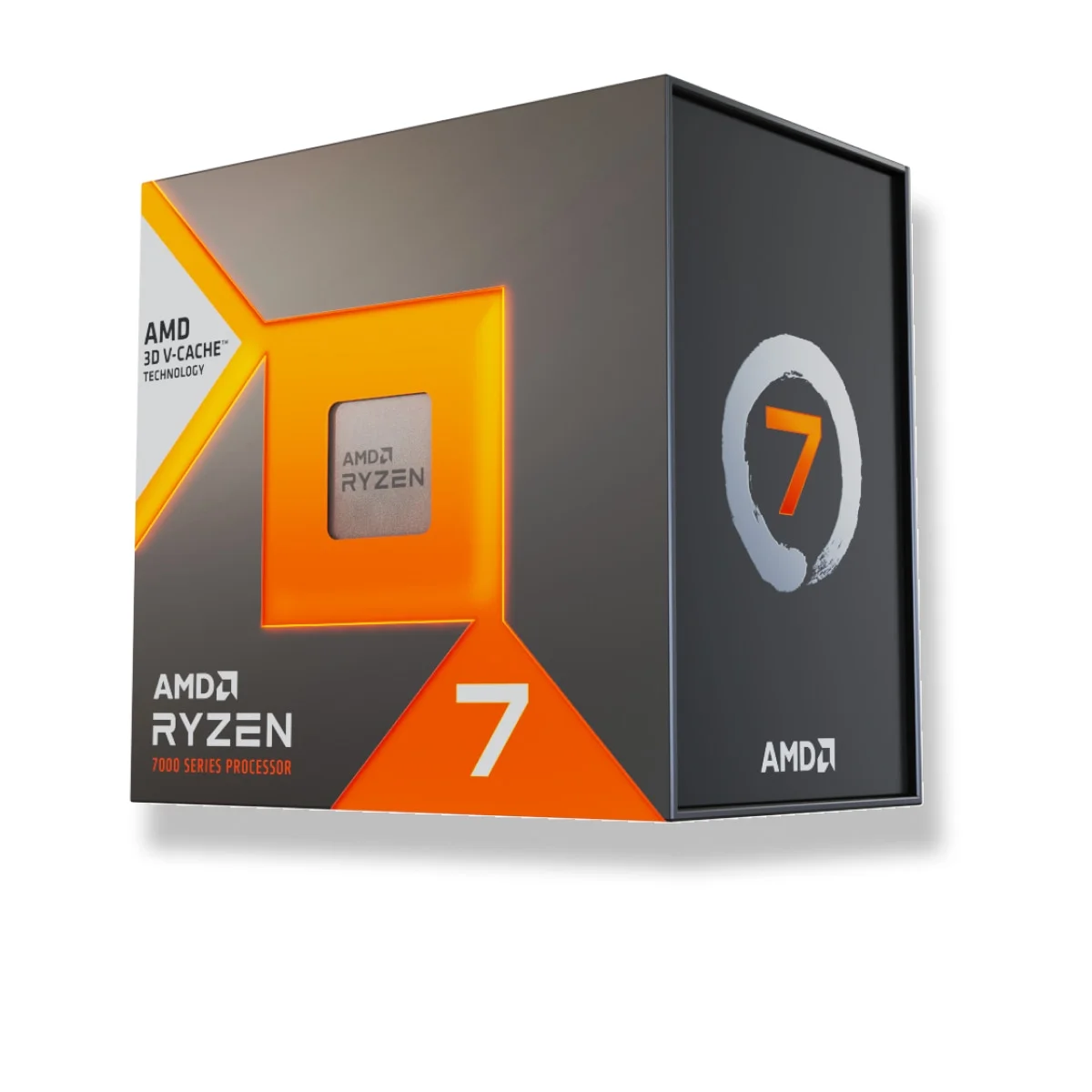 Image: AMD
Intel Core i7-14700K
The Core i7-14700K offers a compelling blend of high-end gaming performance and productivity capabilities at a more accessible price point than the i9. It features 20 cores (8 Performance-cores, 12 Efficient-cores) and 28 threads, providing excellent multi-threaded grunt. Its boost clocks are high enough to deliver superb gaming frame rates, often coming very close to the i9 in many titles. It also benefits from Intel’s robust platform features. Like its bigger brother, it requires a good cooler and a capable motherboard, but it represents a more balanced option for gamers who also engage in content creation or heavy multitasking. It’s a solid workhorse for a high-performance gaming rig.
 Image: representative product (AMD)
Common Mistakes to Avoid
Building a gaming PC involves navigating a minefield of potential pitfalls. We’ve seen builders make the same mistakes time and time again, often due to marketing hype or a lack of understanding. Avoiding these blunders will save you money, headaches, and ensure your system performs as expected. Don’t let a simple oversight compromise your entire build. We’re here to flag the most common traps so you can sidestep them entirely. From overpaying for features you won’t use to ignoring crucial compatibility checks, these are the traps you need to be aware of. Pay attention, and your build will thank you.
Overpaying for Unused Features
This is a classic. You see a CPU with 24 cores, insane clock speeds, and a price tag that makes your eyes water. But if your primary use is gaming at 1440p or 4K, where the GPU is usually the bottleneck, you likely don’t need that much raw processing power. Many games don’t scale beyond 8-12 cores effectively. Buying an enthusiast-grade CPU for casual gaming is like buying a monster truck to drive to the grocery store – overkill and inefficient. Focus on the core counts and clock speeds that actually benefit the games you play. RGB is not cooling, it’s lighting.
Ignoring Ergonomics (Thermal Throttling)
This isn’t about physical comfort; it’s about thermal performance. Buying a high-end, power-hungry CPU like the Intel Core i9-14900K without budgeting for a capable cooler (a 360mm AIO or a high-end air cooler) is a recipe for disaster. The CPU will overheat, throttle its performance to prevent damage, and run loudly. You’ll pay for top-tier performance but only get mid-tier results, coupled with a fan that sounds like a jet engine. Always factor in the cooling solution when evaluating a CPU’s total cost and practical performance.
Skipping Software & BIOS Compatibility Checks
You’ve picked the perfect CPU, but is it compatible with your motherboard? Every CPU generation uses specific sockets (e.g., LGA 1700 for Intel 12th-14th Gen, AM5 for AMD Ryzen 7000 series). Ensure your motherboard’s socket matches your CPU. Furthermore, older motherboards might require a BIOS update to recognize newer CPUs, even if the socket is correct. Always check the motherboard manufacturer’s CPU support list online before buying. Some motherboards support ‘BIOS Flashback’ allowing updates without a CPU installed, which is a lifesaver. Not checking this can lead to a dead system.
Buying on Brand Hype Alone
Both AMD and Intel make excellent CPUs. However, sometimes a particular chip gets overhyped, or a previous generation’s ‘best’ is still being pushed as current. Always look at recent benchmarks for the specific games you play. Don’t assume that because a CPU was top-tier two years ago, it still holds that title. Technology moves fast. Compare current-generation offerings from both brands using reputable tech review sites that show real-world gaming performance data. Your mileage may vary based on the games you play.
How to Match the Right Product to Your Needs
Choosing the fastest gaming CPU is only part of the equation. The real goal is to match the right CPU to your specific gaming habits, resolution, and budget. What’s ‘fastest’ for a competitive esports player might be overkill for a casual gamer. We’ll break down recommendations based on common gamer profiles. Consider your primary use case, the types of games you play, and your overall system goals. This section helps you translate raw specs into tangible benefits for your gaming experience.
For Competitive FPS Players
If your lifeblood is high-refresh-rate shooters like Valorant, CS:GO, or Apex Legends, you need maximum FPS and minimal frame time variance. Prioritize CPUs with the highest boost clock speeds and excellent single-core performance. The Intel Core i9-14900K often excels here due to its raw frequency. However, AMD’s X3D chips, like the Ryzen 7 7800X3D, can also deliver incredible performance, sometimes even surpassing Intel in specific titles, and at lower power draws. Look for CPUs that can consistently push 240+ FPS at 1080p or 1440p. Ignoring these specs is a concession you can’t afford.
For Casual Gamers
For most casual gamers playing a variety of titles at 1080p or 1440p with a target of 60-144 FPS, a mid-range CPU offers the best balance of performance and value. Processors like the Intel Core i7-14700K or AMD Ryzen 7 7700X provide ample power for most games without breaking the bank. You don’t need the absolute bleeding edge. Focus on CPUs with 6-8 strong cores and respectable boost clocks. This segment is where you can save money without sacrificing a good gaming experience, allowing you to invest more in your GPU or monitor.
For Streamers & Creators
If you’re gaming and streaming simultaneously, or doing heavy video editing and content creation, you need more than just raw gaming speed. Core count and multi-threaded performance become paramount. CPUs with 12+ cores, like the AMD Ryzen 9 7950X3D or Intel Core i9-14900K, are excellent choices. These processors can handle the demands of encoding video streams while gaming, or crunching through rendering tasks efficiently. While gaming performance is still important, the ability to handle demanding background tasks without impacting gameplay is the priority here.
For Budget Buyers
Budget gaming CPUs in 2026 still offer fantastic performance. Look for chips like the AMD Ryzen 5 7600X or Intel Core i5-13600K (if still readily available and priced competitively). These offer 6-8 cores with solid boost clocks capable of handling most modern games at 1080p with good frame rates. The key here is value – getting the most FPS per dollar. You might have to dial back settings in the most demanding AAA titles, but you’ll still have a capable gaming machine without spending a fortune. Any serious builder knows value is king.
Final Verdict
The fastest gaming CPU in 2026 is a moving target, but for raw, unadulterated gaming performance, the Intel Core i9-14900K often leads in peak FPS across a broad spectrum of games due to its extreme clock speeds. However, the AMD Ryzen 7 7800X3D offers arguably the best gaming value, delivering exceptional performance, especially in cache-sensitive titles, with better power efficiency. For those who need a powerhouse for both gaming and productivity, the AMD Ryzen 9 7950X3D and Intel Core i9-14900K are top-tier choices. Ultimately, the ‘fastest’ CPU for you depends on your specific games, resolution, refresh rate targets, and budget. Do your research, check benchmarks for the titles you play most, and invest wisely. Forget the hype; focus on performance that matters for your gameplay.
Frequently Asked Questions
What is the single fastest gaming CPU right now?
As of late 2026, the AMD Ryzen 9 7950X3D and Intel Core i9-14900K are generally considered the top contenders for raw gaming performance. However, the 'fastest' can depend on the specific game and resolution. For pure FPS in most titles, the Intel chip often edges out, but the AMD's 3D V-Cache provides a significant boost in specific, cache-sensitive games, often at lower power draw.
Do I need a lot of cores for gaming?
Not really. For pure gaming, 6-8 high-performance cores are typically sufficient. Many modern games are optimized for this range. Going beyond 12 or 16 cores usually offers diminishing returns for gaming alone and impacts your budget significantly. More cores are beneficial for streaming or heavy content creation alongside gaming.
How important is clock speed for gaming CPUs?
Clock speed is king for gaming. Higher clock speeds mean the CPU can execute instructions faster, directly translating to higher frame rates, especially at lower resolutions where the CPU is the bottleneck. Look for CPUs with high boost clocks, ideally above 5.5 GHz for top-tier performance.
AMD or Intel for gaming in 2026?
It's a close race. Intel often leads in raw single-core performance and peak clock speeds, which benefits many games. AMD's Ryzen processors, particularly those with 3D V-Cache (like the X3D series), excel in cache-sensitive titles and offer excellent power efficiency. Your choice depends on the games you play and your overall system goals.
What does socket compatibility mean for CPUs?
The CPU socket is the physical interface on the motherboard where the processor is installed. You must match the CPU's socket type (e.g., AMD AM5, Intel LGA 1700) to the motherboard's socket. Buying the wrong CPU for your motherboard's socket means it won't fit, rendering your build useless without a new motherboard.
Where to Buy
- AMD Ryzen 9 7950X3D on Amazon
- Intel Core i9-14900K on Amazon
- AMD Ryzen 7 7800X3D on Amazon
- Intel Core i7-14700K on Amazon
Related Articles
- AMD Announces Ryzen 9000 Series News - Everything Confirmed So Far (2026)
- AMD Ryzen 5 7600X3D PC Build: Performance Benchmark and Budget-Friendly Guide (2026)
- AMD Ryzen 5 9600X Review (2026): Best Value 6-Core for Competitive Gaming
- AMD Ryzen 7 7800X3D Review (2025): Is This the Best Gaming CPU for the Money?
- AMD Ryzen 7 7800X3D Review (2026): Still the Best Budget Gaming Processor?