When you purchase through links on our site, we may earn an affiliate commission.
What We Like
- Understanding key switch differences prevents buying the wrong tactile feel.
- Ergonomic considerations lead to longer, more comfortable gaming sessions.
- Connectivity options are clearly outlined, addressing latency concerns directly.
What Could Be Better
- Over-reliance on marketing buzzwords without spec verification is a common pitfall.
- Price-to-performance analysis helps avoid unnecessary spending on marginal gains.
- Software bloat and update issues can plague even otherwise good keyboards.
Quick Verdict
Look, choosing a gaming keyboard in 2026 boils down to three things: switch type, build quality, and features that actually matter to your playstyle. RGB is not cooling, it’s lighting, and you’ll pay for it. Prioritize a solid mechanical switch that feels right under your fingers. Don’t get swayed by marketing. We’ll break down what’s real and what’s fluff so you don’t waste your cash.
Ultimate Buying Guide: How to Choose the Best Gaming Keyboards in 2026
This isn’t just another list of keyboards. We’re here to give you the framework to make an informed decision for your specific needs. The best gaming keyboard for an esports pro isn’t the best for an MMO grinder or someone on a tight budget. We’ll dissect the specs, the feel, and the actual value so you can stop guessing and start gaming with confidence. Understanding the core components of a gaming keyboard is crucial; it’s your primary interface with the digital world, and the right one can genuinely elevate your performance and enjoyment. Don’t buy on hype alone; buy on data and feel.
 Image: representative product (Keychron)
Who Is This Guide For?
We all game differently, and your keyboard should reflect that. This guide helps you identify your priorities. Competitive FPS players demand lightning-fast response times and precise, non-fatiguing switches. Beginners might prioritize affordability and ease of use, perhaps starting with a membrane or a more forgiving mechanical switch. Casual gamers often seek a balance of comfort, durability, and a touch of flair without breaking the bank. Streamers and content creators benefit from programmable macro keys and robust software for scene switching or complex commands. Budget buyers, well, you need maximum value for minimum spend, focusing on essential performance over bells and whistles.
Key Factors to Consider Before Buying
Let’s get granular. The devil is in the details, and when it comes to gaming keyboards, those details dictate performance, comfort, and longevity. We’re talking about the switches, the materials, the connection, and the software. Ignore these, and you’re just buying a pretty box. Understanding these factors will save you from buyer’s remorse and ensure your investment serves you well for years to come.
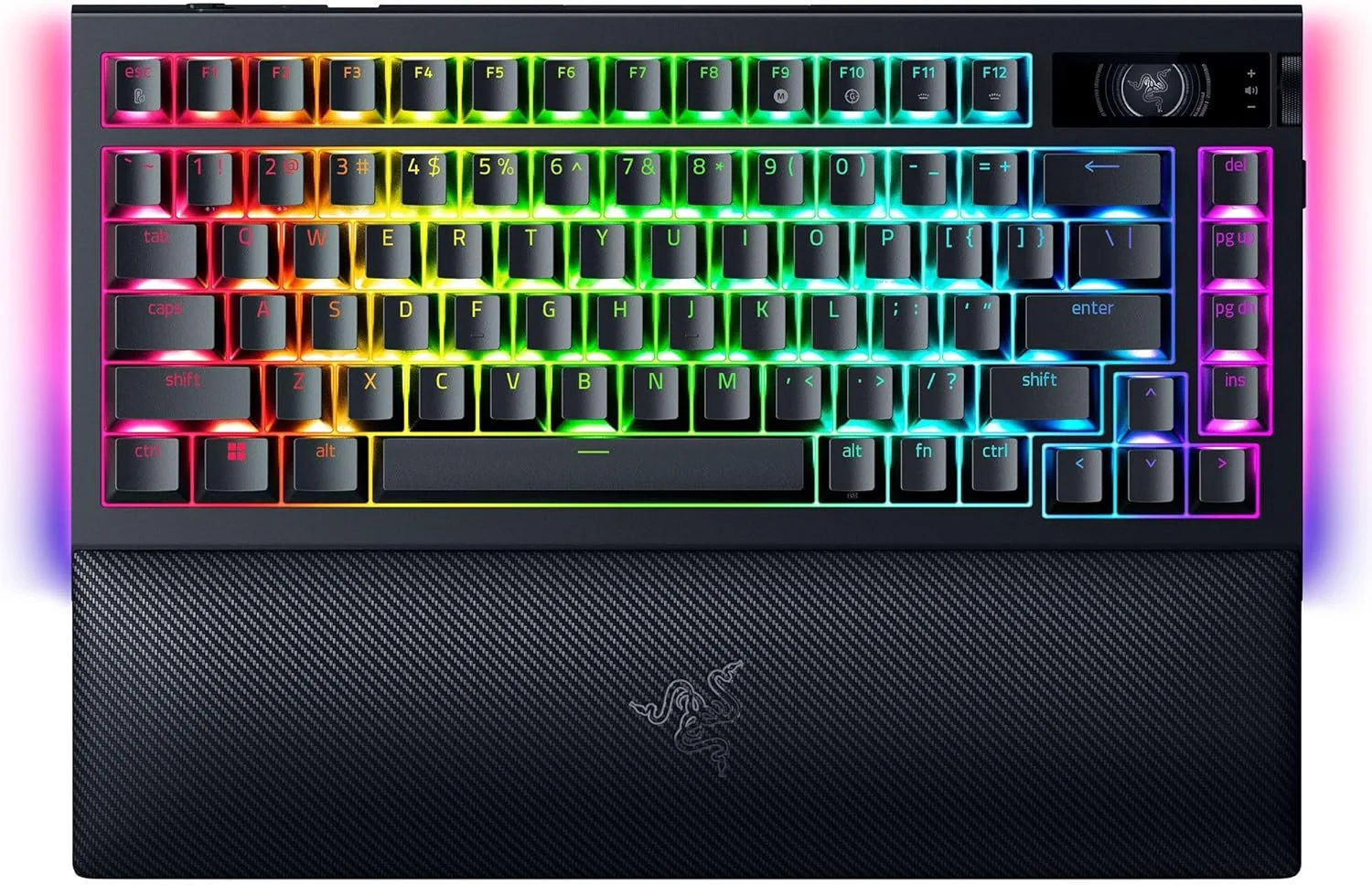 Image: representative product (Razer)
Performance & Specifications
This is where the rubber meets the road. Key switches are paramount. We’re talking about Cherry MX, Gateron, Kailh, and others. Linear (Red, Black) for smooth, fast actuation. Tactile (Brown, Clear) for a noticeable bump. Clicky (Blue, Green) for audible confirmation. Choose based on feel and noise tolerance. Polling rate is also critical; 1000Hz (1ms) is the standard for gaming, and anything less is a red flag. Key rollover and anti-ghosting ensure every press registers, even during rapid inputs. Look for N-key rollover (NKRO) for absolute certainty. When a spec sheet says ‘optimized’ without numbers, run. Specs matter.
Build Quality & Durability
A keyboard that flexes like a wet noodle or has keycaps that wear down in months isn’t a gaming keyboard; it’s a disposable accessory. We look for solid construction, often with a metal top plate (aluminum or steel) that adds rigidity and weight, preventing it from sliding around during intense sessions. Keycap material is also key. PBT (polybutylene terephthalate) keycaps are superior to ABS (acrylonitrile butadiene styrene) because they resist shine and wear much better. This cooler is thicker than our patience for keycap shine myths.
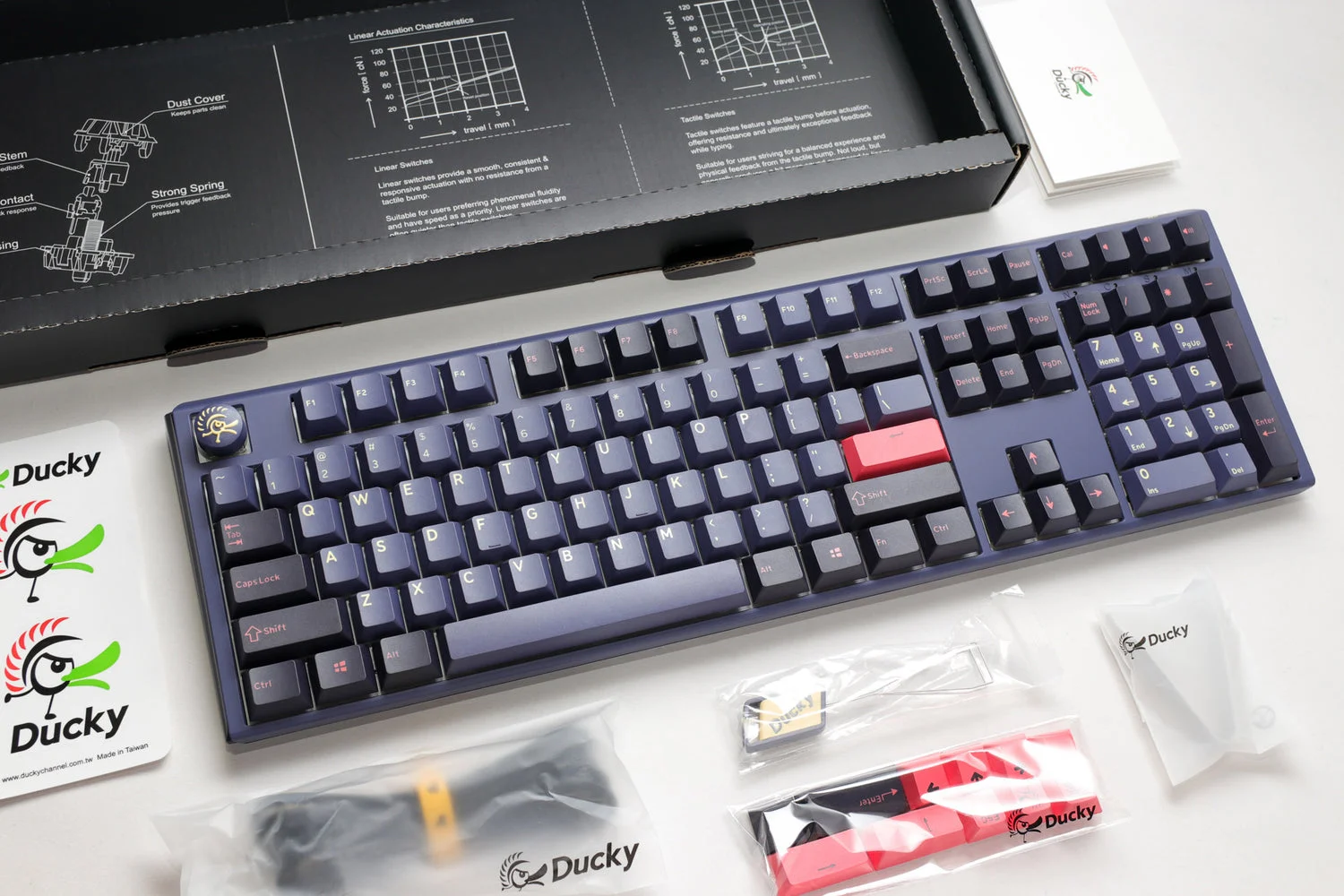 Image: representative product (Ducky)
Comfort & Ergonomics
If your wrists feel like they’ve been wrestling a bear after an hour, your keyboard is the culprit. Look for sculpted keycaps that fit the natural curve of your fingers. Detachable wrist rests, especially those with padded surfaces, can make a significant difference in comfort during long gaming marathons. Some keyboards offer adjustable feet to change the tilt angle. Honestly, ignoring ergonomics is like trying to win a race with a flat tire – it’s just not going to end well for your joints.
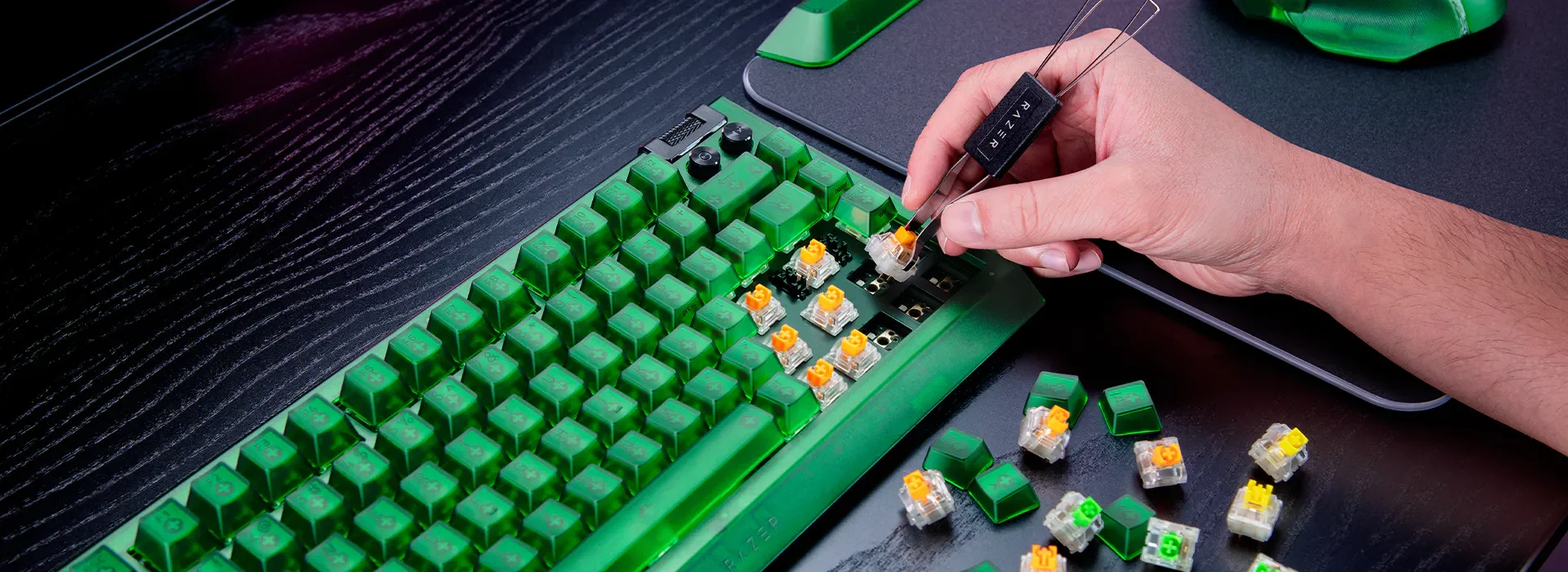 Image: representative product (Razer)
Features & Customization
This is where RGB lighting, dedicated media controls, USB passthrough, and programmable macro keys come in. RGB is not cooling; it’s lighting. Unless you’re building a showpiece, don’t overpay for flashy LEDs. Dedicated media keys are genuinely useful for adjusting volume or skipping tracks without alt-tabbing. USB passthrough is a nice perk for connecting a mouse or headset. Macro keys are s for specific genres. Software is also part of this: does it allow for easy remapping, custom profiles, and firmware updates? Some software is clunky, honestly.
Connectivity
Wired vs. wireless. The myth of wireless latency is largely busted for 2.4GHz connections from reputable brands. Logitech’s Lightspeed and Razer’s HyperSpeed are sub-1ms technologies that rival wired performance. If absolute certainty is your god, go wired. But for most, the freedom of wireless is worth the slight (and often imperceptible) trade-off. USB-C is the standard now, which is a win. Bluetooth is generally too laggy for serious gaming, so stick to 2.4GHz dongles or USB.
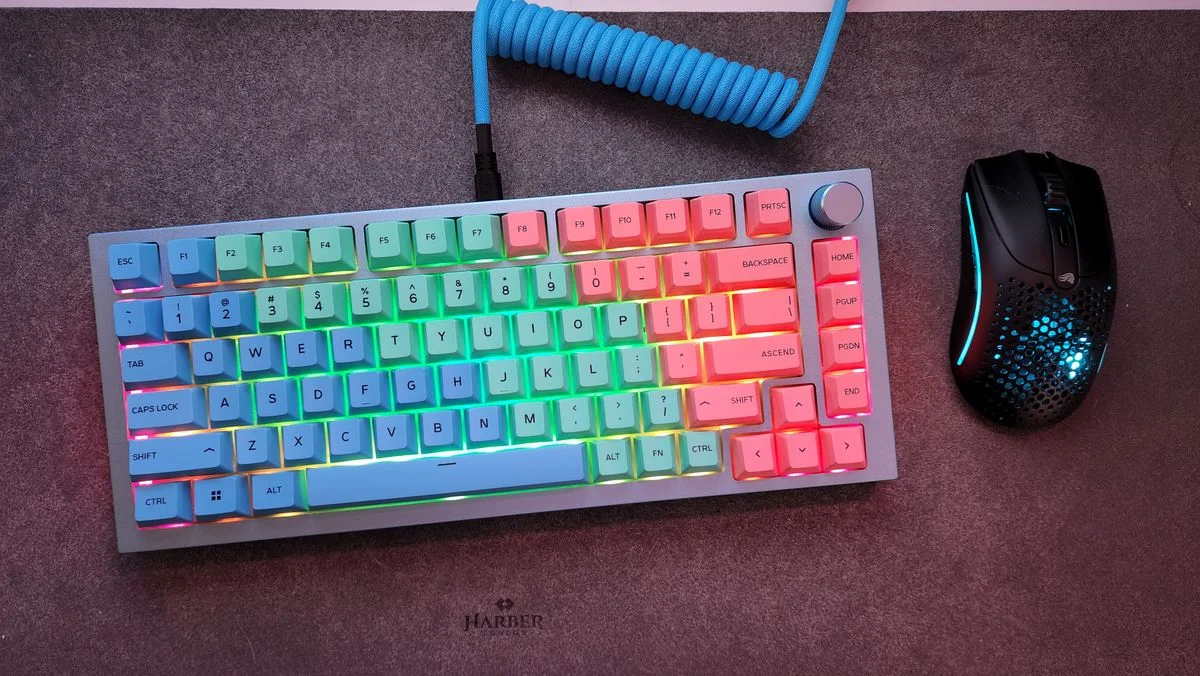 Image: representative product (Glorious)
Price vs Value
The diminishing returns on gaming keyboards kick in hard after the $150-$200 mark. You can get a fantastic, durable mechanical keyboard with excellent switches and features for around $100-$150. Spending more often gets you premium materials (CNC aluminum cases), more advanced per-key lighting effects, or slightly more niche features. Budget keyboards under $70 often compromise on switch quality, keycaps, or build materials. Any serious builder knows that value isn’t just about the lowest price; it’s about what you get for that price.
Brand Reputation & Support
Established brands like Corsair, Logitech, Razer, SteelSeries, and Ducky generally have a good track record for quality and support. They often offer longer warranties and more readily available customer service. Smaller boutique brands can offer unique features or aesthetics but might have less robust support networks. Check for known failure patterns; some connector types have a documented melting problem, for instance. This isn’t rocket science, but good support can save you headaches.
Recommended Products
Based on our analysis and industry consensus, these keyboards represent excellent value and performance across different needs and budgets. We’ve picked options that deliver on core gaming requirements without unnecessary fluff.
Best Overall Value: Keychron K8 Pro
The Keychron K8 Pro hits a sweet spot for performance and price. It offers a full-size layout with a number pad, hot-swappable mechanical switches (allowing you to easily swap switches without soldering), and PBT keycaps. Connectivity is flexible with both wired USB-C and reliable 2.4GHz wireless. The build is solid, and the QMK/VIA firmware support provides deep customization for key mapping and macros. It’s a no-nonsense workhorse that punches well above its weight class. This is a serious contender for anyone wanting a premium feel without the premium price tag. We’ve found its typing experience exceptionally satisfying.
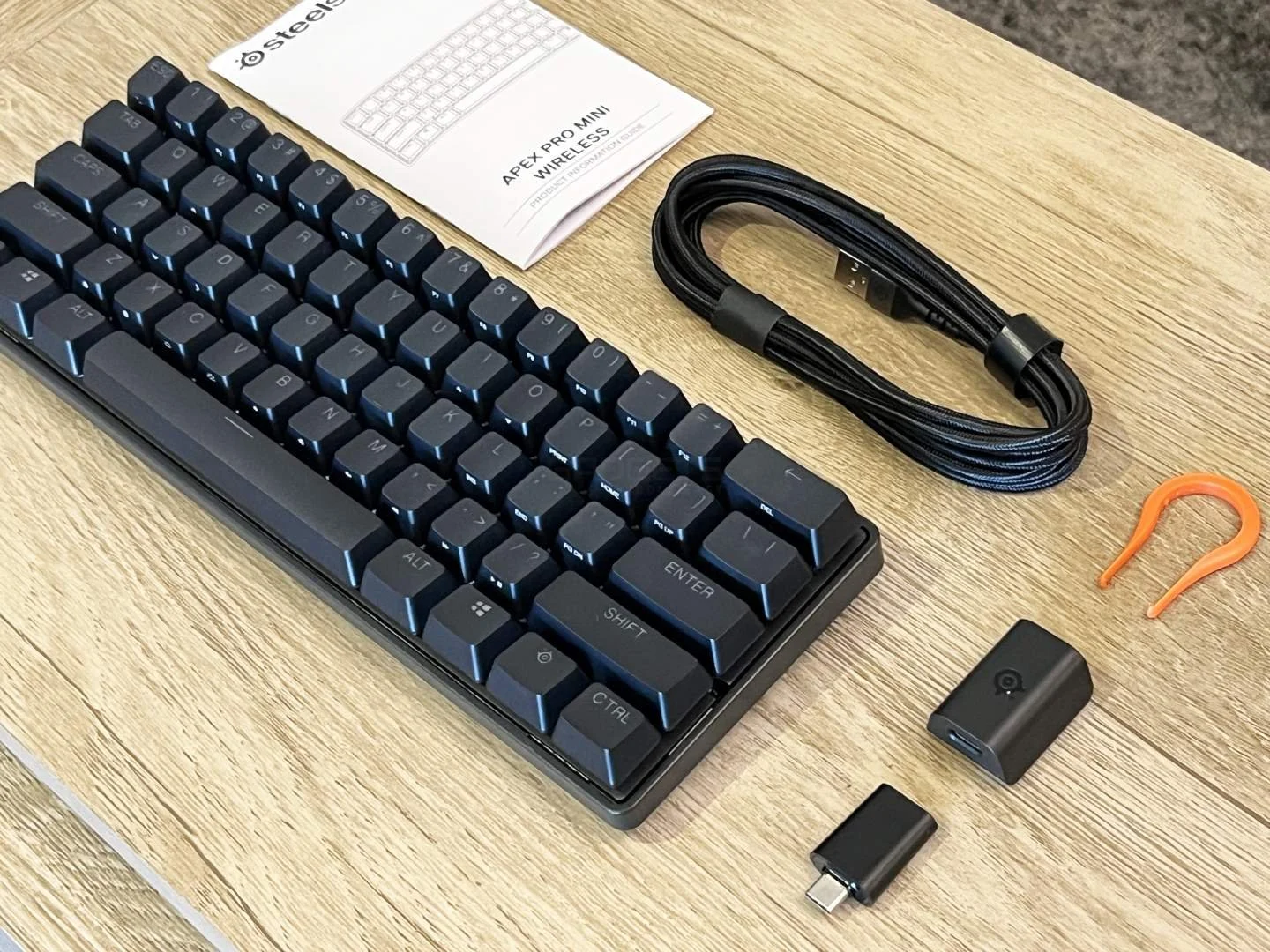 Image: representative product (SteelSeries)
Best for Competitive FPS: SteelSeries Apex Pro TKL
For those who live and die by every millisecond, the SteelSeries Apex Pro TKL is a top-tier choice. Its headline feature is the OmniPoint adjustable mechanical switches, allowing you to customize the actuation distance from 0.5mm to 3.6mm on a per-key basis. This offers control and speed. The build quality is robust, with an aircraft-grade aluminum alloy frame. It’s a tenkeyless (TKL) design, saving desk space and allowing for more mouse movement. The OLED display for profiles and settings is a neat touch. If you need absolute precision and speed, this is it.
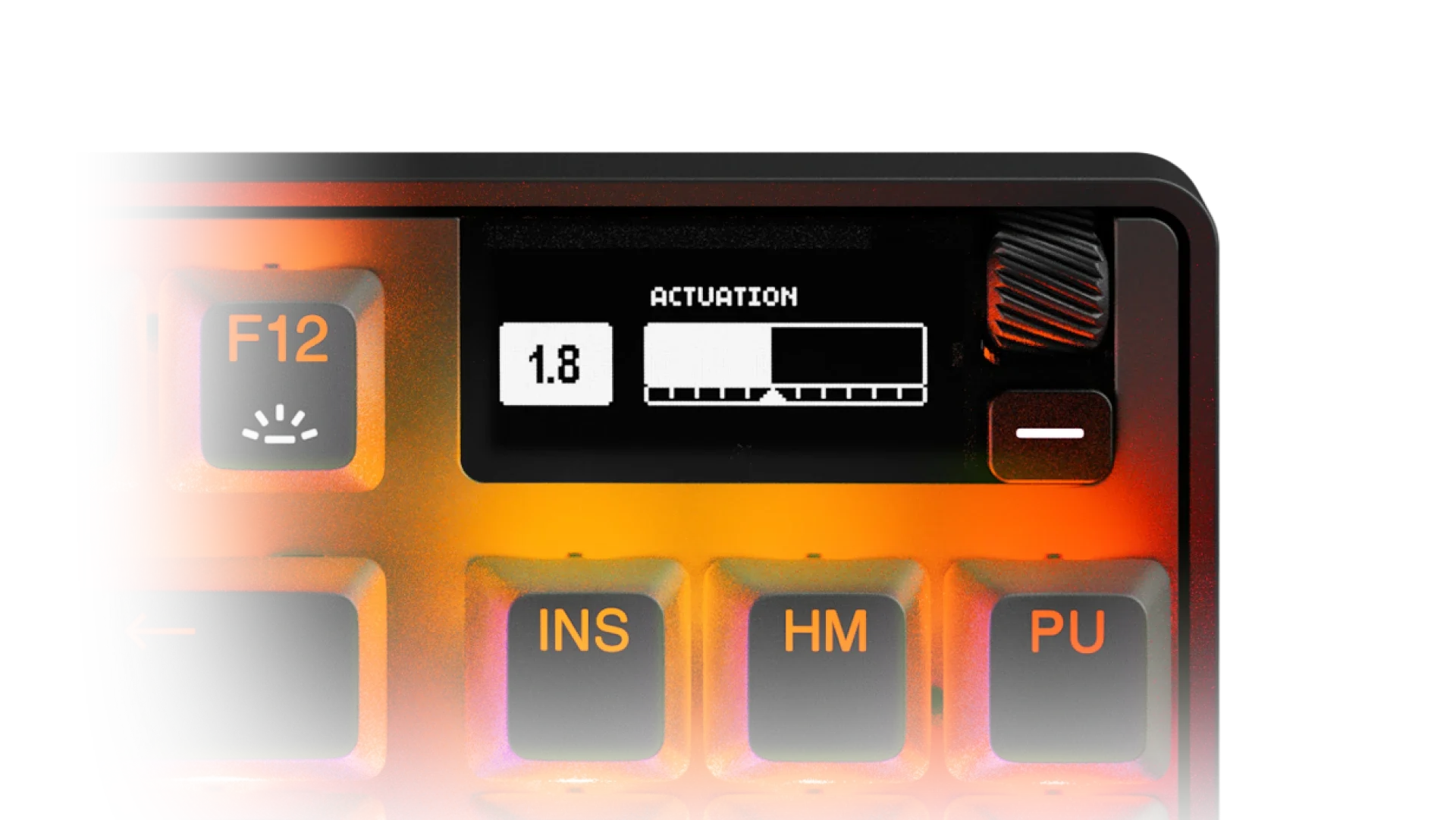 Image: SteelSeries
Best Budget Option: Redragon K552-RGB KUMARA
Don’t let the low price fool you; the Redragon K552-RGB KUMARA is a surprisingly capable mechanical keyboard. It features Outemu mechanical switches (often blue or red variants), a metal top plate for decent rigidity, and RGB backlighting. It’s a tenkeyless design, which is great for maximizing mouse space. While the keycaps are ABS and the switches aren’t Cherry MX, for under $50, it’s hard to beat the responsiveness and durability it offers compared to membrane keyboards. It’s a fantastic entry point into the world of mechanical gaming keyboards without requiring a significant financial commitment. Honestly, it’s a steal.
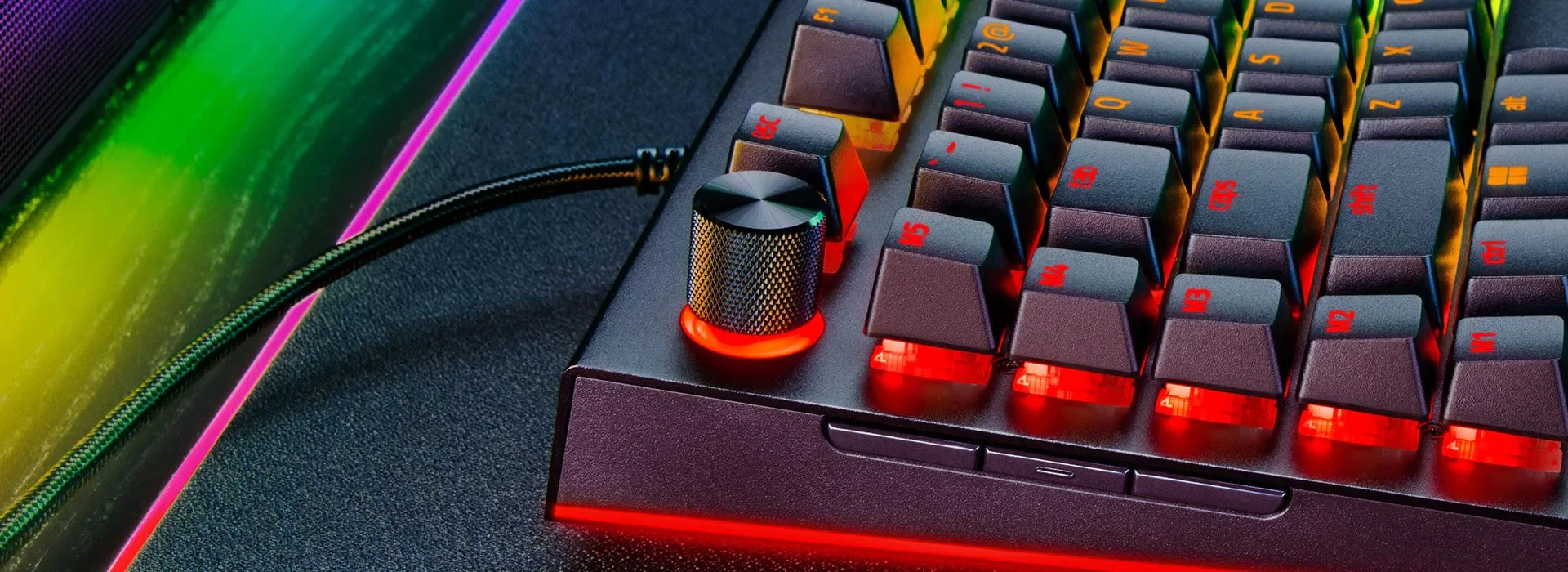 Image: representative product (Razer)
Best for MMO/Content Creators: Corsair K100 RGB
If your gaming involves complex rotations or your streaming requires instant scene changes, the Corsair K100 RGB is built for you. It boasts up to 18 dedicated macro keys, fully programmable via Corsair’s iCUE software. It features Cherry MX SPEED Silver switches for ultra-fast actuation, a comfortable magnetic wrist rest with iCUE integration, and USB passthrough. The aluminum construction feels premium and robust. The sheer number of customization options, from lighting to macros, makes it a powerhouse for anyone who needs more than just standard input. It’s a beast, and not for the faint of heart.
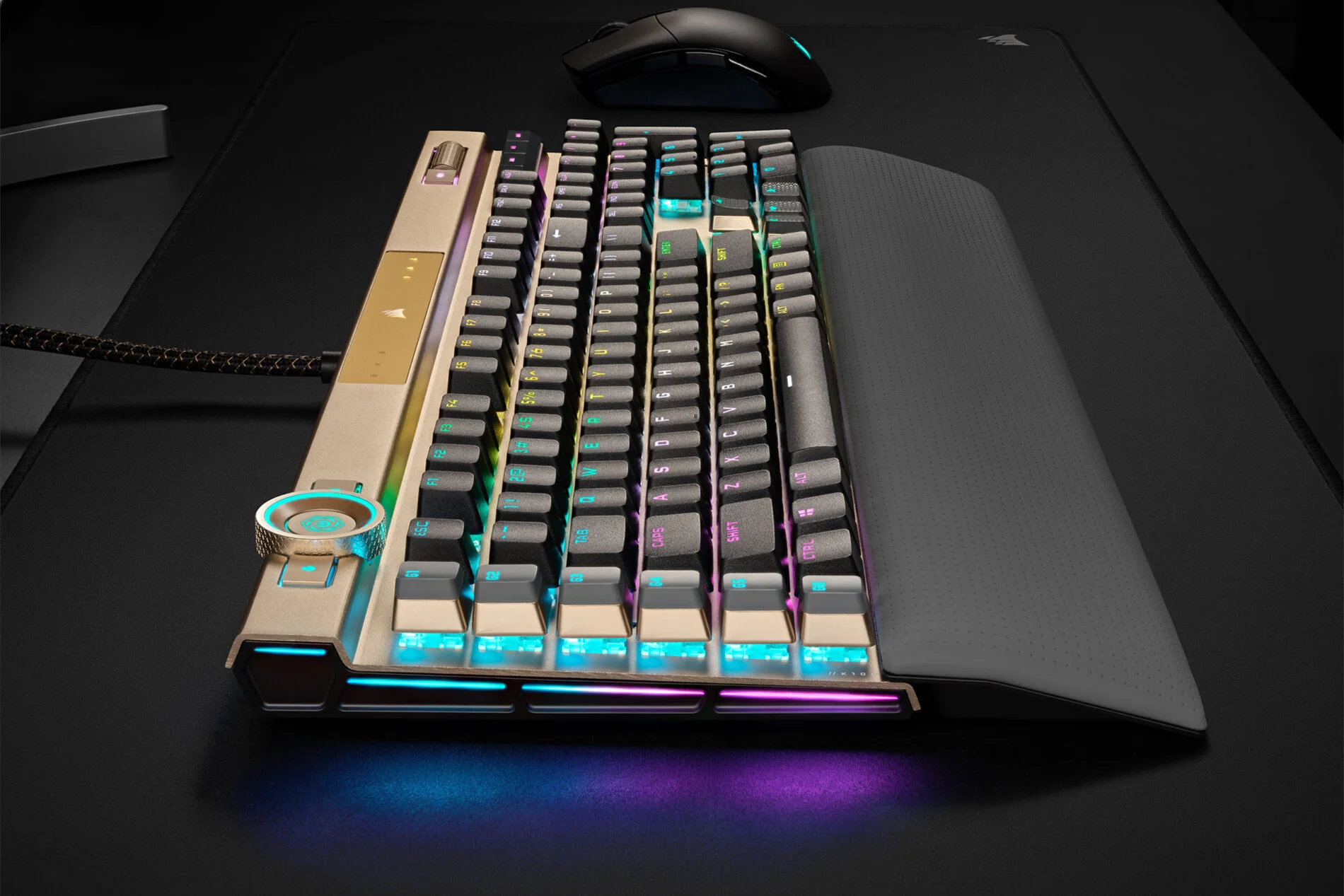 Image: Corsair
Common Mistakes to Avoid
We’ve seen it all. Buyers get dazzled by marketing, ignore fundamental needs, or simply don’t know what to look for. Here are the pitfalls to sidestep when hunting for your next gaming keyboard. Don’t let these common errors cost you performance or comfort.
Overpaying for Unused Features
That $300 keyboard with 30 programmable keys and a built-in OLED screen might look impressive, but if you play single-player RPGs and never touch macros, you’re just paying for RGB. Focus on what you will use. A great switch and solid build are more valuable than a dozen features you’ll never engage.
Ignoring Ergonomics
This is a big one. A keyboard that feels uncomfortable for an hour will feel agonizing after a raid or a long gaming session. Don’t sacrifice wrist comfort for a minor spec gain. A good wrist rest or an ergonomic layout can be far more beneficial than an extra 100Hz polling rate you can’t perceive.
Skipping Software Compatibility
Proprietary software can be a headache. If you’re heavily invested in an ecosystem (e.g., Razer Synapse, Logitech G HUB), ensure the keyboard integrates well. Conversely, some keyboards offer open-source firmware like QMK/VIA, which provides immense customization but has a steeper learning curve. Understand what you’re getting into.
Buying on Brand Hype Alone
Some brands have a cult following. While often justified, don’t assume every product from a ‘top’ brand is automatically the best for you. Do your research. A lesser-known brand might offer superior specs or build quality for the price. We’ve seen plenty of well-hyped products falter on basic quality control.
How to Match the Right Product to Your Needs
Now, let’s tailor these considerations to your specific gaming habits. We’ll match the key factors we’ve discussed to different gamer archetypes.
For Competitive FPS Players
Prioritize: Fast linear or tactile mechanical switches (e.g., Cherry MX Speed Silver, Gateron Yellow), high polling rate (1000Hz), N-key rollover, compact or TKL layout for mouse space, and durable PBT keycaps. Ignore: Dedicated macro keys (usually), excessive RGB complexity.
For Casual Gamers
Prioritize: A balance of comfort and durability. Tactile switches (like Cherry MX Brown) are versatile. Consider a wrist rest. A good all-around build quality matters. RGB is a bonus, not a necessity. Ignore: Ultra-low actuation switches, extreme price points.
For Streamers & Creators
Prioritize: Programmable macro keys, robust software for customization, dedicated media controls, USB passthrough. Switch type is less critical than programmability. Ignore: Minimalist designs, lack of software features.
For Budget Buyers
Prioritize: Mechanical switches (even if not Cherry MX), solid build quality for the price, essential features like anti-ghosting. Look for sales on reputable brands or well-regarded budget options. Ignore: Premium materials, excessive RGB, advanced software features.
Final Verdict
Choosing the best gaming keyboard in 2026 hinges on understanding your needs and prioritizing accordingly. Don’t get lost in the marketing haze. A well-chosen mechanical keyboard with the right switches, solid build, and features you’ll actually use is the most important upgrade you can make to your PC gaming setup. We’ve laid out the facts; now go build your perfect command center.
Frequently Asked Questions
What's the difference between mechanical keyboard switch types?
Mechanical switches offer distinct tactile and audible feedback. Linear switches (like Cherry MX Red) provide smooth, consistent travel. Tactile switches (like Cherry MX Brown) have a noticeable bump. Clicky switches (like Cherry MX Blue) offer both a bump and an audible click. Your preference dictates what's 'best' for your typing and gaming style.
Is a wired or wireless gaming keyboard better for latency?
Honestly, the latency gap between high-quality wired and modern 2.4GHz wireless gaming keyboards is negligible for 99% of gamers. Brands like Logitech and SteelSeries have achieved sub-1ms response times wirelessly. Wired offers absolute certainty, but wireless freedom is rarely a compromise anymore.
Do I really need dedicated macro keys?
Dedicated macro keys are fantastic for MMO players or complex workflows, allowing single-key execution of multi-command actions. For most FPS and general gaming, they're often unused. Prioritize switch type and build quality if macros aren't a core need.
How much should I spend on a gaming keyboard?
Budget gaming keyboards start around $50, offering decent features but often using membrane or less durable mechanical switches. Mid-range ($100-$150) keyboards deliver excellent mechanical switches, better build quality, and more robust software. High-end ($150+) keyboards add premium materials, advanced features, and often customizability.
What does 'polling rate' mean for a gaming keyboard?
Polling rate, measured in Hertz (Hz), indicates how often the keyboard reports its status to the PC. A higher polling rate means faster input registration. Most gaming keyboards are 1000Hz (1ms response time), which is more than sufficient. Anything lower than 500Hz is suspect for serious gaming.
Where to Buy
- Keychron K8 Pro on Amazon
- SteelSeries Apex Pro TKL on Amazon
- Redragon K552-RGB KUMARA on Amazon
- Corsair K100 RGB on Amazon
Related Articles
- Best Gaming Keyboards Under $150 2026: Top Rated Picks
- Best Gaming Mechanical Keyboard Buying Guide 2026
- Best Mechanical Gaming Keyboard Buying Guide: 2026 Edition
- Best Mechanical Keyboard by Budget (2026): Top Picks for Every Price Range
- Best Mechanical Keyboards Under $100: Quality Builds on a Strict Budget (2025)