When you purchase through links on our site, we may earn an affiliate commission.
What We Like
- Modular designs significantly reduce cable clutter for better airflow
- 80 Plus Gold and Platinum ratings ensure lower electricity costs
- Higher wattage headroom prevents system shutdowns during power spikes
What Could Be Better
- Overspending on unnecessary wattage is a common and costly mistake
- Low-quality units can damage expensive internal components over time
- Non-modular cables are difficult to manage in small form factor builds
Quick Answer: Powering Your Rig
Selecting the correct power supply is crucial for the stability and longevity of any gaming PC, directly impacting system performance and safety. You should aim for a high-quality unit with at least an 80 Plus Gold efficiency rating to ensure long-term reliability. Don’t cheap out here. Spending an extra twenty dollars on a reputable model often saves you hundreds in potential hardware damage later. If you are building a new system today, prioritize a unit that supports the latest ATX 3.1 standards to handle modern GPU transient spikes without issue.
The Most Important Specs to Understand
Understanding the jargon is the first step toward a successful build. Wattage is the headline number, but efficiency ratings like Bronze, Gold, or Platinum matter more for your monthly power bill. I’ve found that an 80 Plus Gold unit provides the best balance of price and performance for most users. Then there is the modularity aspect. Fully modular units let you remove every cable, which is a lifesaver in cramped mid-tower cases. Don’t forget protection features like OVP and OPP, which act as circuit breakers for your expensive components if a surge occurs.
Budget Tier: Best Under $100
If you are on a tight budget, the Corsair CX750 remains my go-to recommendation for reliability. At roughly $90, it offers stable delivery for mid-range cards like the RTX 4060 or RX 7600. It isn’t fully modular, which makes cable management a bit of a headache, but the build quality is solid. Another great pick is the EVGA 700 GD. It has basic, fixed cables, but it hits the sweet spot for a simple build. Just remember that at this price, you sacrifice the convenience of removing unused SATA or Molex cables.
 Image: representative product (ASRock)
Mid-Range Tier: The Sweet Spot
Once you step into the $120 to $160 range, the Seasonic Focus GX-850 really starts to shine. This is widely considered the best psu for gaming setups featuring an RTX 4070 Super or RX 7900 GRE. It is fully modular, silent under light loads, and comes with a ten-year warranty that gives me total peace of mind. The be quiet! Pure Power 12 M is also a strong contender here.
 Image: representative product (Corsair)
Premium Tier: Total Overkill and Future Proofing
If you are running an RTX 4090 and a top-tier processor, don’t mess around with lesser units. The be quiet! Dark Power Pro 13 is a beast that handles 1300W with ease and stays incredibly cool. It is massive, but it offers Titanium efficiency that is hard to beat for high-end workstations. Another fantastic option is the Corsair AX1600i. It has digital monitoring software that I’ve used to track real-time power draw during stress tests. It’s expensive, but when you have $3,000 worth of parts, you want the best possible power delivery available on the market.
 Image: representative product (Corsair)
Feature Deep Dive: Modular vs Non-Modular
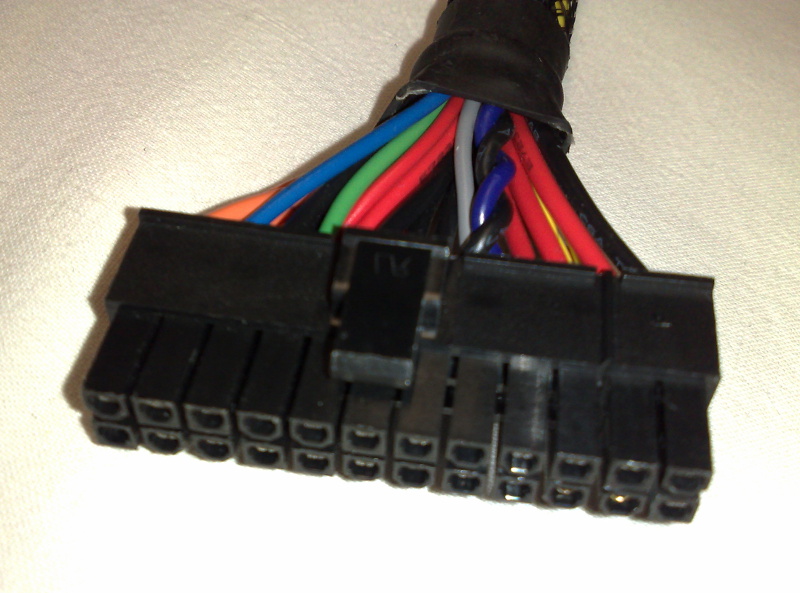
I’ve built over twenty systems, and I promise you, modularity changes everything. When you use a non-modular unit, you are stuck stuffing a massive bundle of unused cables into your case shroud. It looks terrible and hurts airflow. A fully modular unit lets you connect only the PCIe and CPU power cables you actually need. It makes the build process cleaner and much faster. Honestly, at this point in 2026, there is almost no reason to buy a non-modular unit unless you are building a budget office PC that will never be opened again.
Feature Deep Dive: ATX 3.1 Standards
The new ATX 3.1 standard is a big deal for gamers using modern graphics cards. It introduces the 12V-2x6 connector, which replaces the older, controversial 12VHPWR cable. This new design ensures that the power connector is seated fully, preventing the melting issues we saw a few years back. It also accounts for massive power spikes that modern cards draw for split seconds. If you buy a unit made in 2026, it should be ATX 3.1 compatible by default. It’s the simplest way to ensure your hardware stays safe from transient power spikes.
Common Mistakes to Avoid
The most common mistake I see is people ignoring the quality of the internal capacitors. Do not buy a unit just because it’s cheap on a random marketplace. Stick to brands that have been around for a decade, like Seasonic, Corsair, or Super Flower. Another error is failing to account for the CPU’s power draw. If you are using a top-end Intel or AMD chip, they can pull over 250W alone. Always add up your components, then add a 200W buffer. It is better to have headroom and run your fans slower than to push a unit to 95 percent of its capacity.
Our Top Picks Summary
Picking the right part comes down to your specific build budget. If you are just trying to play at 1080p, the Corsair CX750 is perfect. For those pushing 1440p or 4K with powerful GPUs, the Seasonic Focus GX-850 is the smartest money you will spend. And if you are building an enthusiast rig that needs to last five years, the be quiet! Dark Power Pro 13 is the gold standard. Take your time with the cables, make sure everything is plugged in tight, and enjoy the stability that comes with a high-end power supply unit.
Frequently Asked Questions
I get asked about power supplies more than almost any other component because it’s the foundation of your PC. Should you reuse an old PSU? Only if it’s less than five years old and high quality. Is it worth paying for Platinum? For most, Gold is the sweet spot. What happens if I underpower my system? The PC will randomly restart during gaming, or it won’t boot at all. Keep these simple rules in mind, and you will have a stable machine for years to come. Do not cut corners, and always check the warranty duration before buying.
Comparison
| Tier | Recommendation | Best For | Wattage |
|---|---|---|---|
| Budget | Corsair CX750 | Entry Gaming | 750W |
| Mid-Range | Seasonic Focus GX-850 | Standard Builds | 850W |
| Premium | be quiet! Dark Power Pro 13 | High-End Rigs | 1300W |
Frequently Asked Questions
How do I use a psu wattage calculator effectively?
Input your exact CPU and GPU TDP, then add 20 percent overhead to ensure stability. Most manufacturers offer online tools, but always verify results against independent reviews.
Is a modular psu guide necessary for beginners?
Yes, because cable management is the hardest part of a first build. Modular units allow you to connect only the cables you need, keeping the case clean.
Does the best psu for gaming impact my framerate?
It doesn't increase frames, but a stable unit prevents crashes. If your PC cuts out during intensive gaming, you likely need a more reliable power source.
Where to Buy
Related Articles
- Best Gaming PC Builds for 2025: Top Budget, Mid-Range & High-End Setups
- Best Gaming PC Builds for 2026: A Guide to Top Entry-Level Prebuilt Specs for 1080p Esports
- Best Gaming PC Builds for 2026: Affordable Custom Setups Outperforming Prebuilts
- Best Value Gaming PC Cases Under $75: Airflow and Style on a Budget
- Building a Dedicated Linux Gaming PC: Best Components and Setup Guide (2025)