Introduction to Mechanical Keyboard
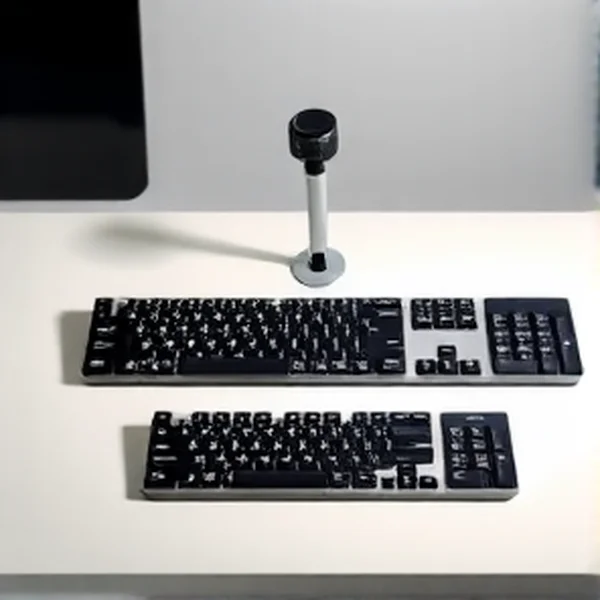
Sizes The mechanical keyboard market is vast and diverse, offering a multitude of choices beyond just switch types and aesthetics. One of the most fundamental decisions users face is the keyboard’s physical size or layout. This detailed mechanical keyboard size comparison will look into the three most popular categories: Full-Size (100%), TKL (Tenkeyless, ~80%), and 60% layouts. Understanding their distinct characteristics is critical for selecting a peripheral that perfectly aligns with your workflow, gaming style, and available desk space. This guide to mechanical keyboard layouts will break down each option, helping you confidently determine how to choose a mechanical keyboard size that enhances your daily computing and gaming experience in 2025.
Key Takeaways
-
Full-Size Layout (100%): Offers complete functionality with a dedicated numpad, F-row, and navigation keys, ideal for comprehensive productivity and general use.
-
Tenkeyless (TKL / ~80%): Removes the numpad, providing a more compact form factor that’s favored by many gamers for increased mouse space, while retaining essential keys.
-
60% Layout: A minimalist design that omits the numpad, F-row, and navigation keys, requiring heavy reliance on function layers for functionality, perfect for desk real estate and extreme portability.
-
Ergonomics & Desk Space: Smaller layouts significantly improve ergonomic positioning and free up desk space for mouse movement, crucial for competitive gaming.
-
Learning Curve: The transition to smaller layouts, especially 60%, involves a learning curve to adapt to layered key access.
Mechanical Keyboard
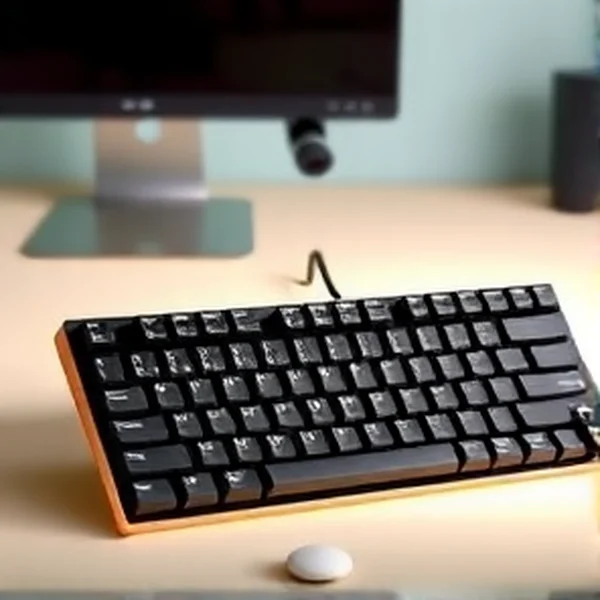
Layouts Overview Mechanical keyboards are categorized by their layout percentage, which indicates the number of keys relative to a standard full-size keyboard. A full-size keyboard, typically comprising 104-108 keys, includes a numpad, function row, arrow keys, and navigation cluster. The TKL (Tenkeyless) layout, as its name suggests, removes the numpad, resulting in an approximately 80% size with around 87-88 keys. The 60% layout is the most compact of the three, eliminating the numpad, function row, and the navigation cluster entirely, typically featuring 61-64 keys. Each reduction in size means that certain functionalities are accessed via a ‘Fn’ (function) key in combination with another key. This mechanical keyboard size comparison will elaborate on the implications of each design choice.
Design & Build Quality
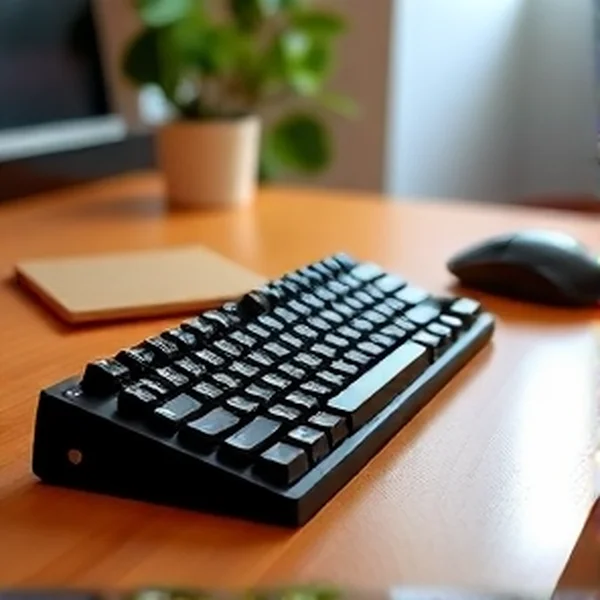
Across Sizes The design philosophy behind each mechanical keyboard size directly impacts its build quality and ergonomics. Full-size keyboards often use a larger base, which can contribute to a more substantial and stable feel on the desk. Materials vary, from high-grade aluminum frames offering exceptional rigidity to more common ABS plastic constructions. TKL keyboards benefit from a narrower frame, which can often translate to less flex in the chassis, assuming similar build materials. This reduction in width also allows for a more centered mouse position, reducing shoulder strain. 60% keyboards are inherently more rigid due to their compact nature, making them highly durable and resistant to bending. The smaller aesthetic of 60% boards often appeals to minimalists, while the more traditional look of full-size or TKL boards is familiar. Regardless of size, features like double-shot PBT keycaps and hot-swappable switch sockets are increasingly common, enhancing durability and customization.
Features & Technology: Adapting to
Size While the core technology of mechanical switches (e.g., tactile, linear, clicky) remains consistent across all mechanical keyboard sizes, the implementation of features is often influenced by the available real estate. All layouts typically offer solid anti-ghosting and N-key rollover for precise input registration, critical for gaming. RGB backlighting, with per-key customization and various effects, is standard across the board, managed either by onboard controls or dedicated software. Connectivity options, including detachable USB-C cables and increasingly reliable wireless capabilities (2.4GHz and Bluetooth), are available in full-size, TKL, and 60% form factors. For smaller boards like the 60%, advanced firmware support (e.g., QMK/VIA compatibility) becomes a highly desirable feature, allowing for deep customization of layers and macros to compensate for the lack of dedicated keys. This adaptability of features to different mechanical keyboard layouts is modern engineering.
Performance: Gaming & Typing
Efficiency by Layout The performance implications of a mechanical keyboard size are most acutely felt in gaming and professional typing. For competitive gamers, particularly in FPS titles, the reduced footprint of TKL and 60% keyboards is a significant advantage. It allows for a wider arc of mouse movement without hitting the keyboard, reducing the need to lift and reposition the mouse, which can be crucial in high-stakes scenarios. The closer proximity of the mouse to the WASD cluster also promotes a more natural arm and shoulder posture, potentially leading to less fatigue over long sessions. For MMO and MOBA players, while a full-size keyboard offers instant access to a numpad for numerous keybinds, smaller layouts can be configured with powerful macros and layers to achieve similar functionality with practice. For typists, a full-size keyboard’s dedicated numpad is invaluable for data entry. However, touch typists who rarely use the numpad might find a TKL or even a 60% keyboard more comfortable due to the tighter key cluster and reduced finger travel. This mechanical keyboard size comparison clearly shows that performance is highly dependent on usage context.
Comfort & Usability: Everyday Experience
Comfort and usability are subjective but undeniably shaped by the chosen mechanical keyboard size. A full-size keyboard offers immediate familiarity for most users, requiring no adaptation for accessing standard keys. However, its broad profile demands more desk space and might force the mouse arm into a slightly outward position, potentially causing discomfort over time. TKL keyboards offer a comfortable middle ground, retaining most essential keys while reclaiming valuable desk space and improving wrist alignment for mouse usage. The 60% layout, while requiring the most significant adjustment, can be incredibly comfortable once mastered. Its ultra-compact form factor allows for optimal arm and shoulder posture, as the hands can remain closer together. The trade-off is the mental effort required to recall function layer commands for keys like arrows or F-keys. This section is vital for anyone considering how to choose a mechanical keyboard size for long-term comfort.
Software & Customization: Unleashing
Potential The accompanying software or firmware plays a critical role in maximizing the utility of any mechanical keyboard, but its importance scales with smaller layouts. For full-size and TKL keyboards, software primarily handles RGB lighting effects, simple key remapping, and macro assignments. However, for 60% keyboards, solid software (like that supporting QMK/VIA) is almost essential. It allows users to define multiple layers of key functions, effectively transforming a 61-key board into a much more versatile input device. This includes creating complex macros for gaming, assigning media controls, and even custom keyboard layouts. Good software provides an intuitive interface for profile management, cloud syncing, and ensures driver stability, making the transition to a compact layout smoother and more powerful. Understanding these capabilities is a core part of any guide to mechanical keyboard layouts.
Technical Specifications: Layout Comparison
Here’s a comparative look at the typical specifications and characteristics across different mechanical keyboard layouts:
| Feature | Full-Size (100%) | TKL (Tenkeyless, ~80%) | 60% Layout |
|---|---|---|---|
| Key Count | 104-108 keys | 87-88 keys | 61-64 keys |
| Numpad | Dedicated | Absent | Absent |
| Function Row (F1-F12) | Dedicated | Present | Absent (Fn Layer) |
| Navigation Cluster | Dedicated (Arrows, Home, Del, etc.) | Present | Absent (Fn Layer) |
| Typical Dimensions (W x D) | ~440mm x 140mm | ~360mm x 140mm | ~300mm x 100mm |
| Average Weight | 1.0 - 1.5 kg | 0.8 - 1.2 kg | 0.5 - 0.8 kg |
| Connectivity | Wired/Wireless (USB-C, BT, 2.4GHz) | Wired/Wireless (USB-C, BT, 2.4GHz) | Wired/Wireless (USB-C, BT, 2.4GHz) |
| Software Reliance | Low to Moderate | Moderate | High |
| Primary Advantage | Full functionality | Compact + Functionality | Maximum Portability/Desk Space |
| Primary Disadvantage | Large footprint | No Numpad | Steep learning curve |
Pros & Cons of Each Layout
Pros Full-Size:
-
Uncompromised Functionality: Provides every key imaginable, including a full numpad, F-row, and navigation cluster, which is invaluable for data entry, complex shortcuts, and various software applications.
-
No Learning Curve: The layout is universally familiar, requiring no adaptation for new users.
-
Broad Compatibility: Most software and games are designed with this standard layout in mind. TKL (Tenkeyless):
-
Optimal Gaming Ergonomics: Removes the numpad, allowing the mouse to be positioned closer to the keyboard’s center, reducing shoulder strain and increasing mouse movement space, a key advantage in a mechanical keyboard size comparison.
-
Compact Yet Functional: Retains the function row and dedicated arrow/navigation keys, striking an excellent balance between desk space saving and practical usability for both typing and gaming.
-
Portability: More portable than a full-size keyboard without sacrificing too much functionality. 60% Layout:
-
Maximum Desk Space: Its ultra-compact nature frees up significant desk real estate, ideal for minimalists or competitive gamers who need extreme mouse movement freedom.
-
Highly Portable: Easiest to carry around due to its small size and light weight.
-
Clean Aesthetic: Offers a very clean and uncluttered look for any setup.
-
Deep Customization: Often supported by powerful firmware (like QMK/VIA), allowing users to create highly personalized keymaps and layers. #
Cons Full-Size:
-
Large Footprint: Occupies the most desk space, which can be restrictive for smaller setups or competitive gamers needing ample mouse room.
-
Less Ergonomic: The width can force the mouse arm into a less natural position, potentially leading to discomfort over long sessions. TKL (Tenkeyless):
-
No Dedicated Numpad: This is the primary trade-off, which can be a significant drawback for users involved in heavy data entry or those accustomed to numpad-specific shortcuts. 60% Layout:
-
Steep Learning Curve: Requires users to learn and use function layers for accessing F-keys, numpad functions, and navigation keys, which can be frustrating initially.
-
Lacks Dedicated Keys: The absence of dedicated arrow keys, F-row, and navigation cluster can slow down certain productivity tasks and make some software harder to use without remapping.
-
Not for Everyone: Its minimalist nature might not suit users who prefer immediate access to all keys or those with specific workflow requirements.
Price & Value for Money
When considering the price and value for money, it’s important to note that the keyboard size itself is less of a price driver than the brand, switch type, build materials (e.g., plastic vs. Aluminum), and specific features (e.g., wireless, hot-swappable sockets). However, generally speaking, a 60% mechanical keyboard might sometimes be slightly cheaper than a full-size or TKL from the same manufacturer due to fewer components (keycaps, switches, smaller PCB). Conversely, bespoke or enthusiast-level 60% boards can be significantly more expensive due to premium materials and advanced features. The value is ultimately subjective: a full-size keyboard offers immense value for productivity-focused users needing every key, while a 60% board delivers exceptional value for competitive gamers prioritizing desk space and customization. This mechanical keyboard size comparison emphasizes that ‘value’ is about finding the best fit for your specific needs and budget.
Best Alternatives in Keyboard
Layouts Beyond the standard Full-Size, TKL, and 60% layouts, several other popular mechanical keyboard layouts offer unique compromises and advantages:
-
75% Layout: This layout compresses the navigation cluster and shifts the arrow keys closer to the main typing area but retains a full function row. It’s an excellent choice for users who want a compact keyboard but can’t sacrifice F-keys or dedicated arrow keys, offering a good balance between TKL and 60% in terms of size and functionality.
-
65% Layout: Essentially a 60% keyboard with dedicated arrow keys and a few common navigation keys (like Delete, Page Up, Page Down) added to the right side. This addresses one of the major pain points of 60% boards for many users, providing better usability without significantly increasing the footprint.
-
96% / 1800 Compact Layout: These layouts are essentially full-size keyboards where the numpad, arrow keys, and navigation cluster are tightly packed without the usual spacing. They offer virtually all the keys of a full-size keyboard but in a significantly smaller footprint, making them ideal for users who need a numpad but want to save some desk space.
Who Should Buy Which Layout?
-
Full-Size: Ideal for productivity users, data entry specialists, programmers, and general users who need constant access to a numpad, full function row, and all navigation keys without relying on layers. Also suitable for casual gamers who don’t prioritize extreme mouse movement space.
-
TKL (Tenkeyless): The go-to choice for competitive gamers (FPS, MOBA) who benefit from increased mouse space and improved ergonomics, but still require a dedicated function row and arrow keys. Also excellent for typists and office workers who don’t use the numpad extensively but value a more compact setup.
-
60% Layout: Best for minimalists, competitive FPS gamers, and users with very limited desk space who are willing to adapt to function layers. Highly recommended for travelers due to its supreme portability. Not recommended for heavy data entry or users who frequently use F-keys or navigation keys without wanting to learn layered access.
Final Verdict
Choosing the right mechanical keyboard size is a deeply personal decision that directly impacts comfort, performance, and desk aesthetics. Our comprehensive mechanical keyboard size comparison reveals that each layout—Full-Size, TKL, and 60%—serves a distinct purpose and caters to different user needs. While full-size offers ultimate functionality, TKL provides a balanced compromise for gamers and typists, and the 60% layout reigns supreme for minimalism and competitive FPS play. Understanding what’s a TKL keyboard and the implications of a 60% design is crucial. In 2025, the market is rich with options across all these mechanical keyboard layouts, making it easier than ever to find a board that perfectly complements your setup and workflow. Ultimately, the ‘best’ size is the one that best suits your individual habits and priorities, making the question ‘how to choose a mechanical keyboard size?’ a journey of self-discovery.
FAQ What’s a TKL keyboard?
A TKL (Tenkeyless) keyboard is a mechanical keyboard layout that omits the dedicated numeric keypad found on a full-size keyboard. This makes it more compact, typically around 80% the size of a full keyboard, while still retaining the main alphanumeric keys, function row, and navigation cluster. Which mechanical keyboard size is best for gaming? For competitive gaming, particularly FPS and MOBA titles, TKL (Tenkeyless) and 60% layouts are generally considered best. They free up significant desk space for unhindered mouse movement, which can be critical for precise aim and rapid maneuvers. This is a key aspect of our mechanical keyboard size comparison. How to choose a mechanical keyboard size? To choose the right mechanical keyboard size, consider your primary usage (gaming, typing, data entry), available desk space, and your willingness to adapt to function layers for missing keys. If you need a numpad daily, go full-size. If you game competitively and want more mouse space, TKL or 60% are better. Do 60% keyboards lack essential keys like arrow keys? Yes, 60% keyboards typically lack dedicated arrow keys, a function row (F1-F12), and a navigation cluster. These keys are usually accessed by holding a ‘Fn’ (function) key in combination with another key, requiring users to learn a layered keymap. Is a TKL keyboard worth it for programming? Many programmers find TKL keyboards ideal. While they lack a numpad, the saved desk space and more ergonomic mouse position are beneficial. Most programming languages and IDEs don’t heavily rely on the numpad, making a TKL a highly functional and comfortable choice for coding. What are the main advantages of a 60% keyboard for a minimalist setup? The main advantage of a 60% keyboard for a minimalist setup is its extremely compact footprint. It takes up minimal desk space, contributes to a clean aesthetic, and is highly portable. This allows for more room for other peripherals or simply an uncluttered environment, as highlighted in this guide to mechanical keyboard layouts.