When you purchase through links on our site, we may earn an affiliate commission.
What We Like
- Customization: Change typing feel, sound, and actuation force.
- Repair: Replace individual faulty switches instead of the entire keyboard.
- Upgrade: Experiment with different switch types (linear, tactile, clicky) without buying a new board.
What Could Be Better
- Soldering requirement: Many keyboards need specialized tools and skills to desolder and resolder switches.
- Risk of damage: Improper removal or installation can bend switch pins or damage the PCB.
- Compatibility: Not all switches fit all hot-swap sockets; pin configuration (3-pin vs. 5-pin) and switch type (MX, low-profile, magnetic) matter.
Can you replace mechanical keyboard switches?
Yes, you can replace mechanical keyboard switches, but the ease of the process depends entirely on your keyboard’s design. Modern mechanical keyboards generally fall into two categories: hot-swappable or soldered. Hot-swappable boards allow for quick, tool-assisted switch changes without soldering, while soldered boards demand desoldering and resoldering, a more involved DIY process.
Introduction: Why Bother Swapping Switches?
The ability to replace mechanical keyboard switches offers significant benefits for gamers and enthusiasts alike. It allows for deep customization, enabling you to fine-tune the feel, sound, and actuation speed of individual keys to match your preferences or specific gaming needs. Beyond personalization, switch replacement is also a pragmatic way to repair a faulty switch without needing to replace an entire, often expensive, keyboard. It’s about taking control of your typing experience, isn’t it?
Hot-Swappable Keyboards: The Easy Route
Hot-swappable keyboards are designed for user-friendly switch replacement. These boards feature small metal sockets on the PCB that mechanically grip the switch pins, eliminating the need for soldering. Swapping switches on a hot-swappable board is a straightforward process: remove the keycap with a keycap puller, then use a switch puller to gently extract the switch. Push the new switch into the socket, ensuring the pins are correctly aligned to avoid bending them, and you’re good to go. This flexibility means you can experiment with linear, tactile, or clicky switches in minutes.
 Image: representative product (Keychron)
Soldered Keyboards: The DIY Challenge
Traditional mechanical keyboards have their switches permanently soldered to the Printed Circuit Board (PCB). Replacing switches on these boards requires a more advanced skillset and specific tools. You’ll need a keycap puller, a soldering iron, and a desoldering pump or wick to remove the existing solder joints. This process involves heating each solder joint for a few seconds (typically 3-4 seconds at 390–410°F for leaded solder) and then rapidly removing the molten solder. Once cleared, the old switch can be removed, and a new one soldered into place. It’s a precise task; rushing can damage the PCB or bend switch pins.
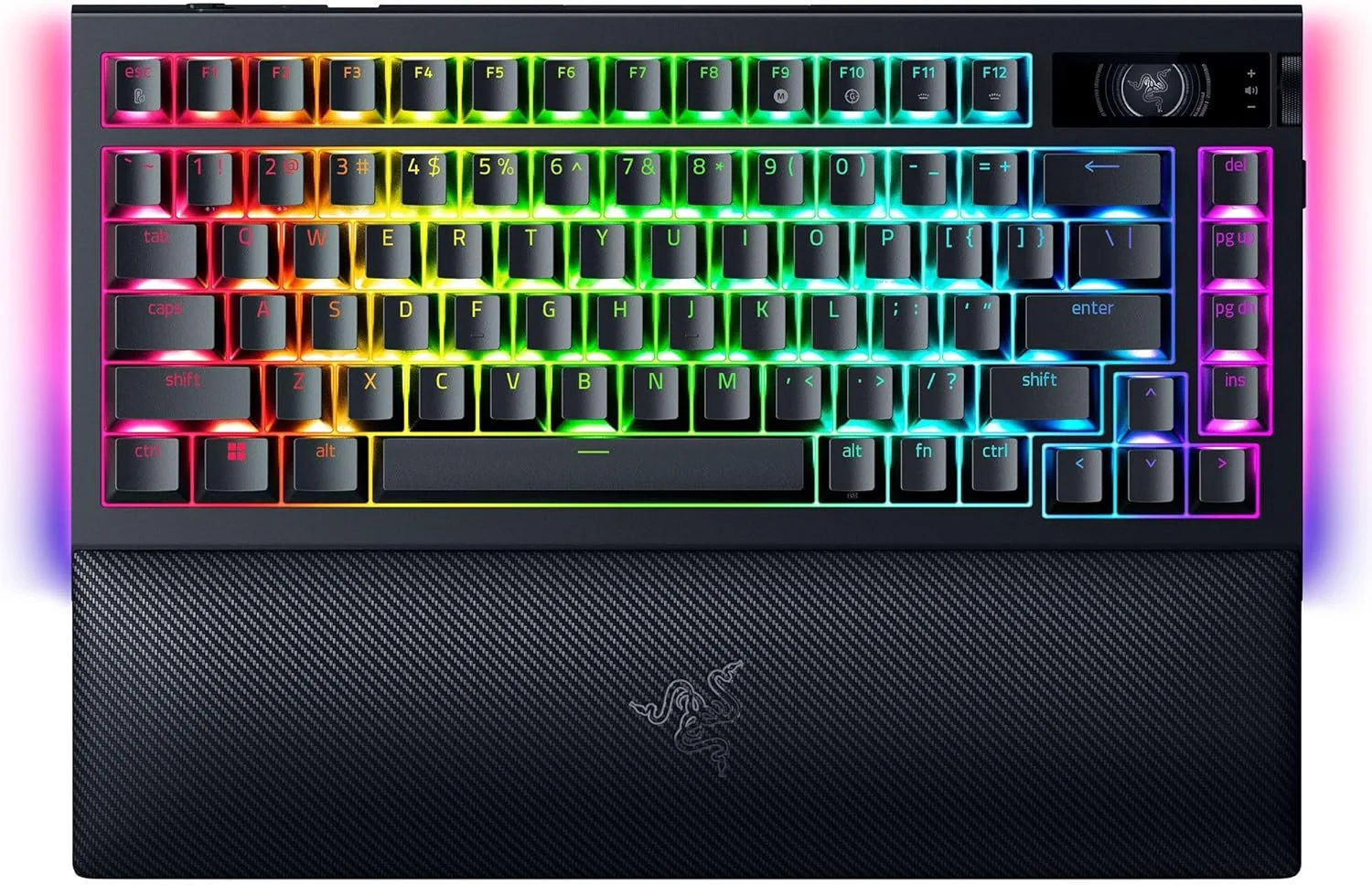 Image: representative product (Razer)
Why Replace Your Switches? Beyond Repair
Beyond fixing a dead key, replacing switches opens up a world of customization. You can completely alter your keyboard’s feel by swapping from, say, a heavy tactile switch to a light linear one. This is particularly useful for gamers who might want faster, smoother linear switches on their WASD keys for competitive play, while retaining a satisfying tactile bump on other keys for typing. Switch replacement also allows for ‘frankenswitching’ or lubing, further refining sound and smoothness. Honestly, the stock experience is just a starting point for many of us.
Choosing New Switches: Types and Considerations
When selecting replacement switches, you’ll generally encounter three main types: linear, tactile, and clicky. Linear switches offer a smooth, uninterrupted keystroke, often favored by gamers for rapid actuation. Tactile switches provide a noticeable ‘bump’ feedback during actuation, popular with typists for confirmation of a keypress. Clicky switches add an audible ‘click’ alongside the tactile bump, giving a distinct typing experience. Compatibility is key: ensure your new switches match your keyboard’s socket type (e.g., MX-style, 3-pin or 5-pin). Low-profile or magnetic switches have different requirements, so always check.
Common Mistakes to Avoid
Swapping switches can be simple, but common pitfalls exist. With hot-swappable boards, the most frequent mistake is bent switch pins due to improper alignment during insertion. Always ensure pins are straight before pushing a new switch into its socket. For soldered boards, prolonged heat exposure during desoldering can damage PCB pads, leading to dead keys. Also, attempting to force a partially desoldered switch can lift pads or damage the switch housing. Patience, proper tools, and a steady hand prevent a lot of headaches.
Final Verdict
Replacing mechanical keyboard switches is a highly accessible customization for hot-swappable boards, requiring minimal tools and effort. For soldered keyboards, the process is more demanding, necessitating soldering equipment and a careful approach. Whether you’re upgrading for performance, customizing for feel, or simply repairing a broken key, understanding your keyboard’s switch mounting type is the first, crucial step. This DIY potential is a core reason why mechanical keyboards remain a beloved platform for enthusiasts.
Frequently Asked Questions
What is a hot-swappable keyboard?
A hot-swappable keyboard features sockets that mechanically grip switch pins, allowing switches to be removed and inserted without soldering. This offers easy customization and repair.
What tools do I need to replace hot-swappable switches?
For hot-swappable keyboards, you primarily need a keycap puller to remove keycaps and a switch puller to extract the switches from their sockets.
What tools do I need for soldered switches?
Replacing soldered switches requires a keycap puller, a soldering iron, desoldering pump or wick, solder wire, and new switches. Patience is also a crucial tool.
Can I mix different types of switches on my keyboard?
Yes, you can mix different switch types on a hot-swappable keyboard to optimize specific keys for different tasks, such as linear switches for gaming keys and tactile for typing areas.
Related Articles
- Best Gaming Keyboards Under $150 2026: Top Rated Picks
- Best Gaming Mechanical Keyboard Buying Guide 2026
- Best Mechanical Keyboard by Budget (2026): Top Picks for Every Price Range
- Best Mechanical Keyboards Under $100: Quality Builds on a Strict Budget (2025)
- Best TKL Mechanical Keyboards for Gaming 2026