


When you purchase through links on our site, we may earn an affiliate commission.
What We Like
-
Modern panels like QD-OLED offer 0.03ms response times for superior motion clarity.
-
Higher refresh rates reaching 360Hz-540Hz provide a competitive advantage in fast-paced shooters.
-
Variable Refresh Rate (VRR) technology eliminates screen tearing across all major GPU brands.
What Could Be Better
-
High-resolution 4K monitors with high refresh rates often require premium hardware to drive effectively.
-
OLED burn-in risk remains a factor for users with static desktop workloads despite modern mitigation software.
-
Premium HDR monitors often carry significant price premiums compared to standard SDR high-refresh displays.
Quick Answer: Choosing Your Ideal Display
Selecting the optimal gaming monitor in 2026 requires balancing resolution, refresh rate, and panel technology to match your hardware and budget. For competitive gamers, prioritizing high refresh rates of 240Hz to 540Hz is essential, whereas for immersive, story-driven experiences, prioritizing 4K resolution and OLED panel technology will provide the most significant visual impact. Before purchasing, verify that your current graphics card supports the display port version required to push the native resolution and refresh rate of your chosen panel.
The Most Important
Specs to Understand Understanding the core specifications is vital for any gaming monitor buying guide. Refresh rate determines how many frames per second the monitor can display, with 144Hz being the absolute minimum for modern gaming. Resolution, typically measured in 1080p, 1440p, or 4K, defines the pixel density and visual sharpness of the image. Panel types like IPS, VA, and OLED dictate color accuracy, contrast ratios, and response times, where OLED dominates in contrast and response speed, while IPS remains a reliable standard for color consistency and value.
Budget Tier: Best Gaming
Monitors Under $300 In the budget segment, the AOC Gaming 24G2SP provides an excellent entry point at approximately $160, offering a 165Hz IPS panel that delivers vivid colors and acceptable motion clarity for casual and competitive players. Alternatively, the ASUS TUF Gaming VG27AQ at roughly $280 offers a 1440p resolution, which significantly improves pixel density for a sharper desktop experience compared to 1080p alternatives. Both monitors feature adjustable stands and flicker-free technology, making them versatile choices for gamers who want high-quality performance without the premium cost of top-tier 4K or OLED displays.
Mid-Range Tier: The $300-$700
Sweet Spot Moving into the mid-range, the LG 27GP850-B is a standout monitor priced around $400, featuring a 165Hz (overclockable to 180Hz) Nano IPS panel that balances speed and color accuracy beautifully. Another strong contender is the Gigabyte M32U, retailing for about $600, which offers a 32-inch 4K screen with 144Hz refresh rate, providing an expansive workspace and crisp visual fidelity for open-world games. These models bridge the gap between competitive performance and visual spectacle, making them the most balanced options for gamers using current-generation graphics cards capable of handling 1440p at high settings or 4K at modest settings.
Premium Tier: The Best
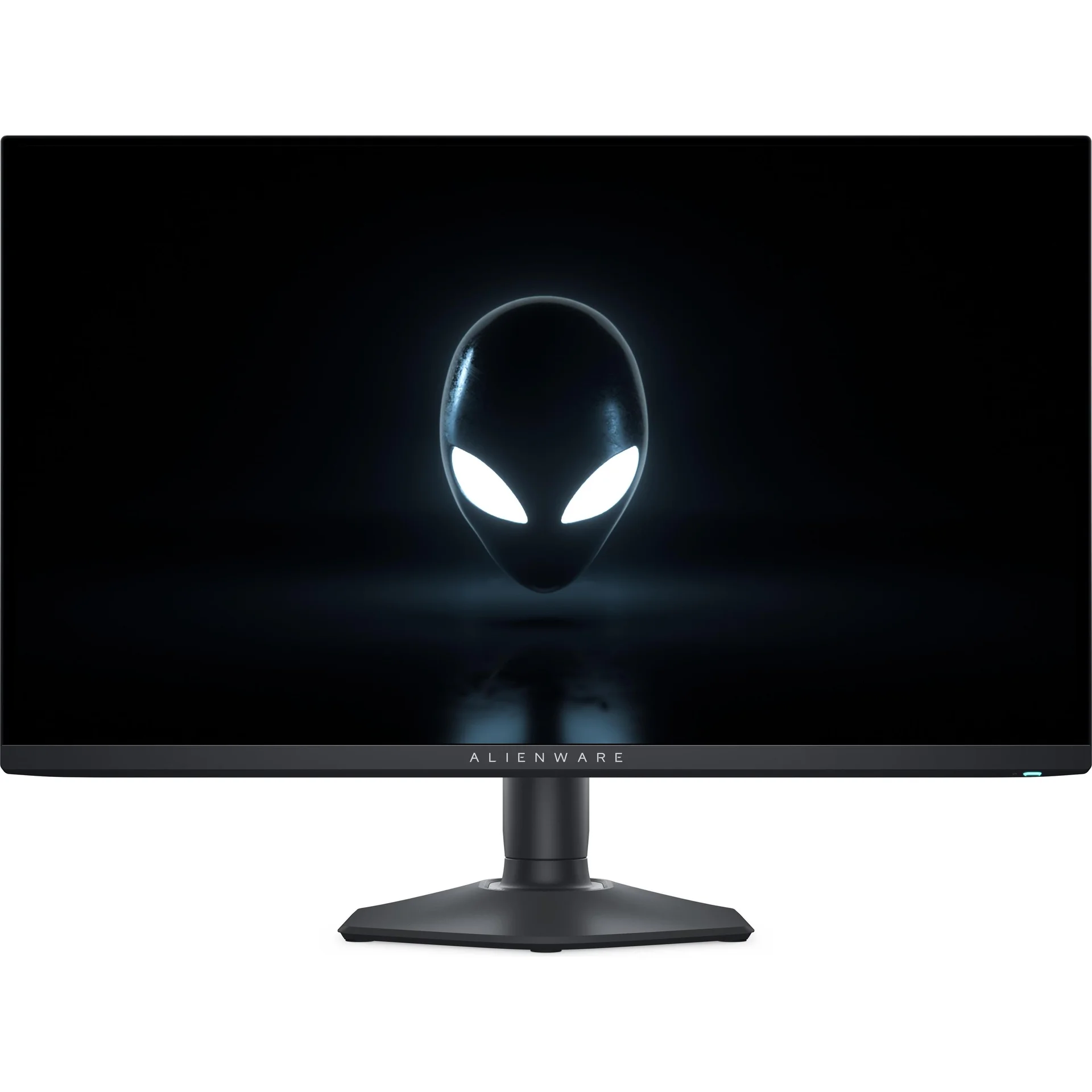
Over $700 For those seeking the absolute best, the Alienware AW3225QF is a benchmark-setting monitor priced at $1,100 that uses a 4K 240Hz QD-OLED panel to provide unmatched motion clarity and deep, infinite contrast ratios. Similarly, the Samsung Odyssey OLED G9, costing roughly $1,200, provides an ultra-wide experience that’s perfect for simulation enthusiasts who need peripheral immersion. These displays represent the pinnacle of current monitor technology, incorporating high-end HDR1000 certifications and near-instantaneous 0.03ms GtG response times that simply can’t be replicated by traditional LED-backlit LCD panels, ensuring the smoothest possible gaming experience.
Feature Deep Dive: Panel
Technology Panel technology is the foundation of your visual experience. In 2026, we see a clear divide between IPS, which offers the best color accuracy and viewing angles for general use, and OLED, which provides the fastest motion response times and native high-contrast HDR performance. VA panels occupy the space in between, offering better contrast than IPS but often suffering from ‘smearing’ in dark transitions. Choosing the right panel depends on your playstyle; competitive players should prioritize speed (IPS or OLED), while cinematic gamers should prioritize depth and contrast (OLED).
Feature Deep Dive: Refresh
Rates and VRR High refresh rates are critical for fluidity, but Variable Refresh Rate (VRR) is the technology that keeps that fluidity consistent. Technologies like NVIDIA G-Sync and AMD FreeSync synchronize the monitor’s refresh rate to the GPU output, effectively eliminating screen tearing and stuttering during frames-per-second fluctuations. In 2026, G-Sync Compatible or FreeSync Premium certification is essential for any high-refresh monitor. Always check for native support for your specific GPU architecture to ensure that you’re getting the full benefits of dynamic frame synchronization during intensive gaming sessions.
Common Mistakes to Avoid When Buying
One common mistake is prioritizing resolution over refresh rate; a 4K 60Hz monitor often feels slower and less responsive than a 1440p 165Hz monitor in fast-paced titles. Another mistake is ignoring the desk space and mounting capabilities, as larger 32-inch or ultra-wide monitors require significant real estate and heavy-duty monitor arms. Finally, buyers often overlook the importance of cable selection, failing to use DisplayPort 1.4 or HDMI 2.1 cables, which are necessary to carry the high bandwidth required for high-resolution and high-refresh-rate signals, leading to artificial frame rate caps.
Final Summary: Making the Right Choice
When choosing the best monitor in 2026, define your primary use case first. If you play shooters like Valorant or Counter-Strike, focus on high refresh rates (240Hz+) and smaller screens like 24-27 inches to keep the image sharp and responsive. If you play RPGs or simulation games, favor 1440p or 4K resolution with OLED technology for a more immersive, visually stunning experience. Budget accordingly, ensuring you leave room for a high-performance GPU that can actually drive the resolution and refresh rate your chosen monitor demands, thus avoiding a performance bottleneck.
Comparison | Model | Resolution | Panel Type | Refresh Rate |
| AOC Gaming 24G2SP | 1080p | IPS | 165Hz |
|---|---|---|---|
| LG 27GP850-B | 1440p | Nano IPS | 165Hz |
| Alienware AW3225QF | 4K | QD-OLED | 240Hz |
Frequently Asked Questions
How to choose a gaming monitor in 2026 for competitive play?
Prioritize high refresh rates of 240Hz or higher and look for panels with sub-1ms response times to ensure minimal motion blur during high-speed action.
Is 4K resolution necessary for most gamers?
Unless you're using a screen size of 32 inches or larger, 1440p is generally the sweet spot for balance between pixel density and required GPU performance.
Which panel type is best for HDR gaming?
OLED or QD-OLED panels are currently the gold standard for HDR due to their true black levels and per-pixel lighting control.