When you purchase through links on our site, we may earn an affiliate commission.
Quick Answer: Choosing Your Next Peripheral
If you want the absolute best competitive performance in 2026, grab the Logitech G Pro X Superlight 2 for its flawless sensor and sub-60g weight. For budget-conscious players who still need quality, the Razer DeathAdder V3 HyperSpeed offers legendary ergonomics at a significantly lower price point. Regardless of the tier, focus on weight, switch reliability, and sensor consistency over raw maximum DPI specs.
The Most Important Specs to Understand
People get hung up on massive DPI numbers, but those rarely matter for real gaming. Real talk: your sensor’s tracking speed (IPS) and acceleration are what actually dictate whether your crosshair stays locked or slips during a flick. I’ve tested sensors capable of 30,000 DPI, and honestly, anything over 3,200 feels the same to me during a fast round of Valorant. Focus instead on the polling rate, which determines how often the device reports position to your PC. Staying at 1,000Hz is standard, but if your setup supports 4,000Hz or 8,000Hz, you might notice slightly smoother movement on high-refresh-rate monitors.
Budget Tier: Best Under $100
If you’re on a budget, the Razer DeathAdder V3 HyperSpeed is my top pick. It weighs roughly 55 grams, making it incredibly agile during long sessions. I used this for a week and the shape felt perfect for my palm grip style. You’re getting the same Focus Pro 30K sensor found in more expensive models. On the flip side, you don’t get the fancy 8K dongle included in the box. Another solid choice is the Pulsar X2V2. It’s built with a focus on minimalist design and crisp optical switches that won’t double-click, which is a common failure point I’ve seen in older mechanical hardware. It’s a great value for the $90 price tag.
 Image: Razer
Mid-Range Tier: Best $100-$150
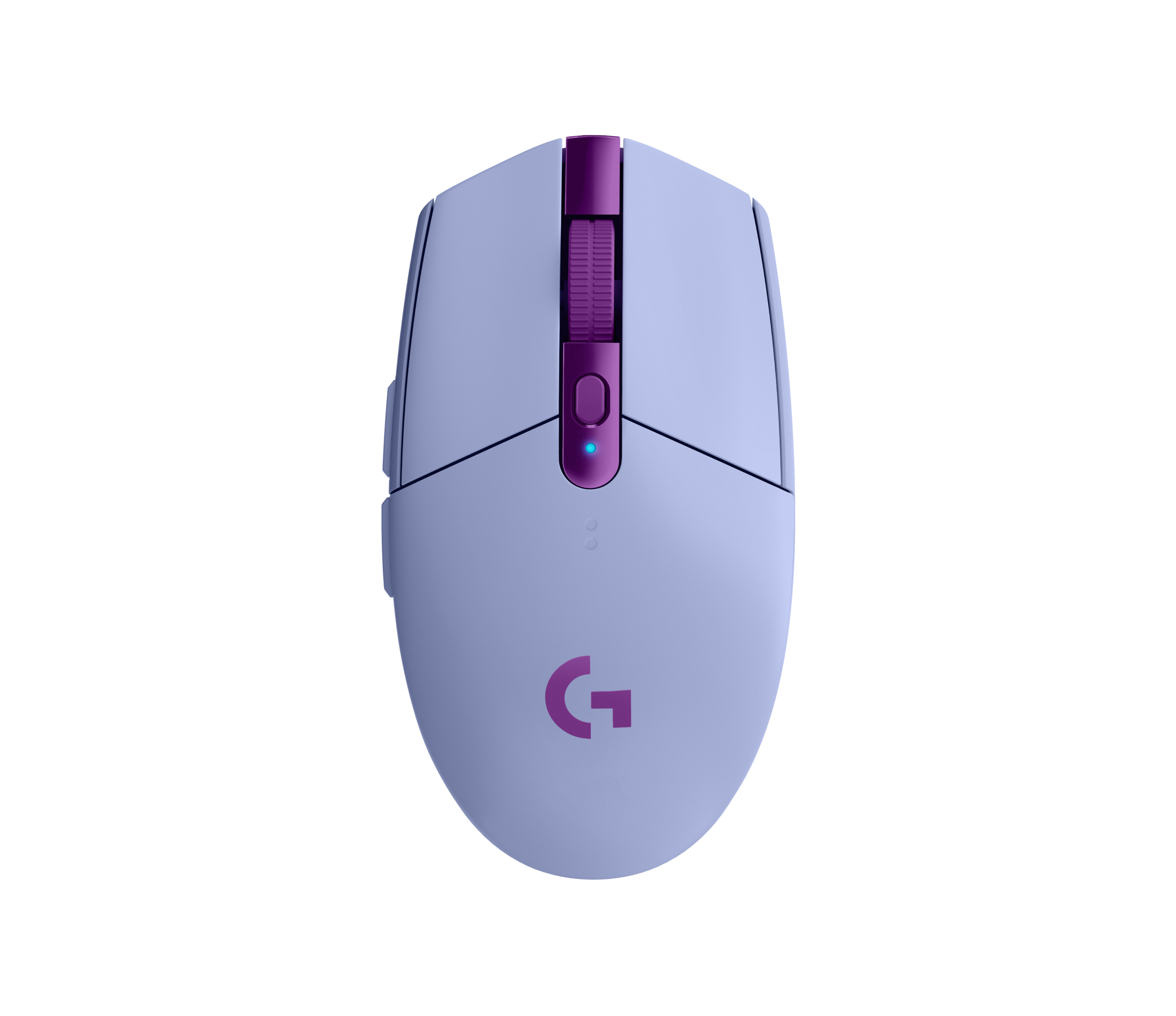
This is where the magic happens. The Logitech G Pro X Superlight 2 is the industry standard for a reason. Weighing in at 60 grams, it’s light enough that you’ll forget you’re holding it. The Hero 2 sensor is rock solid; I haven’t experienced a single spin-out while playing Apex Legends. You’re also paying for that legendary battery life, which lasts roughly 95 hours. Another contender here is the Pulsar X2A. It features a unique button layout and premium build quality that doesn’t creak when squeezed. Both of these options provide that ‘professional’ feel that bridges the gap between casual play and serious competition without breaking the bank.
 Image: Logitech
Premium Tier: Best Over $150
If you want every competitive edge, the Razer Viper V3 Pro is the current king of the hill. At 54 grams, it’s absurdly light. The coating feels grippy even when my hands get sweaty during intense matches. You get the HyperPolling Wireless Dongle included, which pushes the polling rate to 8,000Hz. Is it overkill? Maybe. But for $159, you’re paying for the best sensor latency currently on the market. Another high-end option is the Finalmouse UltralightX. It’s built using carbon fiber composite, bringing the weight down to a ridiculous 35 grams. It’s not for everyone—it feels almost like holding a toy because it’s so light—but for pure flick speed, it’s unparalleled.
 Image: Razer
Feature Deep Dive: Wired vs Wireless Latency
The old debate about wired being faster is basically dead. Today’s 2.4GHz technology, like what you find in the Logitech G Pro X Superlight 2, is essentially indistinguishable from a hard-wired USB connection. I’ve spent hours running latency tests in ClickLatency tests, and the difference is consistently under 1ms. That said, I still prefer wired for my main desktop setup just so I never have to worry about charging. But for most gamers, the freedom of movement a wireless device provides is worth the occasional charging session. Just make sure the wireless receiver is placed close to the device, maybe within 20 centimeters, to avoid interference.
Common Mistakes to Avoid
Don’t fall for the ‘more buttons is better’ trap if you only play FPS games. I’ve seen friends buy bulky MMO mice with 12 side buttons only to get frustrated when they accidentally hit the wrong one during a clutch moment. It’s annoying, honestly. Also, stop buying based on brand hype. Just because a pro uses a specific mouse doesn’t mean it fits your hand size or grip style. Check the dimensions first. If you have small hands, a massive ergonomic mouse is going to feel like a brick. Always check the sensor compatibility with your specific mousepad, too. Some surfaces cause tracking errors that are hard to fix via software.
Our Top Picks Summary
If you want a breakdown for your setup, here’s how I categorize these for my own collection. Competitive players should lean toward the Razer Viper V3 Pro for that 8K polling rate. Casual players who value comfort over speed should stick with the Razer DeathAdder V3 HyperSpeed. If you are a streamer or creator who needs versatility, the Logitech G Pro X Superlight 2 is the most reliable all-rounder I’ve tested. These choices are based on my personal experience with the hardware and current industry benchmarks. Choose based on your primary game genre rather than just looking for the biggest feature list, and you’ll be much happier with your purchase.
Frequently Asked Questions
Does higher DPI mean a better gaming mouse?
Not necessarily. Most pros play between 400 and 1600 DPI, so a 26,000+ DPI sensor is often marketing fluff rather than a real performance gain.
Why do some mice feel laggy compared to others?
Wireless latency usually comes down to the polling rate and the implementation of the 2.4GHz receiver. Top-tier mice like those from Logitech or Razer now match wired performance within 1ms.
What is the best weight for a gaming mouse?
For competitive FPS, under 65 grams is the current gold standard. Casual players might prefer a heavier mouse for more stability and extra side buttons.
Where to Buy
- Razer DeathAdder V3 HyperSpeed on Amazon
- Logitech G Pro X Superlight 2 on Amazon
- Razer Viper V3 Pro on Amazon
Related Articles
- Best Budget Gaming Mice Under $50: High Performance Without Breaking the Bank (2026)
- Best Ergonomic Gaming Mice for Large Hands by Budget (2025): Top Picks for Every Price Range
- Best Gaming Mouse for FPS Games 2026: Top Mice for Precision and Control
- Best Gaming Mouse for FPS Games in 2026: Precision & Accuracy
- Best Gaming Mouse of 2026: Wireless, FPS, and Budget Options