When you purchase through links on our site, we may earn an affiliate commission.
Quick Answer
The Most Important Specs to Understand
People often get caught up in marketing numbers like 30,000 DPI, but that’s just noise. Real talk: the sensor is about consistency. You need a mouse that doesn’t skip or spin out during a fast 180-degree turn in Valorant. Switches are another big one. Optical switches are generally more durable than mechanical ones because they use light rather than physical contact points to register a click. This prevents double-clicking, a common issue with older hardware. Finally, weight matters more than you think. Anything over 100 grams is going to feel like a brick after an hour of intense play. Look for something under 70 grams if you’re serious about your performance, as the reduced inertia makes micro-adjustments much easier to manage.
Budget Tier: Best Under $80
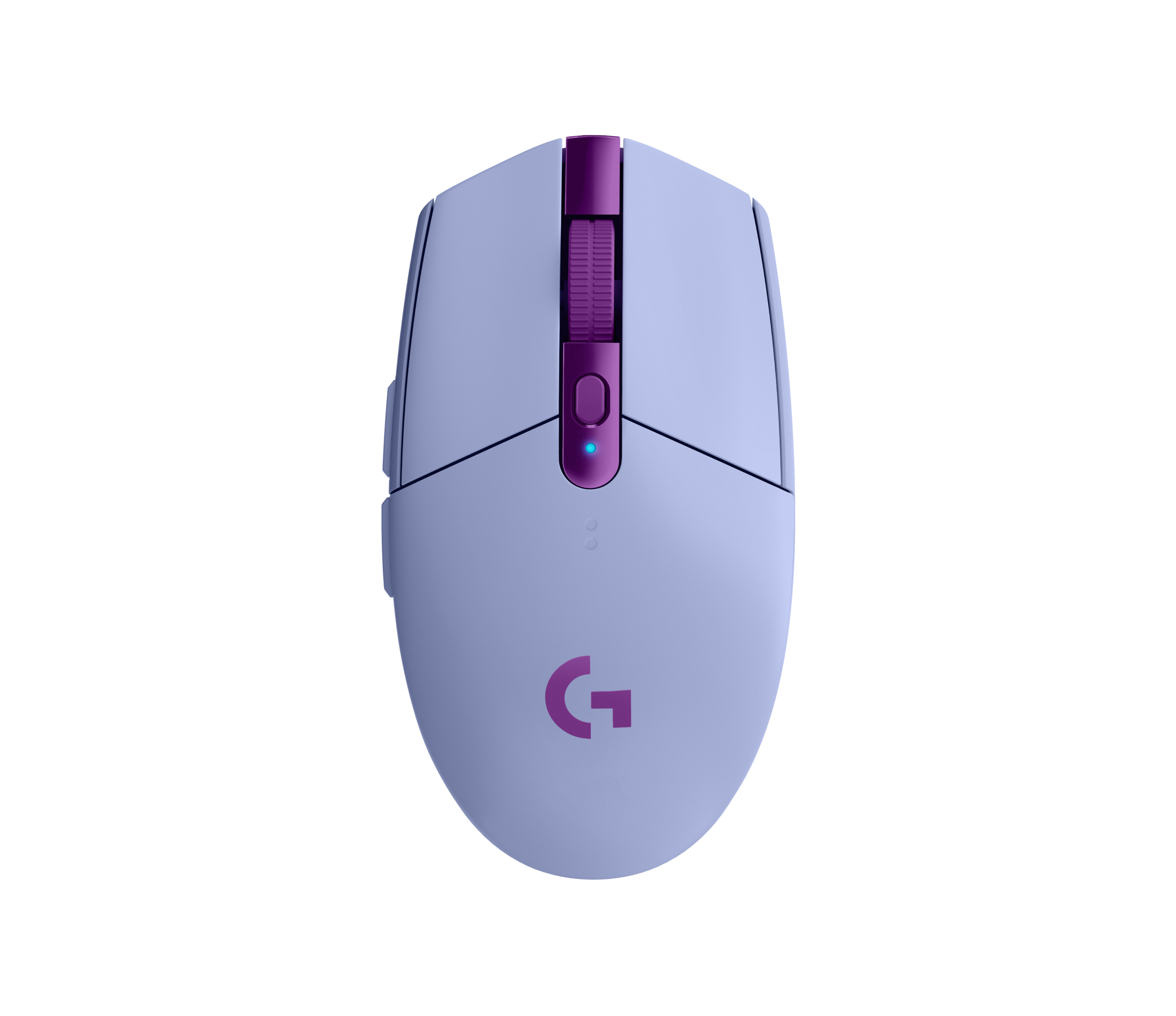
If you don’t want to break the bank, the Logitech G305 Lightspeed is a classic that still holds up. It’s affordable, reliable, and uses the proven HERO sensor which tracks perfectly for most casual players. It’s a bit heavier than modern designs at 99 grams, but the battery life is insane—I’ve gone six months without swapping the AA. On the other hand, the SteelSeries Rival 3 Wireless is a solid alternative if you prefer a different shape. It’s got decent build quality for the price, though it lacks the sheer speed of the Logitech. You’re trading weight and high-end materials here, but both options are huge steps up from standard office gear. Honestly, it’s hard to go wrong with either if you’re just starting your journey.
Mid-Range Tier: Best $100-$150
This is the sweet spot where you get professional-grade gear without the luxury tax. The Razer DeathAdder V3 HyperSpeed is my personal favorite here because of the legendary ergonomics. It’s incredibly light at 55 grams, making it feel like it’s barely there, and the click latency is virtually nonexistent. Then there’s the Pulsar X2V2, which features a more minimalist design that suits claw grip players perfectly. It’s got a very crisp click feel that I personally love during intense Overwatch sessions. You’re getting top-tier sensors, long battery life, and materials that don’t feel like cheap plastic. These are the tools that will actually help you improve your aim, unlike the more expensive gimmick-heavy options that mostly focus on RGB fluff.
Premium Tier: Best Over $150
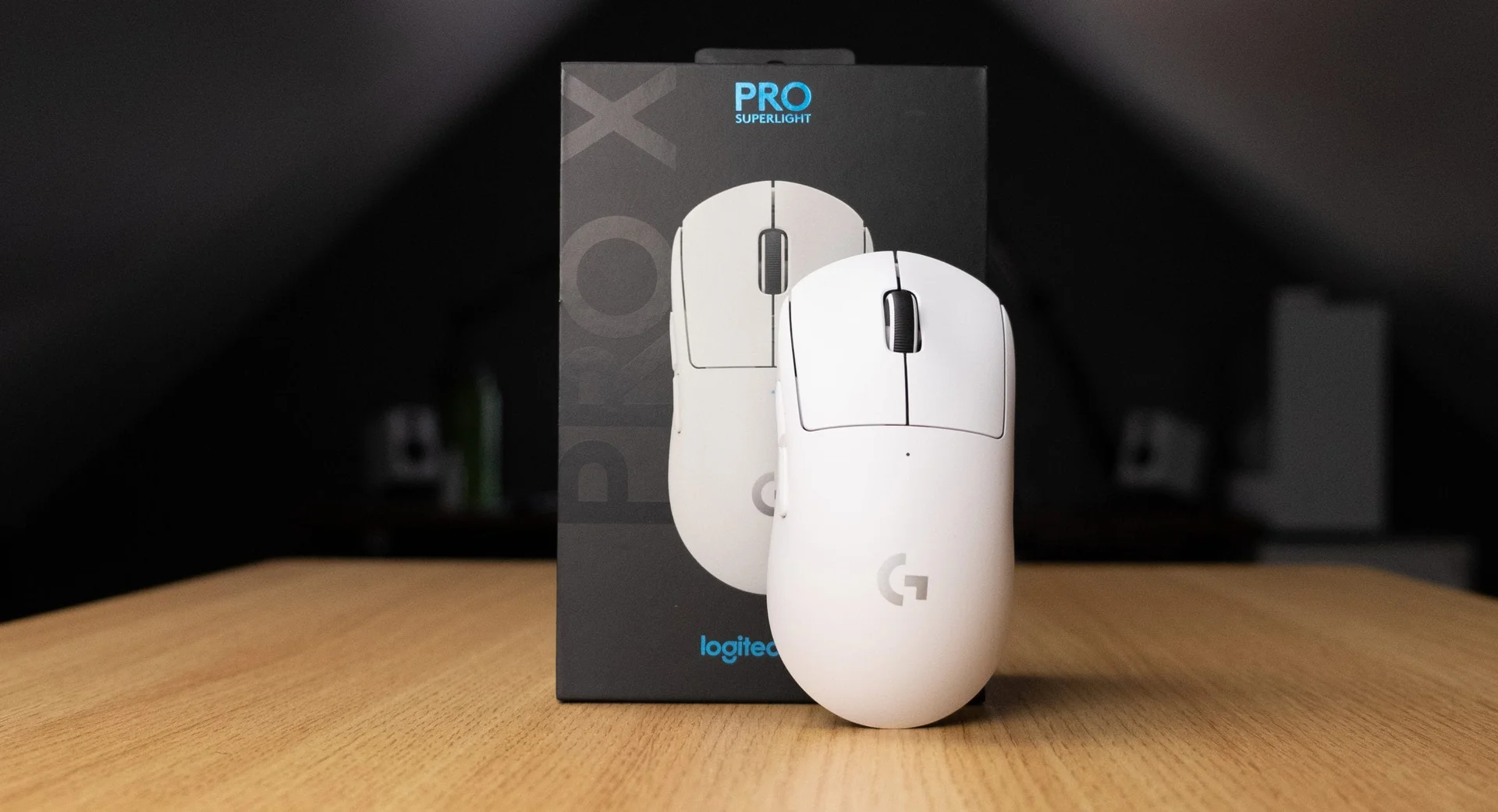
When you hit this price, you’re paying for the absolute best engineering. The Logitech G Pro X Superlight 2 is the industry standard for a reason. It is light, simple, and the optical switches are incredibly responsive. I switched to this from my older wired mouse, and I haven’t looked back once. Then there is the Razer Viper V3 Pro, which is arguably the best-shaped competitive mouse on the market right now. The coating is fantastic for grip, even when my hands get sweaty during a long tournament match. These aren’t just toys; they’re precision instruments. If you’re a streamer or a competitive player looking for an edge, this is where you should invest your budget without second-guessing yourself.
Feature Deep Dive: Wireless vs Wired Reality
Look, I know a lot of people are still obsessed with cables because they think wireless is laggy. Honestly, that hasn’t been true for years. The polling rate on modern wireless tech is rock solid, and I’ve never felt a delay in a fast-paced game. The real advantage of wireless is the lack of cable drag. Even the best mouse bungees can’t fully replicate the freedom of a truly weightless setup. When I moved to wireless, my tracking accuracy in Aim Lab improved by about 5% because I wasn’t fighting the cable’s tension anymore. If you’re still using a wired device, you’re missing out on a level of comfort that fundamentally changes how you play. It’s just cleaner on the desk, too.
Feature Deep Dive: Sensor Types and Tracking
The sensor is the heart of the device, so don’t ignore it. Most top-tier units today use PixArt-based sensors that offer near-perfect raw input. You want to look for features like ‘lift-off distance’ customization, which is huge if you’re a low-sensitivity player who constantly lifts their mouse off the pad. If the lift-off distance is too high, your crosshair will jump every time you reposition. High-end software from brands like Razer or Logitech allows you to calibrate this to the surface of your desk mat. This might sound like overkill, but for competitive FPS, that little bit of precision is what separates a win from a loss. Don’t settle for a budget sensor if you’re playing tactical shooters.
Common Mistakes to Avoid
The biggest mistake I see beginners make is buying something that looks cool but doesn’t fit their hand size or grip style. If you have large hands, a tiny mouse like the Viper Mini is going to cause cramps within twenty minutes. It’s a common ergonomic disaster. Another huge error is ignoring the software compatibility. If you’re on Linux or prefer to keep your PC lightweight, avoid hardware that forces you to run heavy background apps to adjust your settings. Lastly, buying on hype is a trap. Just because your favorite streamer uses a specific device doesn’t mean it’s right for your hand shape. Do your research on shapes first—that’s the only thing that really matters long-term.
Our Top Picks Summary
To wrap this up, your choice should depend on your specific needs. If you are a competitive FPS player, the Razer Viper V3 Pro is my top recommendation for its shape and sensor. Casual gamers who want to save money will be perfectly happy with the Logitech G305 Lightspeed, which is a workhorse that lasts for years. If you are a streamer, you might want the Logitech G Pro X Superlight 2 because it looks clean on camera and performs perfectly every time. Whatever you choose, make sure it feels comfortable in your hand for hours at a time. That comfort will keep you in the game longer, and in the end, that’s what makes the purchase worth it. Happy hunting for your next peripheral upgrade.
Comparison
| Tier | Product Name | Weight | Sensor |
|---|---|---|---|
| Budget | Logitech G305 Lightspeed | 99g | HERO |
| Mid-Range | Razer DeathAdder V3 HyperSpeed | 55g | Focus Pro 30K |
| Premium | Logitech G Pro X Superlight 2 | 60g | HERO 2 |
Frequently Asked Questions
What is the best gaming mouse for competitive FPS?
For competitive shooters, focus on low-latency wireless and sub-60g weights. The Logitech G Pro X Superlight 2 is currently the gold standard for pro play.
Does higher DPI mean a better mouse?
Not necessarily. Most pros play at 400 to 1600 DPI. What matters more is sensor consistency and tracking accuracy at high speeds.
Is wireless gaming mouse latency noticeable?
In 2026, top-tier wireless tech like Razer HyperSpeed is indistinguishable from wired connections. You won't feel any lag.
Should I care about mouse polling rates?
8000Hz polling is marketed heavily, but unless you have a 360Hz+ monitor, you likely won't feel the difference. Stick to a reliable 1000Hz or 4000Hz.
Where to Buy
- Logitech G305 Lightspeed on Amazon
- Razer DeathAdder V3 HyperSpeed on Amazon
- Logitech G Pro X Superlight 2 on Amazon