When you purchase through links on our site, we may earn an affiliate commission.
Introduction
In the fast-paced world of PC gaming, your mouse is more than just a peripheral; it’s an extension of your will, dictating precision, speed, and comfort. While high-end gaming mice can cost a small fortune, many gamers wonder if it’s truly possible to get a competitive edge without emptying their wallets. The good news is, absolutely! Our 2026 guide is dedicated to helping you find the best budget gaming mice that deliver exceptional performance without breaking the bank. We understand that price matters, especially when building an entire gaming setup. This article will provide clear, actionable recommendations for every budget, ensuring you get the most bang for your buck. Here, you’ll learn everything you need to know about navigating the market for affordable options. We’ve scoured the latest releases and perennial favorites to bring you a curated list of top picks, all based on rigorous evaluation of performance, build quality, key features, and overall value. Whether you’re a casual player, an aspiring esports pro, or just looking for a solid upgrade, get ready to discover a high-performing gaming mouse that fits your needs and your budget.

How We Chose
These Products Choosing the best budget gaming mice isn’t about simply picking the cheapest options; it’s about identifying true gaming value. Our selection process is designed to be transparent and rigorous, ensuring that every recommendation meets our high standards for performance and user satisfaction, regardless of price point. When evaluating potential candidates for this guide, we focused on several key criteria: 1. Performance: This is critical. We looked for mice with reliable sensors (DPI range, tracking speed, acceleration), responsive clicks, and minimal latency. A good sensor is non-negotiable, even on a budget.
- Build Quality: Durability is crucial. We assessed materials, cable quality (for wired mice), button lifespan, and overall structural integrity to ensure the mouse can withstand intense gaming sessions.
- Features: While budget mice won’t have every premium bell and whistle, we prioritized practical features like customizable DPI settings, programmable buttons, comfortable ergonomics, and decent software support. We also considered RGB lighting as a bonus where available.
- Value for Money: This is where the ‘budget’ aspect . We weighed the features and performance against the asking price to determine if the mouse offers an excellent price-to-performance ratio.
- User Experience and Reviews: We thoroughly researched community feedback, professional reviews, and long-term user experiences to understand real-world performance, common issues, and overall satisfaction.
- Brand Reliability: We considered reputable brands known for quality peripherals and customer support, even in their more affordable lines. By carefully applying these criteria, we aim to provide you with honest, expert recommendations that empower you to make an informed decision when you’re trying to figure out “How to choose a budget gaming mouse”.
Best by Budget – Full Breakdown
Navigating the world of gaming peripherals can be tricky, especially when price is a factor. Here, we break down our top picks for best budget gaming mice across specific price ranges, highlighting what you can expect at each tier and which products truly stand out.
Under $50
In this budget tier, you can expect solid, reliable performance for basic and casual gaming. These mice typically offer essential gaming features like decent optical sensors, customizable DPI, and a few programmable buttons. While they might lack advanced software suites or premium materials, they’re ideal for beginners, casual gamers, or those who simply need a reliable upgrade from a standard office mouse. Don’t underestimate this category; there are some true gems that offer exceptional gaming value for their price.
Best Pick: Redragon M908
Impact (2026 Model) The Redragon M908 Impact continues to dominate the under-$50 category, especially for players who need more buttons. Its 12 programmable side buttons make it an absolute powerhouse for MMOs, MOBAs, and productivity, offering a level of versatility rarely seen at this price point. The mouse features a precise optical sensor with up to 12,400 DPI (software interpolated) and multiple user-configurable profiles, allowing you to tailor its performance to different games and tasks. It’s durable switches rated for 50 million clicks, a sturdy braided cable, and comfortable ergonomics that accommodate various grip styles, particularly palm grip users. For anyone asking “How to choose a budget gaming mouse” with a lot of customization, this is a prime candidate. Its vibrant RGB lighting adds to the gaming aesthetic without compromising core functionality.
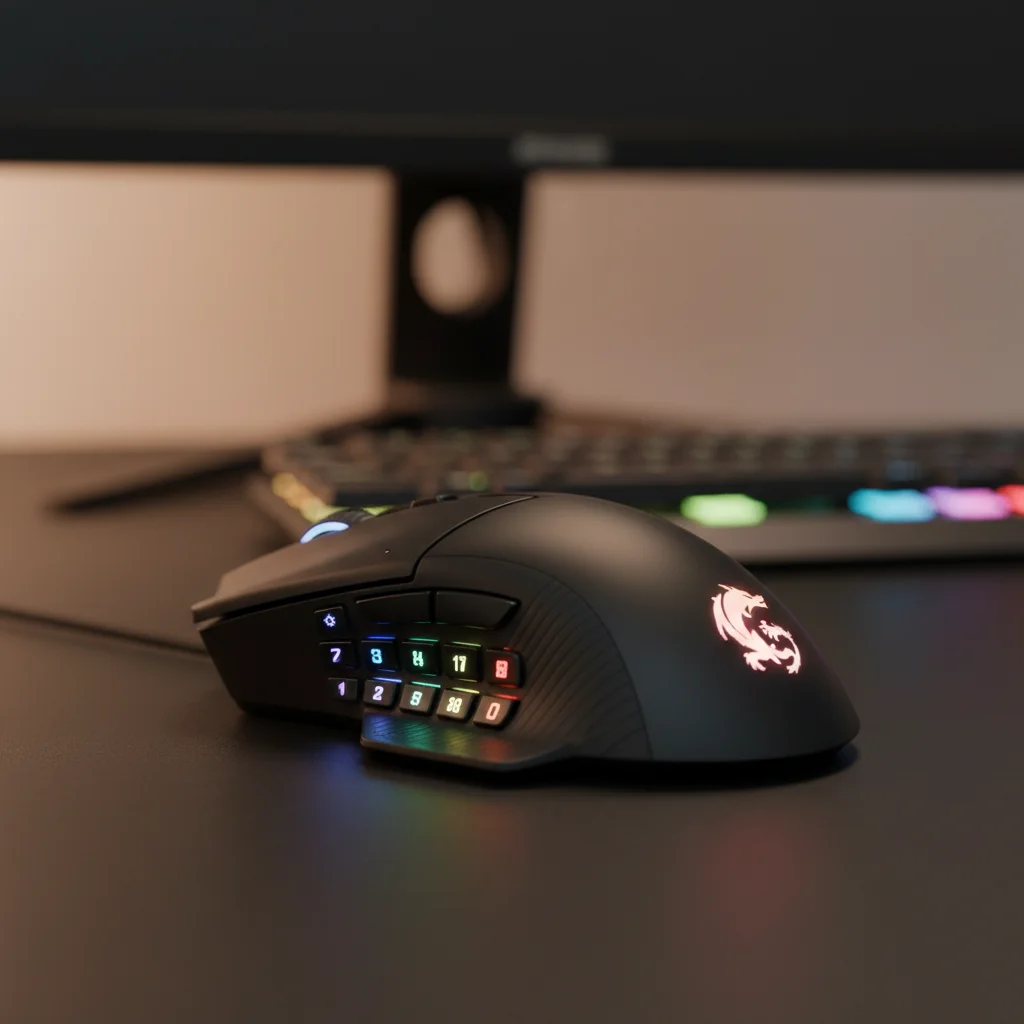
Key features - High-precision optical sensor (up to 12,400 DPI)
- 12 programmable side buttons for macros and commands
- Durable Omron switches (50 million click lifespan)
- Weight tuning system with 8 removable weights
- Ergonomic design with comfortable thumb rest
- Customizable RGB backlighting
- Teflon feet for smooth gliding
Pros & Cons Pros:
- Unbeatable number of programmable buttons for the price.
- Excellent sensor performance for casual to mid-tier competitive play.
- Adjustable weight system is a rare find in this budget.
- Comfortable for various grip styles, particularly palm and claw.
- Good build quality for its price range. Cons:
- The software can be a bit clunky compared to premium brands.
- High DPI settings might be interpolated, not native.
- Large size might not suit users with very small hands.
Why it’s the best in its price range
The Redragon M908 Impact offers an top-tier feature set for under $50, especially for gamers who benefit from numerous programmable buttons. Its combination of a reliable sensor, solid build quality, and extreme customization options makes it an outstanding choice that punches well above its weight class. It truly embodies the concept of finding the it without sacrificing essential functionality.
Ideal user profile
MMO/MOBA players, strategy game enthusiasts, users needing productivity macros, casual FPS players, and anyone looking for maximum features on a minimal budget.
$50–$75
Stepping into the $50-$75 range, you start to see significant improvements in sensor quality, build materials, and software sophistication. Here, you’ll find mice that are excellent all-rounders, offering more refined ergonomics, faster response times, and often lighter designs. This tier is perfect for competitive gamers who need precision and reliability but aren’t ready to invest in top-tier peripherals. You’ll often find mice from more established brands offering their entry-level competitive models, showcasing a fantastic balance between price and performance. These options further exemplify what to look for when considering “Gaming mouse features explained”, especially regarding sensor and build quality.
Best Pick: HyperX Pulsefire
Haste 2 (Wired) The HyperX Pulsefire Haste 2 Wired takes everything great about its predecessor and refines it, offering an incredibly lightweight design paired with a top-tier sensor. Weighing a mere 53g, it’s one of the lightest wired mice on the market, making it ideal for fast-paced FPS games where quick flicks and minimal drag are crucial. Its HyperX 26K Sensor provides an astonishing 26,000 DPI and a tracking speed of 650 IPS, ensuring pixel-perfect accuracy. The mouse features HyperX’s custom switches, rated for 100 million clicks, providing crisp, tactile feedback. PTFE skates offer ultra-smooth glide, and the grip tape included in the box enhances control. This mouse is a prime example of a “Budget gaming mouse vs expensive gaming mouse” comparison where the budget option holds its own remarkably well.
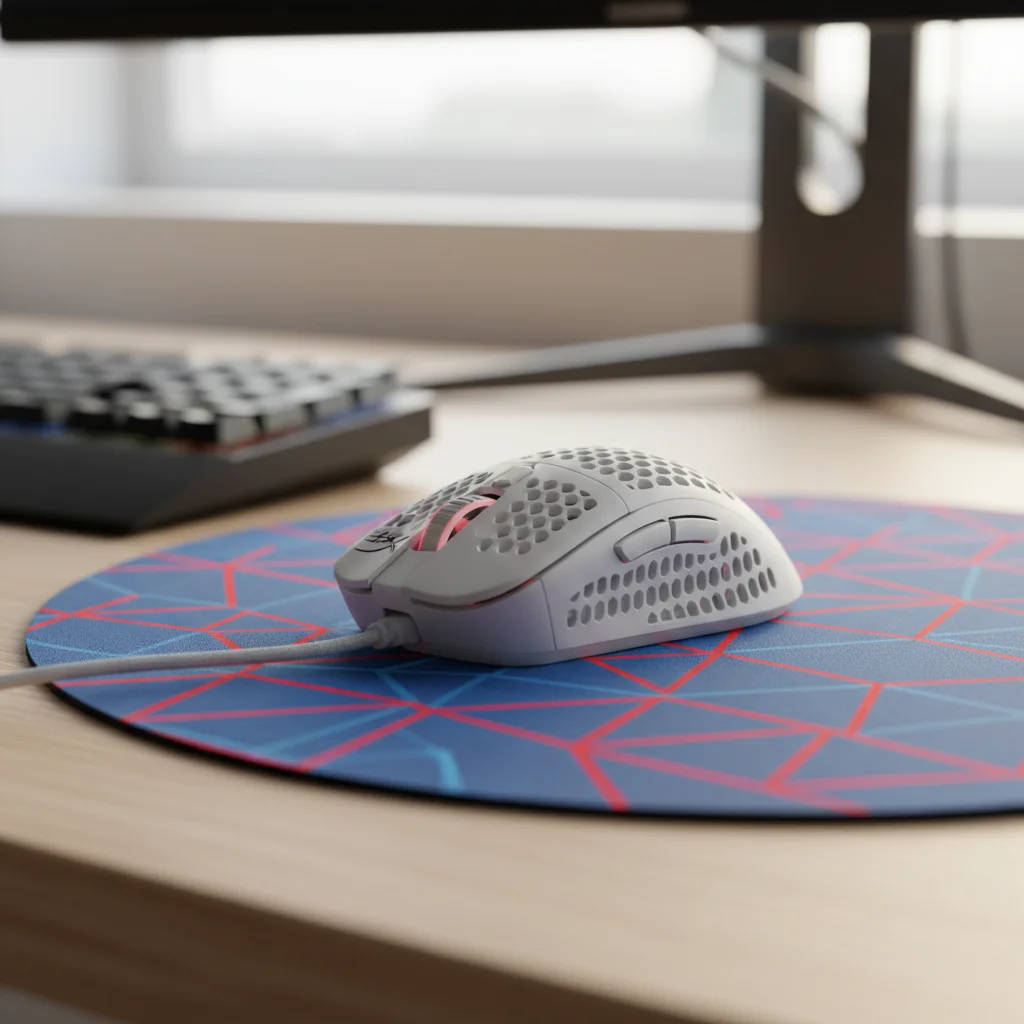
Key features - Ultralightweight design (53g)
-
HyperX 26K Sensor (up to 26,000 DPI, 650 IPS)
-
HyperX custom switches (100 million click lifespan)
-
Virgin PTFE skates for smooth movement
-
Included grip tape for enhanced control
-
Customizable RGB lighting and macros via NGENUITY software
-
Flexible HyperFlex 2 cable to reduce drag
-
Extremely lightweight for rapid movements.
-
Exceptional sensor performance, competitive with high-end mice.
-
Very durable switches for long-term use.
-
Smooth glide with included PTFE skates and flexible cable.
-
Great for competitive FPS players. Cons:
-
Lightweight design might feel too insubstantial for some users.
-
Only 6 programmable buttons (standard for FPS mice, but less than MMO mice).
-
Wired-only option in this specific model (wireless version is higher priced).
Why it wins this tier
The HyperX Pulsefire Haste 2 Wired is a fantastic choice for competitive gamers on a budget. Its industry-leading sensor, incredibly low weight, and durable switches provide an experience that rivals much more expensive alternatives, making it one of the top picks for pure performance in its price bracket. It proves that you don’t need to spend a fortune for a true esports-grade peripheral.
Competitive FPS players, lightweight mouse enthusiasts, claw and fingertip grip users, and gamers who prioritize speed and precision.
$75–$100
At this price point, you start to enter the realm of premium features without quite hitting the enthusiast-level pricing. Here, you can expect wireless connectivity, even better sensors, more sophisticated ergonomics, and often superior build quality. Many brands offer their flagship wireless models as they age a bit, allowing them to fall into this incredibly competitive price range review. These mice are perfect for serious gamers who want top-tier performance and features like wireless freedom, but are still mindful of their budget. This segment truly highlights how far a “budget gaming mouse vs expensive gaming mouse” comparison can go, with many options offering close to flagship experiences.
Best
Pick: Logitech G305 LIGHTSPEED Wireless The Logitech G305 LIGHTSPEED Wireless stands out as an enduring favorite in the $75-$100 category, especially for its reliable wireless performance. Using Logitech’s acclaimed LIGHTSPEED wireless technology, it offers a 1ms report rate that feels indistinguishable from a wired connection, a huge advantage for competitive play. It’s powered by the HERO optical sensor, renowned for its incredible accuracy (up to 12,000 DPI) and power efficiency, allowing for an astonishing 250 hours of gameplay on a single AA battery. The compact, ambidextrous design is comfortable for a wide range of hand sizes and grip styles, though it shines particularly for claw and fingertip users. With solid build quality and a clean design, the G305 remains one of the Gaming Mice for those seeking wireless freedom and performance.
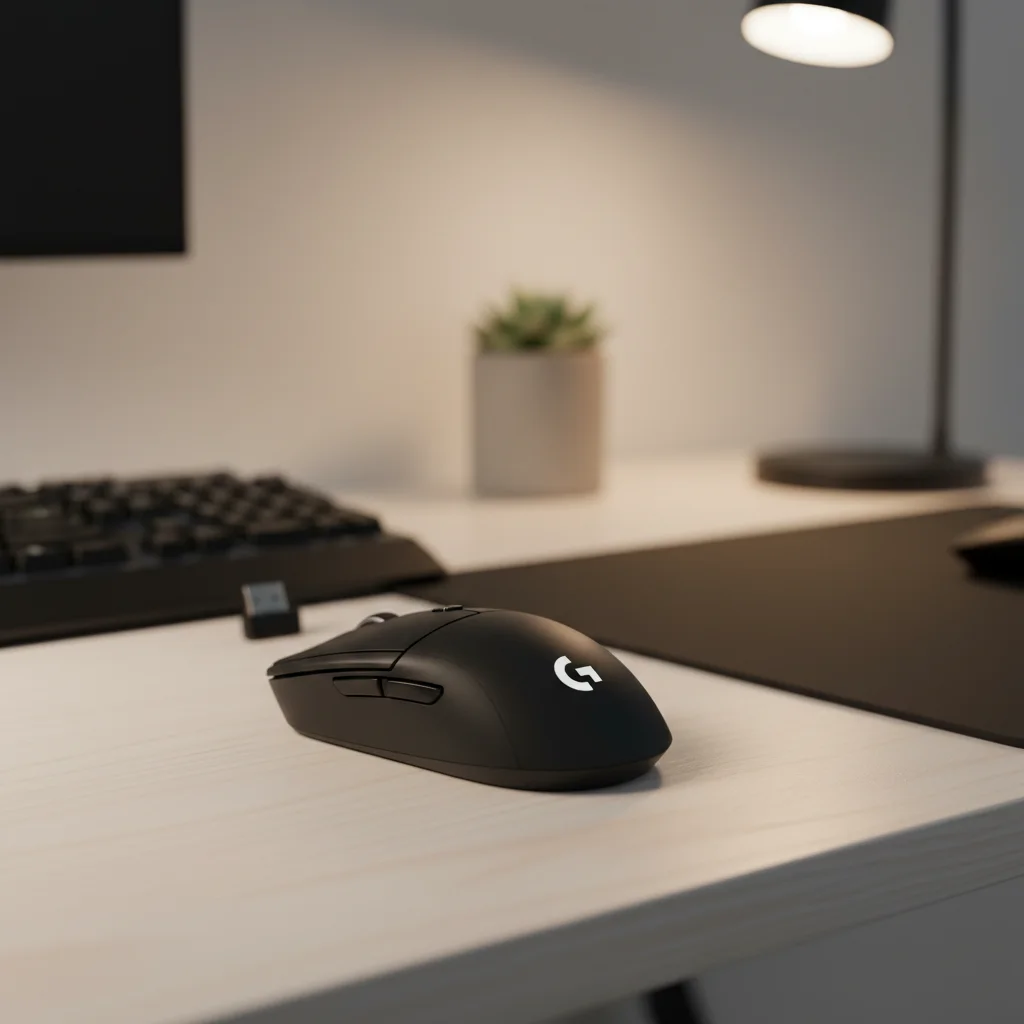
Key features - Logitech HERO optical sensor (up to 12,000 DPI)
-
LIGHTSPEED wireless technology (1ms report rate)
-
250-hour battery life on one AA battery
-
Compact, ambidextrous design
-
6 programmable buttons
-
Mechanical button tensioning for crisp clicks
-
Lightweight (99g with battery)
-
Unrivaled wireless performance at this price point.
-
Excellent battery life due to the HERO sensor.
-
Highly accurate and consistent sensor.
-
Durable and reliable Logitech build quality.
-
Good for travel due to its compact size. Cons:
-
Uses an AA battery (some prefer rechargeable internal batteries).
-
Design might be too small or simple for some palm grip users.
-
No RGB lighting (some might see this as a pro for battery life).
The Logitech G305 wins for offering a truly premium wireless gaming experience at a mid-range price. Its combination of the HERO sensor, LIGHTSPEED wireless, and exceptional battery life makes it an incredibly strong contender for anyone seeking high-performance wireless without spending lavishly. It’s one of the top picks for reliable, untethered gaming.
Gamers who prioritize wireless freedom, competitive players, users with smaller to medium-sized hands, claw and fingertip grip users, and those who value long battery life.
$100–$150
This price bracket represents the sweet spot for many enthusiasts seeking a near-flagship experience without the absolute premium price tag. Here, you’ll find top-tier optical sensors, ultra-low latency wireless (often with multiple connectivity options), advanced ergonomic designs, premium materials, and sophisticated software customization. These mice are often flagship models from a previous generation or slightly trimmed-down versions of current top-tier offerings. They offer incredible gaming value and are perfect for serious gamers who demand the best possible performance and features without going for the absolute most expensive options. This range directly answers the question of “Do expensive gaming products always perform better?” by showing you can get near-perfect performance here.
Best Pick: [Razer
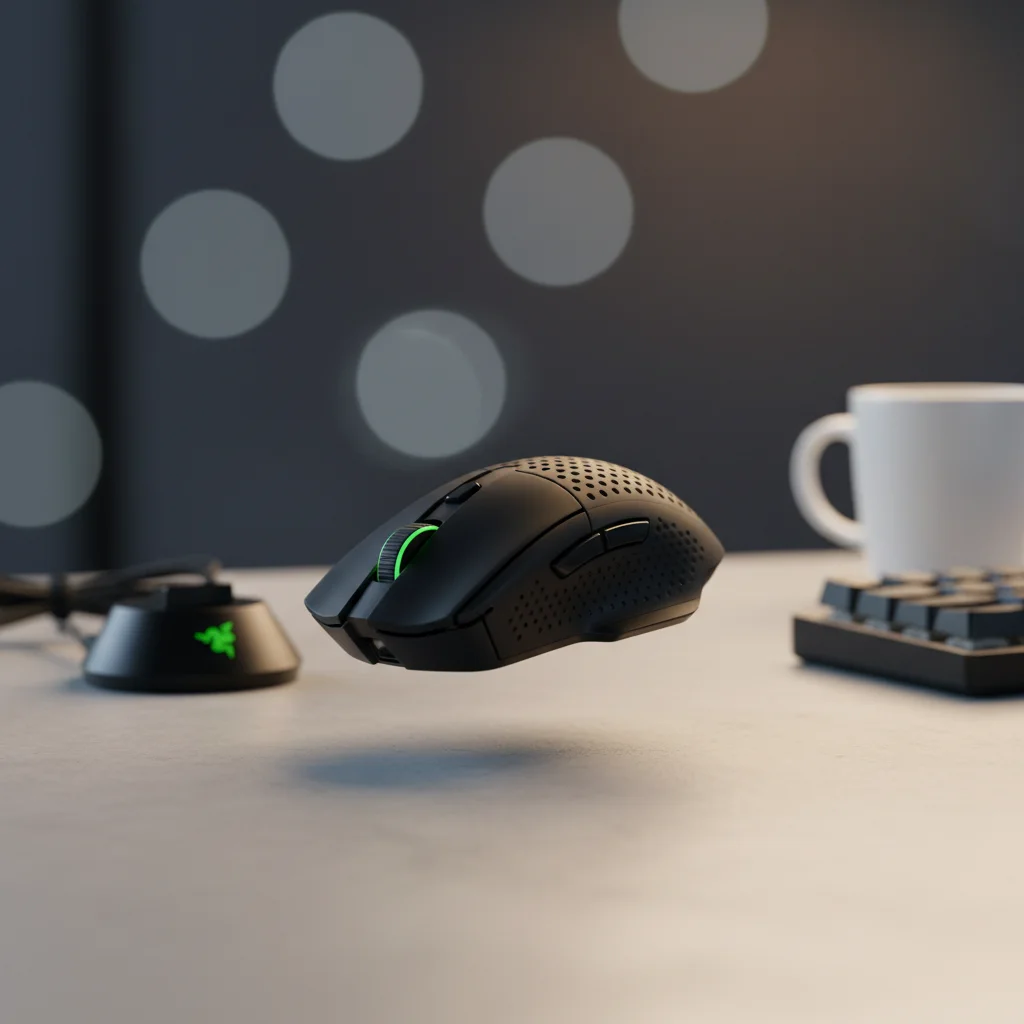
DeathAdder V3 Pro](https://www.amazon.com/s?k=Razer+DeathAdder+V3+Pro&tag=ggl05b-20) (Previous Gen) The Razer DeathAdder V3 Pro, now often available in the $100-$150 range as newer versions emerge, is an absolute powerhouse for competitive gaming. It features Razer’s Focus Pro 30K Optical Sensor, offering an astounding 30,000 DPI and a 750 IPS tracking speed for top-tier precision and responsiveness. Weighing just 63g (wireless!), it combines an ultralight design with Razer’s iconic ergonomic shape, which has been refined over generations for maximum comfort and control. It uses Razer Optical Mouse Switches Gen-3 for blisteringly fast 0.2ms actuation and extreme durability (90 million clicks). With HyperSpeed Wireless and a long-lasting battery, this mouse delivers a no-compromise competitive experience. It’s truly among the the device if your budget allows for this tier, offering a glimpse into what premium mice provide.
Key features - Razer Focus Pro 30K Optical Sensor (up to 30,000 DPI, 750 IPS)
-
Ultralightweight (63g)
-
Razer HyperSpeed Wireless technology
-
Razer Optical Mouse Switches Gen-3 (90 million click lifespan)
-
Refined ergonomic form factor (right-handed)
-
5 programmable buttons
-
Up to 90 hours battery life
-
Speedflex Cable for wired mode or charging
-
World-class sensor performance for ultimate precision.
-
Extremely lightweight for a wireless, ergonomic mouse.
-
Blazing fast optical switches with incredible durability.
-
Legendary comfortable ergonomic shape, perfect for palm grip.
-
Long battery life and solid wireless connection. Cons:
-
Exclusively right-handed design.
-
Higher price point than other “budget” options.
-
Minimal RGB lighting compared to some other Razer mice.
The Razer DeathAdder V3 Pro, when found in this price range review, offers a level of performance and ergonomics that’s hard to beat, even by newer, more expensive models. It’s a professional-grade peripheral that brings competitive advantages to serious gamers, making it the top choice for those looking for a near-flagship experience without the bleeding-edge cost. This mouse is an answer to “What key features should I look for in a budget gaming mouse?” when you’re pushing the upper limits of a ‘budget’.
Competitive FPS/Esports players, right-handed palm or claw grip users, gamers who demand the absolute best sensor performance and comfort, and those seeking a premium wireless experience.
Comparison Table
To help you quickly compare our top picks across different budgets, here’s a comprehensive table summarizing their key specifications and strengths.
Product Name Redragon M908 Impact (2026 Model)
Price Range Under $50
Weight / Specs Approx. 130-160g (adjustable) / Up to 12,400 DPI / Wired
Key Features 12 programmable side buttons, weight tuning, ergonomic, RGB
Best for MMO/MOBA, budget users needing macros
Pros & Cons
Summary Pros: Many buttons, adjustable weight, great value. Cons: Software can be basic, heavier.
Product Name HyperX Pulsefire Haste 2 (Wired)
Price Range $50–$75
Weight / Specs 53g / Up to 26,000 DPI / Wired
Key Features Ultralight, HyperX 26K Sensor, PTFE skates, durable switches
Best for Competitive FPS, speed-focused players
Summary Pros: Extremely lightweight, top sensor, durable. Cons: Wired only, minimal buttons.
Product Name Logitech G305 LIGHTSPEED Wireless
Price Range $75–$100
Weight / Specs 99g / Up to 12,000 DPI / Wireless (AA battery)
Key Features LIGHTSPEED wireless, HERO sensor, 250hr battery, compact
Best for Wireless freedom, travel, general gaming
Summary Pros: Reliable wireless, long battery, accurate sensor. Cons: AA battery, simple design.
Product Name Razer DeathAdder V3 Pro (Previous Gen)
Price Range $100–$150
Weight / Specs 63g / Up to 30,000 DPI / Wireless
Key Features Focus Pro 30K Sensor, ultralight, optical switches, ergonomic
Best for Esports, comfort, premium wireless performance
Summary Pros: Top-tier sensor, ultralight wireless, superb ergonomics. Cons: Right-handed only, higher budget.
Buying Tips by
Budget Choosing the right gaming mouse is a personal decision, and your budget plays a significant role. Here are some tailored tips to help you make the best choice based on how much you plan to spend, providing answers to “How to choose a budget gaming mouse” for specific scenarios.
If You’re on a
Tight Budget (Under $50) When every dollar counts, focus on the fundamentals. What features matter most? A reliable optical sensor is key; prioritize consistent tracking over ridiculously high DPI numbers that you’ll likely never use. Look for comfortable ergonomics that suit your grip style, even if it means a simpler design. Durability is also important, so check for decent switch lifespans (20-50 million clicks is good). What to avoid? Overpaying for flashy RGB if it compromises sensor quality or build. Also, be wary of mice that boast extremely high DPI but have poor tracking speeds or acceleration, as these are often marketing gimmicks. Simplicity and core performance will serve you best here. Understand the difference in “Gaming mouse features explained” when you’re looking at this budget.
Best Value for
Mid-Range Buyers ($50–$100) In this tier, you can expect significant upgrades. Which specs offer the best performance boost? Look for high-quality, native optical sensors (like HyperX’s 26K or Logitech’s HERO) that offer excellent IPS and acceleration for competitive play. This is where wireless technology becomes genuinely viable; prioritize low-latency wireless (like Logitech’s LIGHTSPEED or Razer’s HyperSpeed) for a near-wired experience. Mechanical or optical switches with higher click ratings (50 million+) are a definite plus. Ergonomics become more refined, often catering to specific grip styles. This range is where the balance of “Budget gaming mouse vs expensive gaming mouse” really gets interesting, as you can find exceptional performance for a reasonable cost.
Premium Buyers ($100–$150)
For those willing to invest a bit more, this category unlocks top-tier features and performance that often rival or surpass even more expensive mice. What makes high-end products worth the investment? You’re paying for latest sensors (e.g., Razer Focus Pro 30K) that offer ultimate precision and speed, exceptionally lightweight designs, and sometimes advanced features like higher polling rates (e.g., 8000Hz). Optical switches are common here, providing top-tier speed and durability. Ergonomics are often carefully designed and refined, based on years of user feedback. You’re investing in a refined, no-compromise experience where every detail, from cable flexibility to button tactility, has been optimized for peak gaming performance. This is where you truly experience the benefits that might not be visible from just a surface-level “Gaming mouse features explained”.
Common Mistakes to Avoid Even when looking for the **Gaming
Mice**, it’s easy to fall into common traps that can lead to buyer’s remorse. Being aware of these pitfalls will help you make a smarter buy.
Overpaying for unnecessary features
Don’t get dazzled by features you won’t use. Do you really need 20 programmable buttons if you only play FPS games? Is 30,000 DPI truly necessary when most pros use 400-1600 DPI? Marketing can push these numbers, but focus on practical value. Extra features often add to the cost without enhancing your personal gaming experience. This is critical for “How to choose a budget gaming mouse”.
Ignoring ergonomics
A mouse can have the best sensor in the world, but if it’s uncomfortable to hold for long periods, it’s useless. Hand size, grip style (palm, claw, fingertip), and whether you’re left or right-handed are crucial. Always prioritize comfort; try to feel the mouse in hand if possible, or read reviews specifically addressing ergonomics for different hand sizes.
Choosing based only on brand reputation
While big brands often make great products, smaller or lesser-known brands can offer incredible gaming value in the budget segment. Don’t dismiss a mouse just because it’s not a Razer or Logitech. Conversely, a big brand’s cheapest offering might not always be better than a mid-range mouse from a smaller, specialized company. Always look at independent reviews and specs.
Confusing marketing terms with real performance
High DPI numbers don’t always mean better. Polling rates can be overhyped if the sensor isn’t stable. ‘Gaming-grade’ doesn’t automatically mean good. Dig deeper into sensor model numbers, switch types, and actual user reviews to understand true performance rather than just relying on bold claims on the box. This is where a proper understanding of “Gaming mouse features explained” becomes invaluable.
Who Should Choose
Which Budget Tier? Understanding your gaming habits and priorities is key to selecting the perfect mouse from our top picks. Here’s a breakdown of which budget tier is best suited for different types of gamers:
Beginners & Casual
Gamers (Under $50) If you’re just starting, play mostly single-player games, or don’t engage in highly competitive online matches, the “Under $50” category is perfect. You’ll get a solid, reliable mouse that’s a huge upgrade from an office peripheral without unnecessary features. The Redragon M908 Impact is a great example of it for this group, offering immense functionality.
Competitive
FPS Players (Primarily $50–$75, up to $150 for premium features) For twitch-reflex games like Valorant, CS:GO, or Apex Legends, precision and speed are critical. The $50-$75 tier offers excellent wired options like the HyperX Pulsefire Haste 2 with fantastic sensors and ultralight designs. If you stretch to $100-$150, options like the Razer DeathAdder V3 Pro provide top-tier wireless freedom and even more refined sensors and switches, giving you every possible competitive edge. The “Budget gaming mouse vs expensive gaming mouse” debate is strongly won by high-value options here.
MMO Players (Under $50, or $75-$100 for wireless comfort)
MMO players often benefit from a plenty of programmable buttons for spells and abilities. The Redragon M908 Impact in the “Under $50” category is an obvious win here. If wireless convenience and a more refined build are desired, some of the $75-$100 mice might offer enough buttons and superior comfort, though dedicated MMO mice typically start slightly higher.
Streamers & Content
Creators (Any tier, depending on focus) Streamers can benefit from programmable buttons for scene switching or hotkeys, making the Redragon M908 versatile. However, many streamers also prioritize aesthetics and reliable performance. A comfortable, high-performance mouse from the $75-$150 range might be preferred for long sessions, especially wireless options like the Logitech G305 for its reliability and battery life.
Budget Buyers (Under $50)
If your primary concern is minimizing spending while still getting a functional gaming mouse, stick to the “Under $50” category. You’ll find several excellent choices that provide great gaming value for essential features.
Enthusiasts (Primarily $100–$150)
Enthusiasts who appreciate fine-tuned ergonomics, latest sensors, and premium build quality, but aren’t looking to spend $200+, will find their sweet spot in the $100-$150 range. This is where you get near-flagship performance and features, as demonstrated by the Razer DeathAdder V3 Pro.
Final Verdict
After carefully reviewing the market for it in 2026, it’s clear that you no longer need to compromise heavily on performance to save money. The gaming peripheral market has matured, offering incredible gaming value across various price points. For most gamers, especially those looking for an excellent balance between cost and capability, the $50–$75 tier offers the best overall value. Mice like the HyperX Pulsefire Haste 2 (Wired) provide an astounding level of competitive performance for a remarkably low price, proving that the “Budget gaming mouse vs expensive gaming mouse” comparison can often lean heavily towards the budget option. If we had to pick the single best mouse for most gamers looking for the absolute best value, it would be the Logitech G305 LIGHTSPEED Wireless from the $75-$100 tier. Its top-tier wireless reliability, stellar sensor, and fantastic battery life make it an all-rounder that will satisfy the vast majority of players without a hefty investment. Is upgrading to a higher price tier worth it? Absolutely, if your specific needs demand it. If you’re a competitive FPS player, the precision and ultralight design of the Razer DeathAdder V3 Pro (Previous Gen) in the $100-$150 range are a worthy investment for its game-changing features. However, for casual to serious gamers, the jump in performance from under $50 to $75-$100 provides the most significant gains. Ultimately, our expert recommendation is to identify your core needs, prioritize comfort and a good sensor, and then select one of these top picks that perfectly aligns with your budget. You truly can achieve high performance without breaking the bank.
FAQs Here are some frequently asked questions about **Gaming
Mice** to further guide your purchasing decision.
Is it worth buying a premium gaming mouse?
For competitive gamers or enthusiasts who demand the absolute best in sensor performance, build quality, and advanced features, a premium gaming mouse is often worth the investment. However, as this guide shows, you can get near-premium performance for much less, making the “Budget gaming mouse vs expensive gaming mouse” argument stronger than ever. It depends on your budget and how much those marginal gains mean to you.
What’s the best budget option for
FPS gaming? For FPS gaming on a tight budget, the HyperX Pulsefire Haste 2 (Wired) in the $50-$75 range is an exceptional choice due to its ultralight design and high-precision sensor. For under $50, the Redragon M908 offers a decent sensor but is heavier, making it less ideal for pure FPS than the Haste 2.
How much should a gamer spend on a good gaming mouse?
A good gaming mouse can be found for as little as $30-$50. For excellent performance, expect to spend $50-$100. If you want top-tier wireless and latest features, you might spend $100-$150. Beyond $150, the improvements are often incremental and mainly target professional esports players.
Do expensive gaming mice always perform better?
While more expensive gaming mice often feature the latest sensors, premium materials, and advanced wireless technologies, the performance difference isn’t always proportionate to the price gap. Many budget and mid-range mice now offer sensors and switches that are indistinguishable from flagship models for most users. It’s about finding the sweet spot where performance meets value, rather than assuming higher price automatically means better performance. Our “Gaming mouse features explained” sections highlight this distinction.
What key features should I look for in a budget gaming mouse?
When considering “How to choose a budget gaming mouse”, prioritize a reliable optical sensor (400-1600 DPI is common for gaming, but customizable options are good), comfortable ergonomics for your hand size and grip, and durable switches. Programmable buttons are a bonus, as is decent software support. Avoid overly high DPI claims if accompanied by poor tracking speeds or acceleration, and prioritize build quality over excessive RGB.