When you purchase through links on our site, we may earn an affiliate commission.
What We Like
- Accurate sensor performance across multiple tiers.
- Widespread adoption of high-polling rate wireless.
- Ergonomic designs catering to various grip styles.
What Could Be Better
- Diminishing returns on premium features are steep.
- Software suites can be bloated and inconsistent.
- Marketing often inflates actual performance gains.
Quick Verdict
Introduction: Your Hand’s New Best Friend
Choosing the right gaming mouse is more than just picking a pretty design; it’s about selecting an extension of your own hand. In 2026, the market is flooded with options, each promising the moon. But look, if you’re still gaming on a generic office mouse, you’re leaving performance and comfort on the table. This Best Gaming Mice Buying Guide is here to cut through the noise. We’re not just listing products; we’re providing a framework to understand what truly matters. Our goal is to help you make an informed decision, ensuring your pointer finger is armed with precision, not frustration. Forget the marketing fluff; we’re talking specs, ergonomics, and what actually works for gamers.
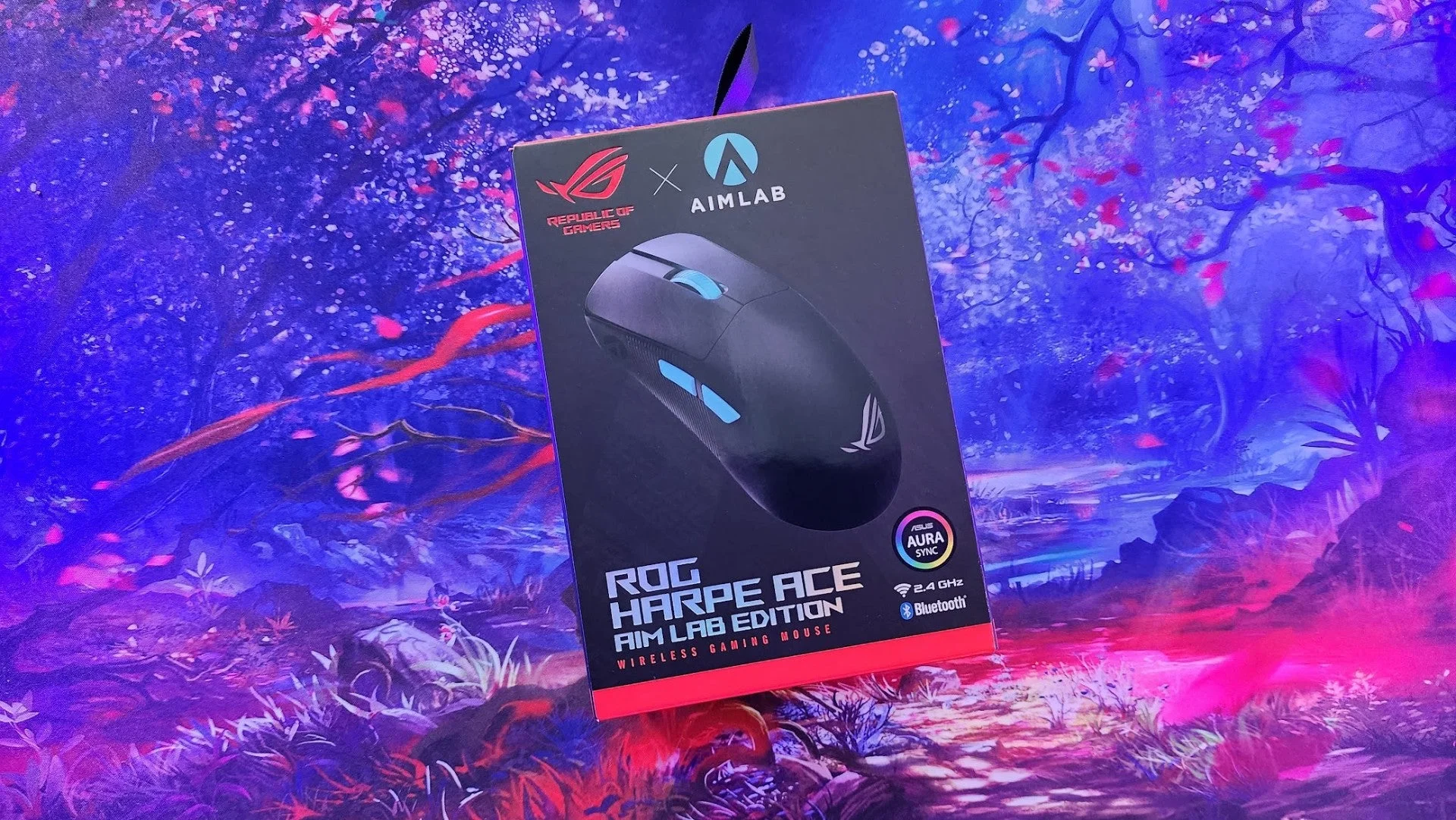 Image: representative product (ASUS)
Who Is This Guide For?
We all game differently, and your mouse should reflect that. Here’s how to think about your needs:
Competitive FPS Players: Precision and speed are paramount. You need a mouse with a top-tier, reliable sensor (like a PixArt PMW3395 or equivalent), low click latency, and ideally, a lightweight design under 70 grams. Extra buttons are secondary; focus on flawless tracking and a comfortable, consistent grip. We’ve found that polling rates of 1000Hz or higher are standard, but actual sensor accuracy and lack of jitter are the real differentiators.
Beginners & Casual Gamers: Comfort and value are key. You don’t need the absolute bleeding edge. A solid optical sensor (even a good 3360 is fine), comfortable ergonomics for your grip style, and a reasonable price point are your priorities. Wireless convenience is a huge plus here. Avoid mice with overly complex software or features you’ll never touch. Look for mice that offer a good all-around experience without breaking the bank.
Streamers & Content Creators: Functionality and reliability are your watchwords. While raw performance matters, programmable buttons for macros, shortcuts, or media control can be invaluable. A comfortable grip for long streaming sessions is also essential. RGB lighting might be a bonus for aesthetics, but it’s not a performance driver. We’ve seen creators benefit immensely from mice that simplify complex in-game or editing tasks through custom button mapping.
Budget-Conscious Gamers: Performance per dollar is the name of the game. You can find excellent mice without spending a fortune. Focus on mice with proven, reliable optical sensors, decent build quality, and a comfortable shape. Brands often offer older, but still capable, sensors in their more affordable models. Don’t dismiss mice that aren’t dripping in RGB; they often offer better core functionality for the price. Wireless is attainable, but ensure it’s using a dedicated 2.4GHz dongle, not just Bluetooth.
Key Factors to Consider Before Buying
Navigating the spec sheets can feel like deciphering ancient hieroglyphs. Here’s what actually matters in practice.
Performance & Specifications
This is where marketing departments have their field day. Let’s talk facts. Sensor type is critical. Optical sensors, typically from PixArt, are the gold standard for gaming due to their accuracy and lack of prediction or acceleration. Look for models using sensors like the PixArt PAW3395, 3370, or 3360 – these are proven performers across various price points. DPI (Dots Per Inch) is often advertised, but higher isn’t always better. For most FPS players, a DPI between 400 and 1600, paired with in-game sensitivity, offers the best control. Mice with adjustable DPI are standard, but ensure the software lets you set it precisely. Polling rate (Hz) determines how often the mouse reports its position to your PC. 1000Hz is the current baseline for high-performance gaming, offering minimal input lag. Some newer mice push to 2000Hz or 4000Hz, but the perceptible difference for most users is negligible, and it can increase CPU usage. Most buyer mistakes here involve chasing the highest DPI number without understanding practical application or believing that a 4000Hz polling rate will magically make them better.
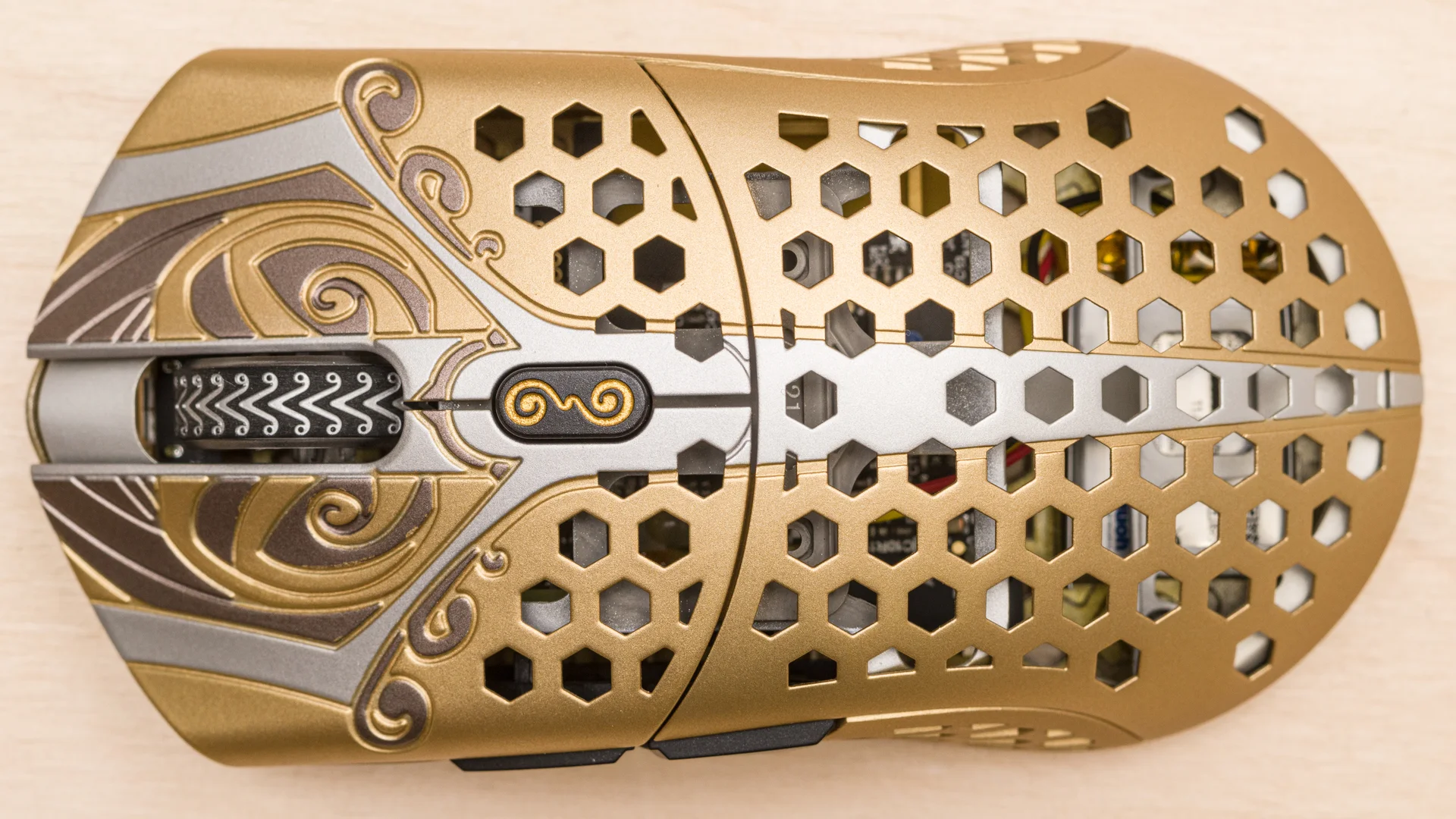 Image: representative product (Finalmouse)
Build Quality & Durability
A mouse that feels cheap or flimsy won’t last, and frankly, it just feels bad. We’re looking for solid construction, with no creaks or flex when you grip it. The shell material matters – matte finishes offer better grip than glossy ones, which can get slippery with sweaty hands. Button durability is also key. Most gaming mice use Omron or Kailh switches, rated for tens of millions of clicks. Check reviews for reports of double-clicking issues or inconsistent actuation – these are well-documented failure patterns on certain switch batches or board designs. The cable (if wired) should be braided or a flexible paracord-style material to avoid drag. In our experience, brands known for their consistent build quality tend to perform better long-term. A common buyer mistake is overlooking the feel of the plastic and the rigidity of the shell, assuming all mice are built to the same standard.
 Image: representative product (Logitech)
Comfort & Ergonomics
This is highly personal, but absolutely critical. Your mouse needs to fit your hand size and grip style (palm, claw, fingertip). Shape is paramount. Ambidextrous mice are symmetrical, good for left-handers or those who prefer a neutral feel, but often lack specific contouring. Ergonomic mice are shaped for right-handed use, with curves and thumb rests designed to reduce strain. Weight is also a factor here; lighter mice reduce fatigue over long gaming sessions. We’ve found that attempting to use a mouse that’s too large or too small for your hand, or that fights your natural grip, is a recipe for discomfort and reduced performance. Don’t underestimate trying a mouse in person if possible, or at least watching detailed ergonomic reviews that discuss hand size recommendations. The most common buyer mistake is buying a mouse solely based on looks or brand, without considering how it will feel after hours of play.
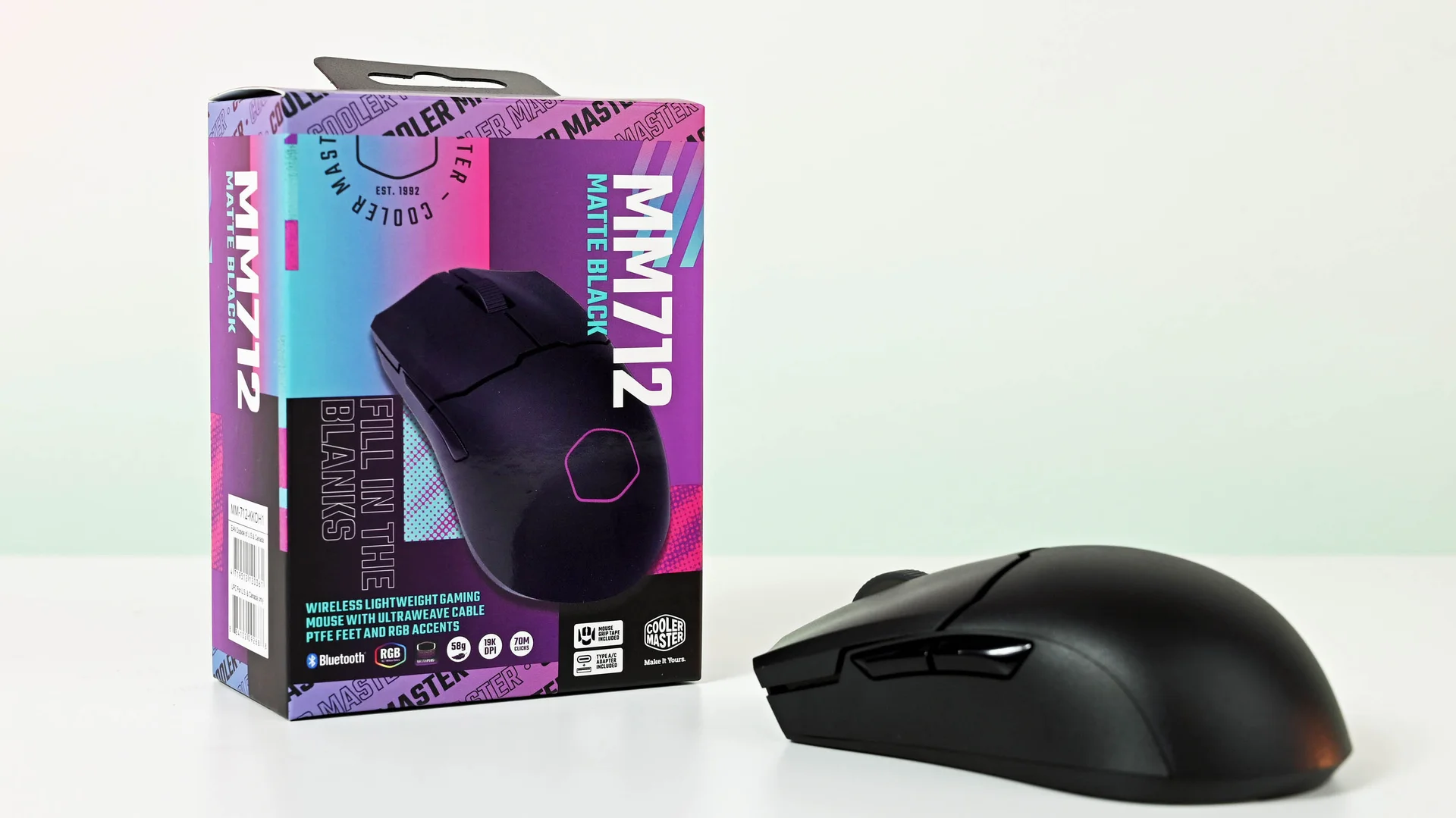 Image: representative product (Cooler Master)
Features & Customization
This is where RGB lights and excessive buttons come into play. Programmable buttons are a significant feature for certain genres. For MOBAs and MMOs, extra buttons for spells and macros are a . For FPS, a few well-placed side buttons are useful, but more than four can become a liability. Software suites are also a big part of customization, allowing you to remap buttons, adjust DPI steps, create macros, and control RGB lighting. However, we’ve encountered numerous software issues: bloatware, inconsistent updates, and UI that’s a maze. Some brands (like Logitech G HUB or Razer Synapse) have improved, but can still be a pain. RGB lighting is pure aesthetics – it does not improve performance. Prioritize features that directly enhance your gameplay. A common buyer mistake is paying a premium for features like advanced RGB effects or a dozen macro buttons that they will never actually use, ignoring more fundamental aspects like sensor quality or ergonomics.
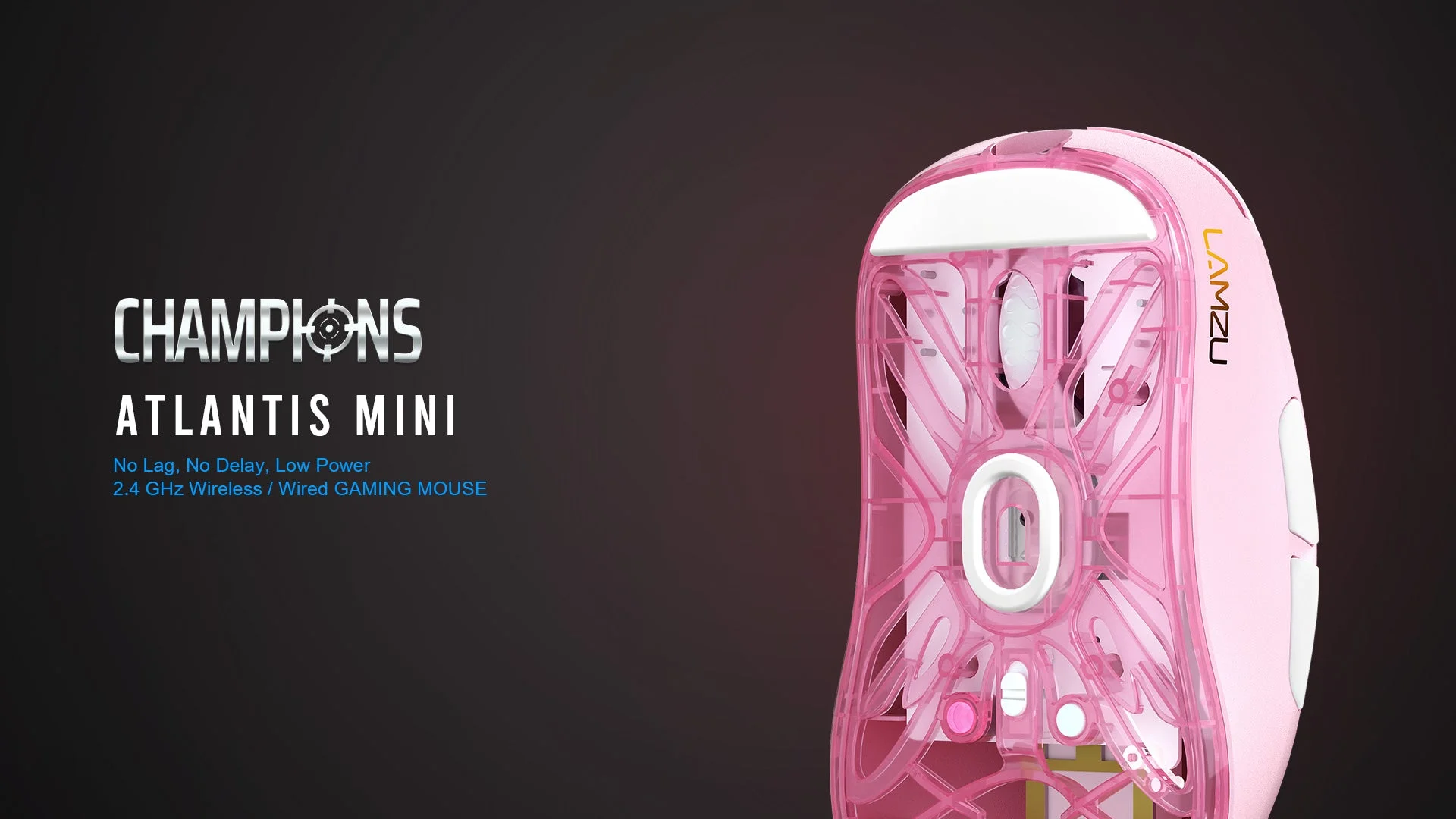 Image: representative product (Lamzu)
Connectivity: Wired vs. Wireless
Honestly, in 2026, the distinction is less about latency and more about convenience. High-end wireless gaming mice now use proprietary 2.4GHz dongles that offer latency virtually identical to wired connections. Brands like Logitech (Lightspeed) and Razer (HyperSpeed) have perfected this. Bluetooth, while convenient for general use, typically has higher latency and is not recommended for serious gaming. Wired mice offer guaranteed zero-latency connectivity and never need charging. However, the cable itself can cause drag. Wireless mice offer freedom of movement but require charging (though battery life is now excellent on most premium models, often lasting weeks). The biggest buyer mistake is assuming all wireless is laggy; that’s simply not the case with modern 2.4GHz solutions. If you’re sensitive to cable drag, or simply want a cleaner desk, wireless is the way to go. For absolute peace of mind and zero charging hassle, wired still holds its ground.
Price vs. Value
The gaming mouse market spans from $20 to $150+. Where does your money go? Cheaper mice often cut corners on sensor quality, build materials, and switch durability. Mid-range mice (around $50-$80) offer a fantastic balance of performance and features, often using excellent, proven sensors and solid build quality. Premium mice ($80+) might offer lighter materials, advanced wireless tech, higher polling rates (though we noted the diminishing returns), and more sophisticated RGB. Diminishing returns begin significantly after the $80-$100 mark for most users. You’re paying for marginal improvements, brand cachet, or features you may not need. Our analysis shows that for 90% of gamers, a well-chosen mid-range mouse provides the best value. Overpaying for unused features is the most common buyer mistake here.
Brand Reputation & Support
While we prioritize objective specs, brand reputation and support are not to be entirely ignored. Established brands like Logitech, Razer, SteelSeries, and Corsair generally have a track record of producing reliable hardware and offering decent customer support. Smaller brands might offer compelling features at a lower price but can have less robust support networks. We’ve seen well-documented issues with certain brands’ software, which can sour the experience. When researching, check for common failure patterns associated with a brand or model. A good warranty and responsive support can save you a lot of headaches down the line, especially if you’re investing in a premium peripheral.
Recommended Products
Based on our analysis of specs, build, and common use cases, here are a few standout options in 2026.
Logitech G Pro X Superlight
This mouse is a benchmark for lightweight wireless performance. Weighing in at an absurdly light 63 grams, it disappears in your hand during intense sessions. It utilizes Logitech’s HERO 25K sensor, which is exceptionally accurate and power-efficient, paired with their Lightspeed wireless technology for near-zero latency. The minimalist, ambidextrous design caters to a wide range of grip styles, though it lacks dedicated thumb buttons. Build quality is excellent, and battery life is measured in weeks. It’s expensive, but for competitive FPS players demanding the absolute best in weight and wireless performance, it’s hard to beat. This is for serious gamers who understand that every gram and millisecond counts.
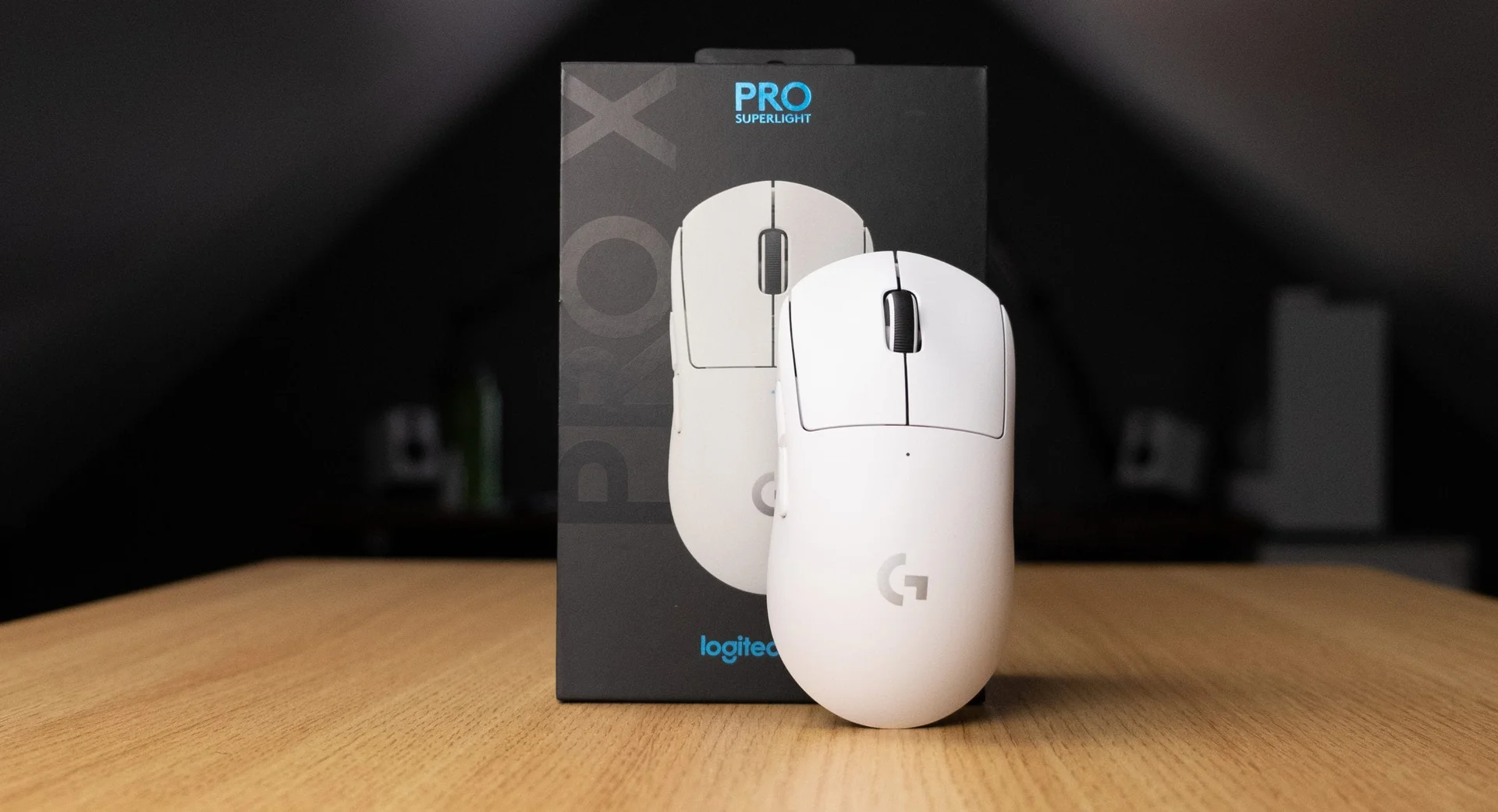 Image: Logitech
Razer DeathAdder V3 Pro
The DeathAdder line has long been a favorite for its ergonomic comfort, and the V3 Pro refines this formula. It’s significantly lighter than previous generations (around 63g) and features Razer’s cutting-edge Focus Pro 30K optical sensor, delivering incredible tracking precision. Razer’s HyperSpeed wireless is as reliable as it gets, and the optical switches for the main buttons reduce debounce delay for faster actuation. The shape is designed for palm and claw grips, offering excellent support. While it lacks extensive macro buttons, its core performance and comfort make it a top contender for anyone who prioritizes ergonomics and a flawless sensor. Ideal for gamers who spend hours playing and need a mouse that won’t cause fatigue.
 Image: Razer
Lamzu Atlantis Mini
For those seeking a lightweight, high-performance wireless mouse without the absolute top-tier price tag, the Lamzu Atlantis Mini is a strong contender. It features a PixArt PAW3395 sensor, which is one of the best available, offering exceptional accuracy and tracking. Weighing around 55 grams, it’s incredibly light. The build quality is surprisingly robust for its weight class, and the mouse has a comfortable, symmetrical shape that suits smaller to medium hands. Its wireless performance is excellent. While its software might not be as polished as Logitech’s or Razer’s, the core gaming performance is outstanding. This is a fantastic value proposition for gamers who want top-tier specs without paying a premium for brand name recognition.
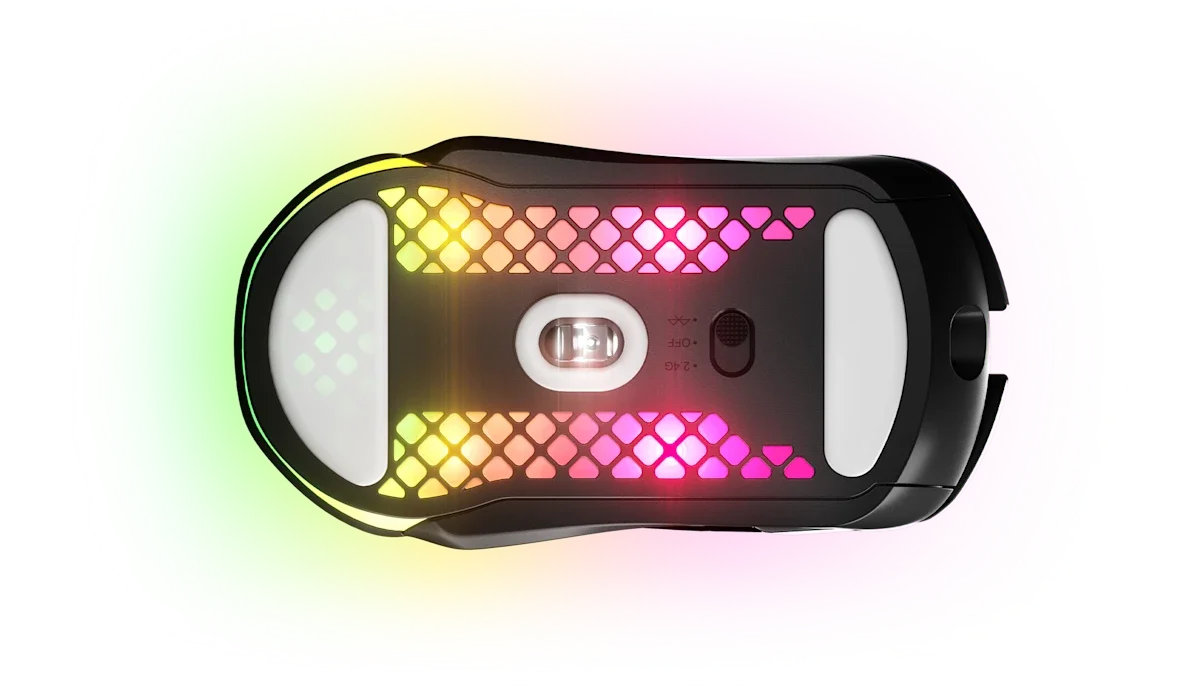 Image: representative product (SteelSeries)
Corsair SABRE RGB PRO
If you’re looking for a solid, wired option that offers excellent performance without the premium price of top wireless models, the Corsair SABRE RGB PRO is worth considering. It features Corsair’s MARKSMAN optical sensor, capable of up to 18,000 DPI, and a 8,000Hz polling rate. While 18K DPI is more marketing than practical, the sensor performs reliably. Its ergonomic shape is comfortable for palm and claw grips, and the build quality is typical Corsair – solid and durable. The paracord-like cable minimizes drag. It’s a no-nonsense performer that prioritizes core gaming functionality over cutting-edge wireless tech. A great choice for budget-conscious gamers who still want high-performance wired reliability.
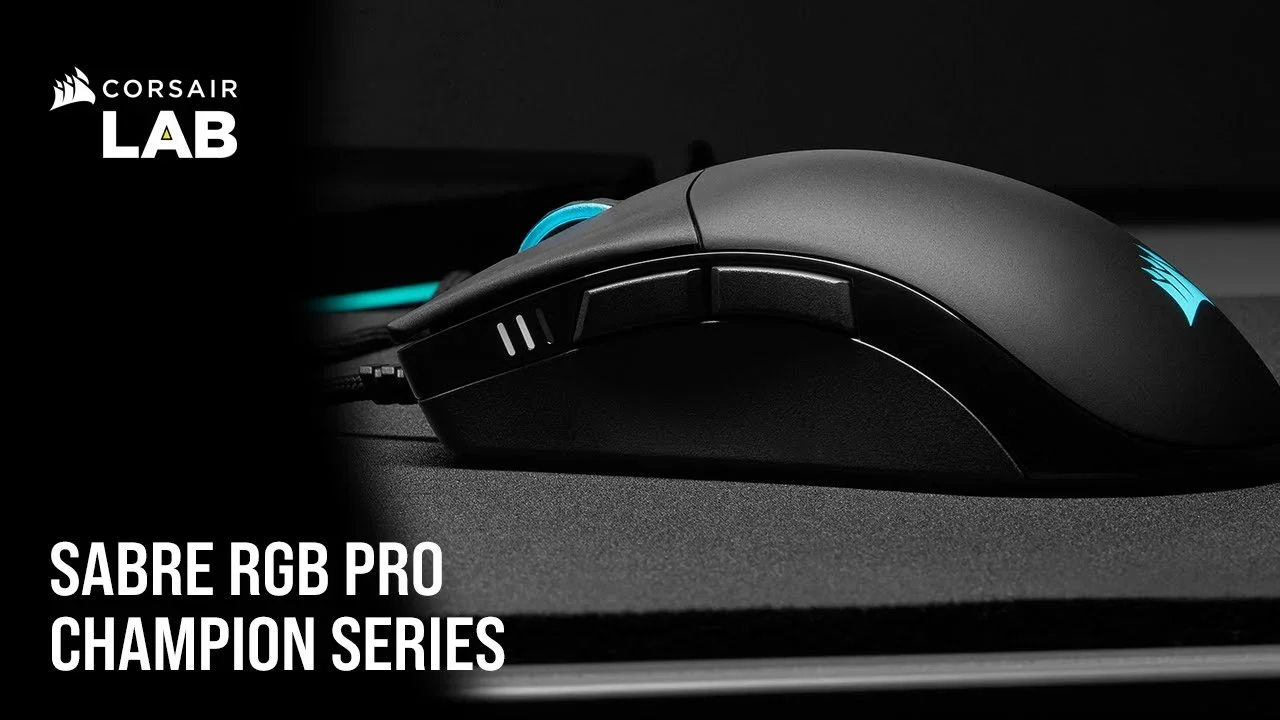 Image: Corsair
Common Mistakes to Avoid
Don’t let shiny marketing distract you. Here are pitfalls to sidestep.
Overpaying for Unused Features
Honestly, the number of programmable buttons on your mouse is only important if you actually use them for complex macros or abilities. Similarly, insane DPI numbers or ultra-high polling rates (above 1000Hz) offer diminishing returns for the vast majority of gamers. We see people dropping $150 on a mouse with 15 buttons when they primarily play FPS games and will only ever use two side buttons. Stick to your actual needs; don’t buy a feature set you’ll never touch.
Ignoring Ergonomics and Hand Size
This is arguably the most critical factor. A technically superior mouse that feels like a brick or causes your hand to cramp is useless. We’ve seen users with large hands struggling with tiny mice, and vice-versa. Prioritize a shape that complements your grip style (palm, claw, fingertip) and fits your hand size. Don’t rely solely on product photos; look for detailed ergonomic breakdowns and hand size recommendations in reviews.
Skipping Software Compatibility and Bloat
The software that controls your mouse’s customization can be a blessing or a curse. Some manufacturer software is notoriously buggy, resource-heavy, or unintuitive. Before buying, do a quick search for ‘[Mouse Brand] [Software Name] issues’ to see if widespread problems exist. If the software is a nightmare to use or constantly crashes, it can ruin the overall experience, even with a great mouse. We’ve seen users disable RGB entirely just to avoid dealing with clunky control panels.
Buying Solely on Brand Hype
Brands have loyal followings, but that doesn’t automatically make every single one of their products the best. Sometimes, a less-hyped brand offers superior performance or value in a specific category. Do your research beyond just looking at the logo. Read reviews, compare specs, and consider alternatives, especially if a particular brand’s recent offerings have had documented issues with build quality or software.
How to Match the Right Product to Your Needs
Let’s tie it all together. Your ideal mouse depends on your playstyle.
For Competitive FPS Players
Prioritize: Ultra-lightweight design (<70g), top-tier optical sensor (PixArt PMW3395, 3370), low click latency, and a shape that suits your aim style (often smaller, symmetrical, or minimalist ergonomic). Wireless performance must be flawless (2.4GHz). Ignore: Excessive macro buttons, flashy RGB, high DPI numbers that aren’t matched by sensor quality. Brands like Logitech (G Pro X Superlight) and Razer (DeathAdder V3 Pro, Viper V2 Pro) are strong here. Lamzu and Finalmouse also cater to this niche with ultra-light designs.
For Casual Gamers
Prioritize: Comfort, reliability, and good value. A comfortable ergonomic or ambidextrous shape, a proven optical sensor (even older ones like the 3360 are fine), and decent build quality are key. Wireless convenience is a big plus. Ignore: The absolute bleeding edge specs if they significantly inflate the price. You can find excellent all-rounders in the $40-$70 range. Brands like SteelSeries (Rival 3 Wireless), Roccat, and even some of Corsair’s more affordable lines offer good options.
For Streamers & Creators
Prioritize: Ergonomics for long sessions, programmable buttons for macros/shortcuts, and reliable connectivity. Features that streamline workflow are more important than raw FPS performance. Ignore: Overly aggressive gaming aesthetics if they compromise comfort. Consider mice with dedicated software support for macro creation. Brands like Logitech (MX Master 3S for productivity, but some G series mice have macro capability) or Razer (with Synapse) can be adapted. Sometimes a non-gaming mouse with excellent ergonomics and programmable buttons can be better for pure creation.
For Budget Buyers
Prioritize: Performance per dollar. Look for mice with reputable optical sensors, solid build quality, and a comfortable shape. Don’t be afraid of wired options, as they often offer the best sensor performance for the price. Ignore: Excessive RGB, brand hype, or features you don’t need. You can find great value with mice like the Logitech G203, Glorious Model O (wired), or various offerings from brands like HyperX or SteelSeries that focus on core performance.
Final Verdict
The best gaming mouse in 2026 is the one that feels right in your hand and performs reliably for your specific games. Wireless technology has matured to the point where latency is a non-issue for most high-end options. Focus on finding a comfortable shape and a sensor you can trust. Don’t chase numbers that sound impressive but offer no practical benefit. Invest in quality that will last, and you’ll find your gameplay improves not through magic specs, but through comfort and control.
Frequently Asked Questions
What is DPI and why does it matter for gaming mice?
DPI (Dots Per Inch) measures mouse sensitivity. Higher DPI means the cursor moves further on screen with less physical mouse movement. For competitive FPS games, lower DPI (400-1600) paired with in-game sensitivity settings is often preferred for precision. Overly high DPI can lead to jitter and reduced control. Most modern gaming mice offer adjustable DPI.
Is a wired or wireless gaming mouse better in 2026?
Honestly, the gap has closed dramatically. Top-tier wireless gaming mice now offer latency indistinguishable from wired connections, thanks to 2.4GHz wireless tech and high polling rates. The convenience of wireless is a significant upgrade for most. Wired mice still offer a foolproof connection and can be lighter if every gram counts, but the practical difference for the average gamer is minimal. Just ensure your wireless mouse uses a dedicated dongle, not just Bluetooth.
How important is mouse weight for gaming?
Weight is crucial for comfort and control, especially in fast-paced games. Lighter mice (under 70g) reduce arm fatigue during long sessions and allow for quicker flick shots, favored by many FPS pros. Heavier mice can feel more stable for some users. There's no single right answer; it's subjective. Many modern mice offer modular weights, but we find the trend towards ultra-light designs makes the most practical sense for a broad audience.
What's the difference between optical and laser sensors?
Optical sensors, using an LED, are the standard for modern gaming mice. They offer excellent tracking on most surfaces without acceleration or prediction issues. Laser sensors can track on more surfaces, including glass, but can sometimes exhibit undesirable acceleration or angle snapping. For gaming, optical is almost universally preferred due to its reliability and predictability. Look for reputable optical sensors from brands like PixArt.
Do I need all the extra buttons on a gaming mouse?
It depends entirely on your game genres. For MOBAs or MMOs, yes, programmable macro buttons are a massive advantage. For FPS games, a few well-placed side buttons for abilities or comms are useful, but an excessive number can lead to accidental clicks and clutter. Casual gamers might not need any extra buttons beyond the standard left, right, and scroll wheel. Prioritize what you'll actually use.
Where to Buy
- Logitech G Pro X Superlight on Amazon
- Razer DeathAdder V3 Pro on Amazon
- Lamzu Atlantis Mini on Amazon
- Corsair SABRE RGB PRO on Amazon
Related Articles
- Best Budget Gaming Mice Under $50: High Performance Without Breaking the Bank (2026)
- Best Ergonomic Gaming Mice for Large Hands by Budget (2025): Top Picks for Every Price Range
- Best Ergonomic Gaming Mouse 2026: Elevate Your Setup
- Best Gaming Mice 2026 Buying Guide: Expert Hardware Picks
- Best Gaming Mice Buying Guide 2026: Performance and Feel