When you purchase through links on our site, we may earn an affiliate commission. This helps support our work and allows us to continue delivering in-depth, unbiased gaming coverage.
Introduction
The market of MMO gaming peripherals has long been dominated by the Razer Naga series, a lineup synonymous with multi-button side panels and grid layouts. In this Razer Naga V2 Pro review, we examine the latest evolution of this iconic mouse to determine if it still holds the crown in 2025. As games become more complex, the demand for hardware that can adapt to different genres—from World of Warcraft raids to Battle Royale shootouts—has increased. The Naga V2 Pro promises to be the ultimate all-in-one solution, with swappable side plates and the innovative HyperScroll Pro Wheel. While it carries a premium price tag, its feature set aims to justify the cost for serious enthusiasts. We’ll break down its design, performance, and software capabilities to help you decide if this modular powerhouse deserves a spot on your desk.
Key Takeaways
The Razer Naga V2 Pro offers unmatched versatility with its three interchangeable side plates, allowing users to switch between 2, 6, and 12-button configurations instantly. The new HyperScroll Pro Wheel is a standout feature, providing fully customizable scroll tension and steps via software, which is a for weapon swapping and inventory management. Despite its advanced technology, the mouse is quite heavy at 134 grams, which may deter competitive FPS players who prefer lightweight gear. The inclusion of the Focus Pro 30K Optical Sensor ensures top-tier tracking accuracy on almost any surface, including glass. Finally, while the battery life is impressive, the high price point and the fact that the wireless charging dock is sold separately are significant factors to consider.
Product Overview
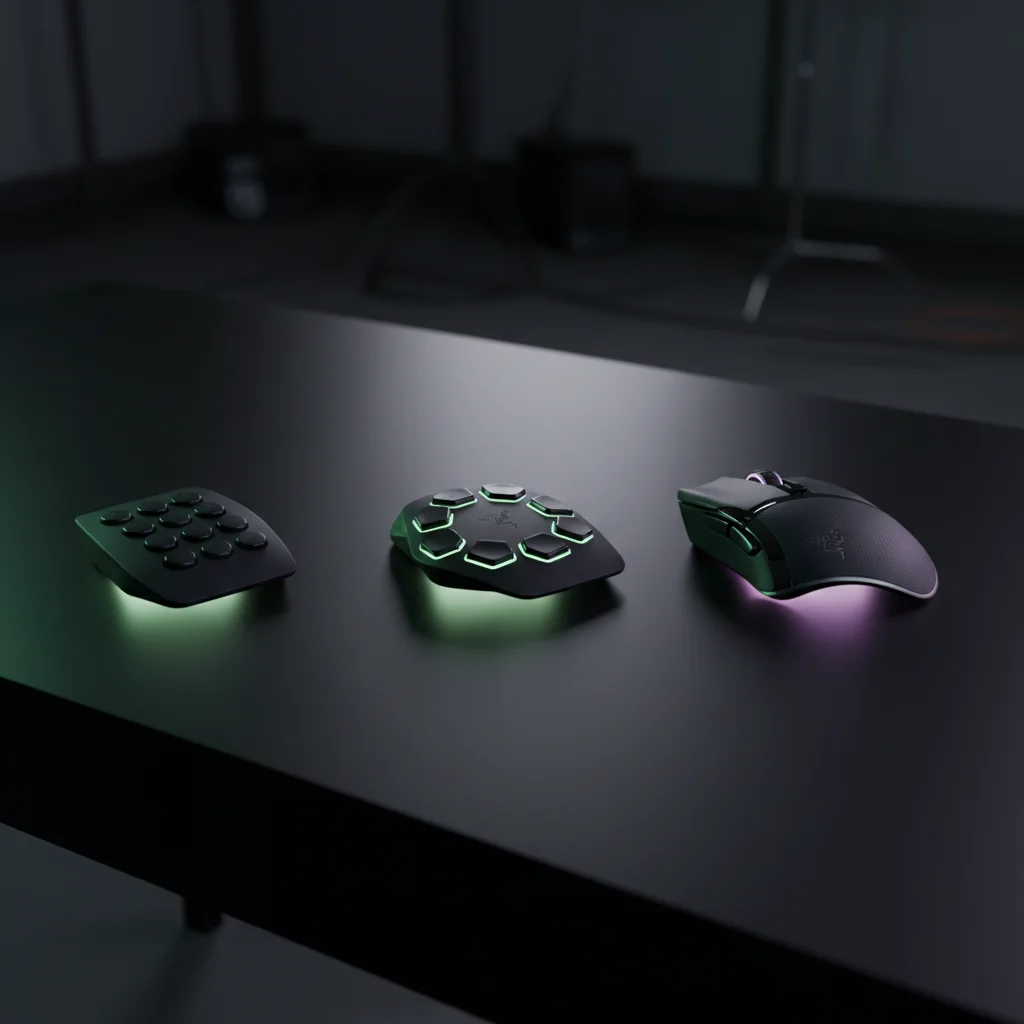
The it belongs to the high-end segment of wireless gaming mice, specifically targeting the MMO (Massively Multiplayer Online) and MOBA (Multiplayer Online Battle Arena) communities. However, its unique selling proposition is its modularity. By bundling three magnetic side plates, it attempts to bridge the gap between a specialized MMO mouse and a standard FPS mouse. This product is best suited for the hybrid gamer—someone who might spend their evening raiding in Final Fantasy XIV but switches to Call of Duty or League of Legends later in the night. It’s the direct successor to the Razer Naga Pro, bringing upgrades in sensor technology, switch durability, and scroll wheel mechanics. Unlike standard gaming mice that force you to adapt to them, the Naga V2 Pro is designed to adapt to you.
Design & Build Quality
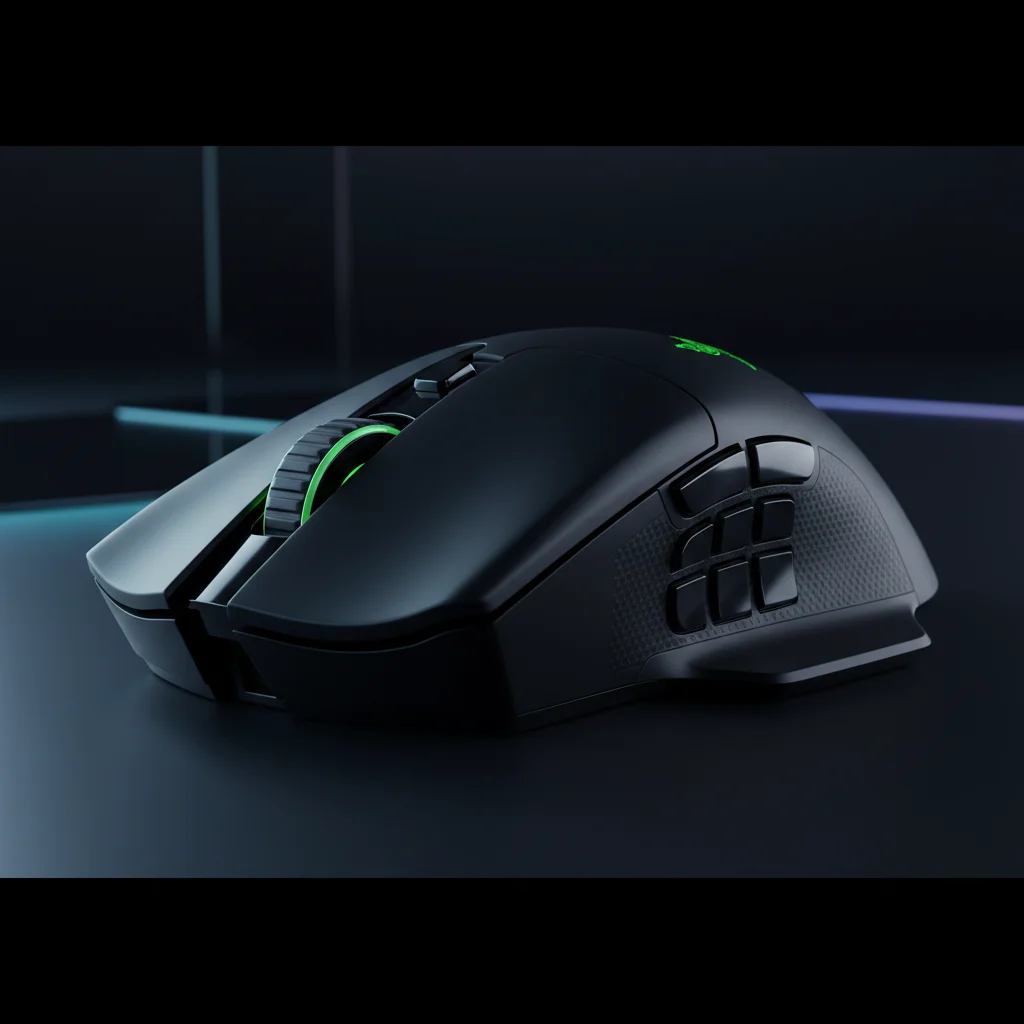
Razer has maintained the classic ergonomic shape that Naga users have come to love. It’s a wide, short mouse designed primarily for a palm grip, featuring a dedicated resting ledge for the ring finger which enhances comfort during marathon gaming sessions. The build quality feels premium; the matte black finish resists fingerprints reasonably well, and the structure feels dense and solid with no rattling, even when shaking the mouse vigorously. The swappable side plates attach via strong magnets and feel completely integrated once snapped in, with zero wobble. A notable design aspect is the weight. Coming in at around 134 grams, it’s significantly heavier than modern trends which lean towards sub-60g mice. While this weight adds to the feeling of durability and stability, it requires more effort to move, which is a critical consideration for low-DPI gamers. The V2 Pro Wireless Gaming Mouse features solid 100% PTFE mouse feet, ensuring a smooth glide despite its heft.
Features & Technology
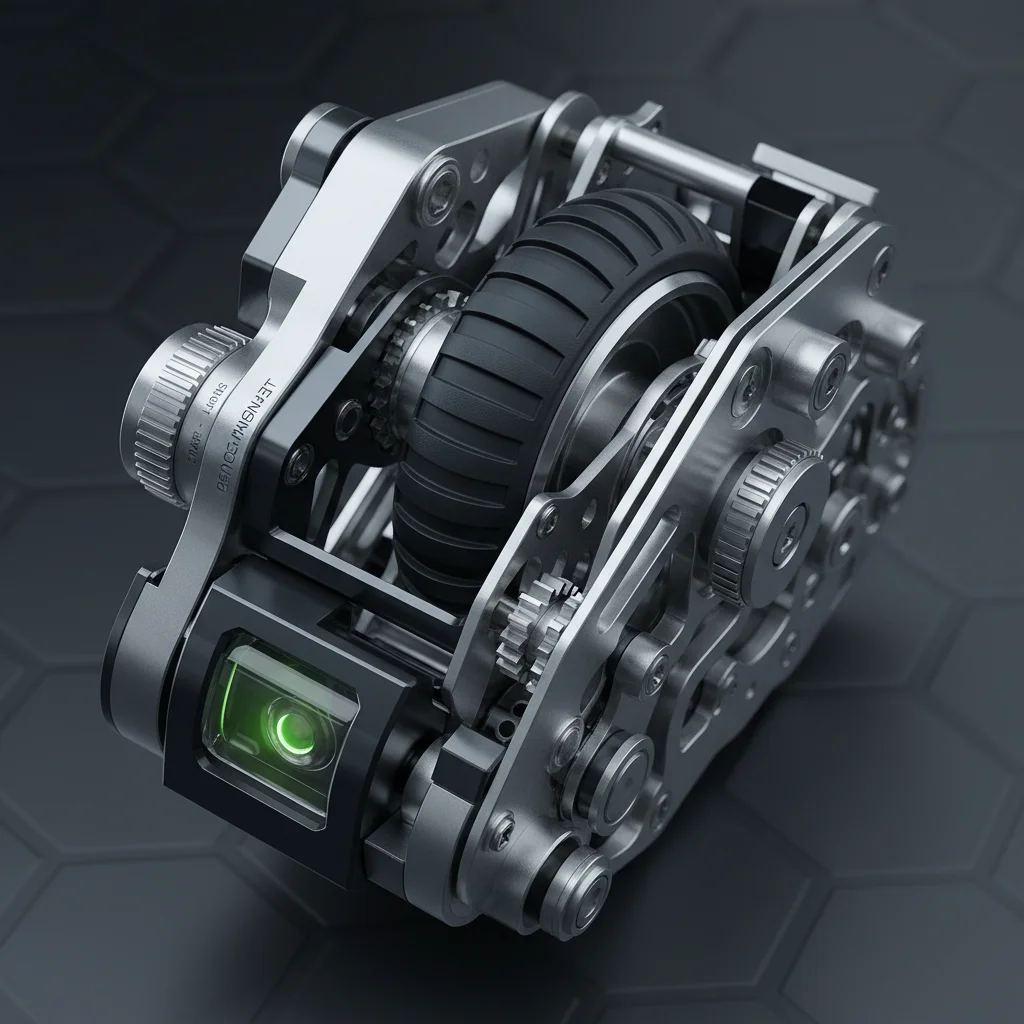
At the heart of the Naga V2 Pro is the Focus Pro 30K Optical Sensor, which is currently one of the most accurate sensors on the market, capable of tracking on clear glass and offering asymmetric cut-off customization. The buttons use Razer’s Optical Mouse Switches Gen-3, rated for 90 million clicks, which eliminate double-clicking issues and provide a crisp, tactile actuation speed of 0.2ms. However, the crown jewel of this device is the HyperScroll Pro Wheel. Unlike standard wheels, this allows you to adjust the tension, the number of steps, and the tactile feedback through software. You can set it to a smooth free-spin for browsing or a heavy, distinct click for precise weapon switching. Connectivity is handled via HyperSpeed Wireless (2.4GHz), Bluetooth, or a wired Speedflex cable connection, ensuring you’re never forced to stop playing due to connection issues.
Performance
In real-world testing, the performance of the Naga V2 Pro is exceptional across multiple genres. When using the 12-button panel for MMOs, the buttons are distinct and angled in a way that allows for easy muscle memory development, crucial for executing complex rotations in games like WoW. Switching to the 6-button panel offers a great middle-ground for MOBA games or Battle Royales like Fortnite, where building and weapon slots need quick access but a 12-button grid feels cluttered. The sensor tracking is flawless; we experienced no spin-outs or jitter even during rapid movements. The wireless latency is virtually non-existent thanks to HyperSpeed technology, making it feel just as responsive as a wired peripheral. However, for pure FPS gaming using the 2-button plate, the weight of the mouse becomes a limiting factor. While accurate, flick shots are harder to execute consistently compared to lighter alternatives, making this a master of MMOs but a jack-of-all-trades for shooters.
Comfort & Usability
Comfort is subjective, but the Naga shape has stood the test of time for a reason. The ergonomic design supports the hand fully, reducing wrist strain over long periods. The ring finger rest is a subtle but vital feature that prevents your fingers from dragging on the mousepad. In terms of usability, learning how to use it Wireless Gaming Mouse side plates is intuitive; you simply pull one off and snap another on. The mouse detects the change instantly and updates the button mapping in the software. The scroll wheel can also be configured to switch modes automatically based on the active application, which adds a layer of convenience for users who switch between Excel spreadsheets and gaming. Users with smaller hands might find the width of the mouse challenging to grip, making it better suited for medium to large hand sizes.
Software & Customization
To unlock the full potential of this device, Razer Synapse 3 is mandatory. This software is where you configure the it Wireless Gaming Mouse features, specifically the HyperScroll Pro Wheel settings and button remapping. The level of customization available for the scroll wheel is unprecedented; you can practically design your own scroll feel by adjusting tension curves. The software also manages the Chroma RGB lighting, allowing for synchronization with other Razer peripherals. While Synapse is powerful, it’s also resource-heavy and can be buggy at times. However, the mouse has onboard memory, allowing you to save up to five profiles directly to the Razer Naga V2 Pro. This means that once you have set up your DPI stages and macros, you can use the mouse on another computer without needing to install the software again.
Battery Life
Battery performance is solid, a necessity for a mouse with this many features. Razer claims up to 150 hours on HyperSpeed Wireless and up to 300 hours on Bluetooth. in published benchmarks with RGB enabled and the tactile scroll mode active, we easily cleared a week of heavy use before needing a charge. The mouse charges via a USB-C cable, which can also be used to play in wired mode. It’s compatible with the Razer Mouse Dock Pro and the Wireless Charging Puck, but unfortunately, these accessories are sold separately. For a mouse at this price point, the lack of an included dock is a disappointment, but the sheer longevity of the battery life mitigates the annoyance of plugging it in.
Technical Specifications Dimensions: 119.5 mm x 75.5 mm x 43.5 mm
Weight: ~134 g (excluding cable) Sensor: Focus Pro 30K Optical Sensor Max Sensitivity (DPI): 30,000 Max Speed (IPS): 750 Max Acceleration (G): 70 Programmable Buttons: 10 / 14 / 20 (depending on side plate) Connectivity: HyperSpeed Wireless, Bluetooth, Wired Speedflex Cable Switch Type: Optical Mouse Switches Gen-3 Battery Life: Up to 150 hours (HyperSpeed), 300 hours (Bluetooth) Price Range: $179.99 USD
Pros & Cons Pros:
Incredible versatility with three swappable side plates. HyperScroll Pro Wheel offers unique, customizable tactile feedback. Top-tier Focus Pro 30K sensor works on any surface. Optical switches prevent double-clicking issues. Excellent battery life for a high-performance mouse. Cons: Very expensive compared to competitors. Heavy weight (134g) makes it less ideal for FPS games. Razer Synapse software can be resource-intensive. Wireless charging dock is an extra buy.
Price & Value for Money
The V2 Pro sits at the very top of the pricing hierarchy for gaming mice, often retailing around $179.99. This places it well above standard wireless mice and even most specialized MMO mice. Is it worth the investment? If you’re a single-genre gamer who only plays FPS or only plays MOBA, the answer is likely no; you’re paying for modularity you won’t use. However, for the gamer who plays a variety of genres and wants a single, decluttered desk setup, the value proposition is high. You’re essentially buying three high-quality mice in one package. When you consider the cost of buying a dedicated MMO mouse and a separate high-end wireless FPS mouse, the Naga V2 Pro’s price becomes justifiable for the power user.
Best Alternatives
If the Naga V2 Pro doesn’t fit your budget or needs, there are strong competitors. The SteelSeries Aerox 9 Wireless is a solid alternative for those who find the Naga too heavy; it features a honeycomb design that significantly reduces weight while keeping the 12-button grid, though it lacks swappable plates. The Corsair Scimitar Elite Wireless is another direct competitor for MMO players. It features a patented Key Slider system that allows you to adjust the position of the side buttons for better reach, and it generally comes in at a lower price point than the Razer. For those who want the Naga shape but don’t need the pro features, the Razer Naga V2 HyperSpeed is a cheaper, AA-battery-powered version that retains the shape and sensor but loses the swappable plates and the fancy scroll wheel.
Who Should Buy It?
We recommend the Razer Naga V2 Pro primarily for hardcore MMO and MOBA players who demand the best technology available. If you play World of Warcraft, Final Fantasy XIV, or League of Legends at a high level, the customization options here are unmatched. It’s also an excellent choice for content creators and streamers who need a plenty of macro buttons for switching scenes or muting audio without touching their keyboard. Conversely, competitive FPS players should look elsewhere; the weight is simply too high for the rapid flicking required in games like Valorant or CS:GO. Budget-conscious buyers should also steer clear, as the features here are overkill if you don’t plan to use the swappable plates and advanced scroll wheel settings.
Final Verdict
To conclude this V2 Pro review, it’s clear that Razer has crafted a masterpiece of engineering that of what a mouse can do. It’s not just an update; it’s an evolution. The combination of the HyperScroll Pro Wheel, the Focus Pro 30K sensor, and the beloved modular side plate system makes it the most versatile gaming mouse on the market in 2025. While the weight and price are significant barriers, the performance and adaptability offered are unrivaled. For the gamer who wants one mouse to rule them all, the Naga V2 Pro is the endgame peripheral.
FAQ
- Is the it good for FPS games? While it can be used for FPS games thanks to the swappable 2-button plate and excellent sensor, it’s quite heavy (134g). Most competitive FPS players prefer lighter mice, but casual shooters will find it perfectly adequate. 2. How do I change the scroll wheel tension? You can adjust the tension and tactile steps of the HyperScroll Pro Wheel via the Razer Synapse 3 software. You can even set it to switch modes automatically based on the game you’re playing. 3. Does the Naga V2 Pro come with a charging dock? No, the mouse comes with a USB-C cable for charging. It’s compatible with the Razer Mouse Dock Pro, but that’s sold separately. 4. Can I use the old side plates from the Naga Pro on the V2 Pro? No, the side plates are not cross-compatible between generations due to changes in the connector design and the chassis shape. 5. How to use it Wireless Gaming Mouse Bluetooth mode? To use Bluetooth, toggle the switch on the bottom of the mouse to ‘BT’. Then, hold the scroll wheel and the two side buttons for 3 seconds to enter pairing mode.