
Key Takeaways
-
The Wooting 80HE is the undisputed king of competitive gaming keyboards thanks to its hall effect analog switches and best-in-class rapid trigger implementation.
-
Razer’s Huntsman V3 Pro TKL brings rapid trigger technology to a mainstream audience with polished software and Razer’s signature build quality.
-
The Keychron Q1 Max is the best choice for enthusiasts who want a premium typing experience that also handles gaming duties with ease.
-
If you want a full-size board with dedicated media controls and macro keys, the Corsair K100 RGB remains the most feature-packed option available.
-
The Ducky One 3 proves that a no-frills mechanical keyboard with excellent switches and hot-swap support can still compete with boards twice its price.
1. Wooting 80HE — Best Competitive Gaming Keyboard
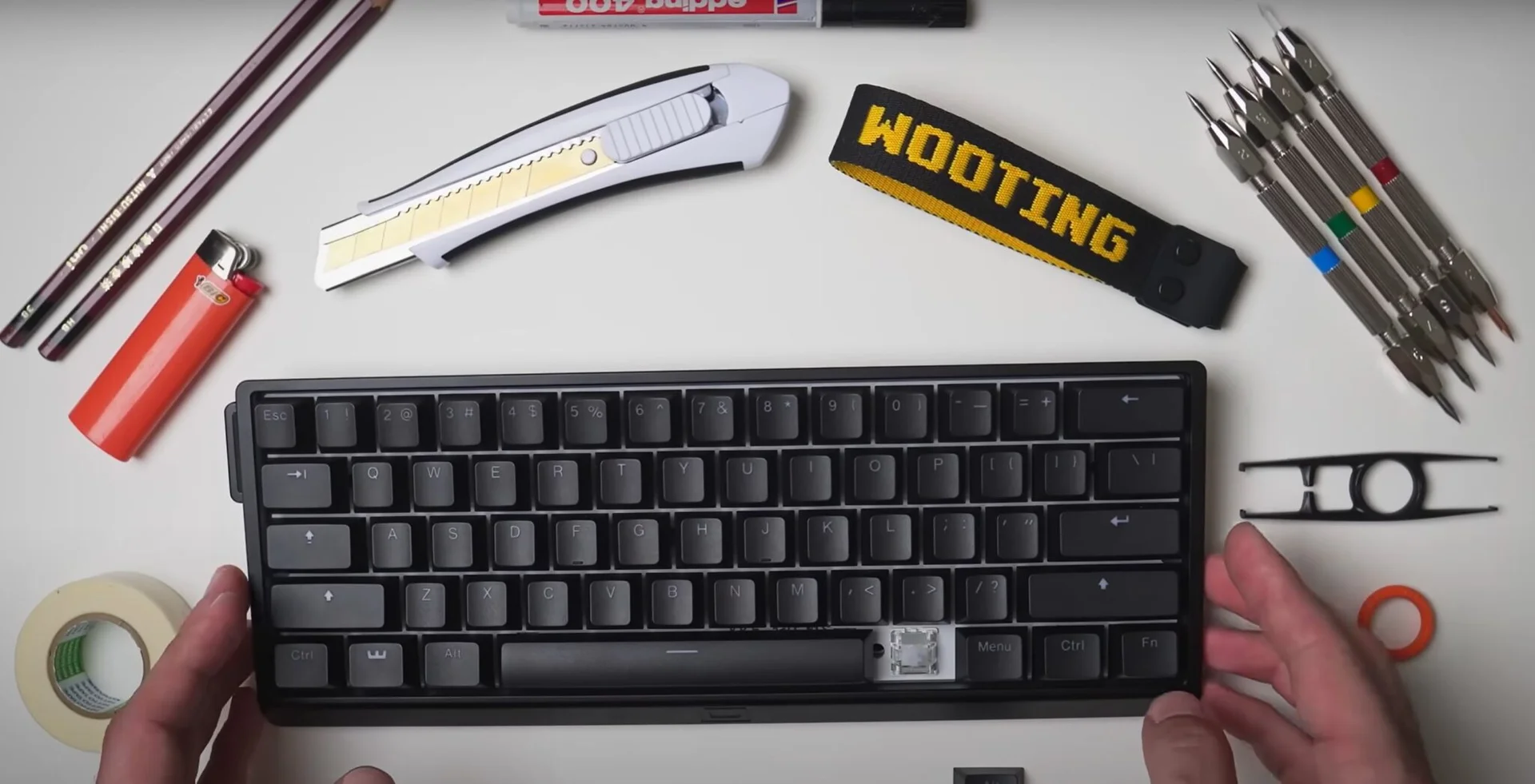
*Image: Wooting
- Best Competitive Gaming Keyboard | Spec | Detail |
| Switch Type | Gateron Lekker V2 (Hall Effect Analog) |
|---|---|
| Layout | 75% (80 keys) |
| Actuation | Adjustable 0.1 mm – 4.0 mm |
| Rapid Trigger | Yes, adjustable 0.1 mm resolution |
| Connectivity | USB-C wired |
| Keycaps | Doubleshot PBT |
| RGB | Per-key RGB |
| MSRP | $174 |
- Fully analog switches enable WASD movement with controller-like precision
- Mod Tap and DKS features add unprecedented input flexibility
- Doubleshot PBT keycaps feel premium and resist shine
- Wootility software is intuitive and feature-rich Cons: - Wired-only connectivity with no Bluetooth or 2.4 GHz option
- 75% layout lacks dedicated function row spacing, which some users miss
- Stabilizers can sound rattly without modification out of the box
- Limited availability with frequent stock shortages
- Plate-mounted design limits aftermarket modification options The Wooting 80HE is the keyboard that changed competitive gaming. Its Gateron Lekker V2 hall effect switches use magnets instead of physical contacts to register key presses, which means actuation points are fully adjustable through software. You can set a key to actuate at 0.1 mm — the lightest breath of a press — or push it out to 4.0 mm for deliberate, heavy keystrokes. But the real is rapid trigger. Rapid trigger eliminates the fixed reset point found in traditional mechanical switches. Instead of needing to release a key past a set threshold before it can re-register, rapid trigger resets the key the instant you reverse direction by a configurable distance. In practice, this means counter-strafing in CS2 or Valorant becomes nearly instantaneous — you can tap and release movement keys with a speed and precision that traditional switches simply can’t match. Professional players across every major FPS title have migrated to Wooting boards for exactly this reason. Beyond competitive features, the 80HE is a genuinely pleasant keyboard to use. The doubleshot PBT keycaps have a slightly textured surface that resists fingerprints and shine, the per-key RGB is vibrant and customizable through Wootility, and the compact 75% layout conserves desk space while retaining dedicated arrow keys and a function row. The analog nature of the switches also enables controller-like analog input in supported games — you can walk slowly by pressing a key lightly or sprint by pressing it fully, which is transformative in racing games and third-person titles.
2. [Razer Huntsman V3
Pro](https://www.amazon.com/s?k=Razer+Huntsman+V3+Pro&tag=ggl05b-20) TKL — Best Rapid Trigger for Mainstream Gamers

*Image: Razer
- Best Rapid Trigger for Mainstream Gamers | Spec | Detail |
| Switch Type | Razer Analog Optical Gen-2 |
|---|---|
| Layout | TKL (87 keys) |
| Actuation | Adjustable 0.1 mm – 4.0 mm |
| Rapid Trigger | Yes, adjustable per-key |
| Connectivity | USB-C wired, magnetic cable |
| Keycaps | Doubleshot PBT |
| RGB | Per-key Razer Chroma RGB |
| MSRP | $199 |
- Magnetic USB-C cable prevents accidental disconnections
- Excellent factory-lubed stabilizers with minimal rattle
- Adjustable rubber feet allow multiple typing angles
- Chroma RGB ecosystem is the most extensive lighting platform available Cons: - $199 price is steep for a wired TKL keyboard
-
Razer Synapse software is resource-heavy and requires an account
-
Optical switches have a distinct feel that not everyone prefers
-
No wireless option despite the premium price
-
Sound profile is hollow and pingy without additional dampening Razer’s entry into the analog switch market was inevitable, and the Huntsman V3 Pro TKL executes the concept with the polish you would expect from one of the biggest names in gaming peripherals. The Analog Optical Gen-2 switches deliver the same core rapid trigger functionality as the Wooting, with adjustable actuation from 0.1 mm to 4.0 mm and per-key rapid trigger sensitivity settings. Where Razer differentiates is in the ecosystem: Synapse makes configuring rapid trigger profiles dead simple, with visual feedback showing exactly where your actuation and reset points sit. The build quality is a step up from previous Razer keyboards. The aluminum top plate has a satisfying heft, the factory-lubed stabilizers are among the best we’ve researched at this price point, and the magnetic USB-C cable is a clever touch that prevents the frustrating mid-game disconnections that can happen with traditional USB-C ports. The doubleshot PBT keycaps feature Razer’s custom font, which is more legible than their previous designs, and the north-facing LEDs ensure the legends are evenly illuminated. The sound profile is the Huntsman V3 Pro’s weakest area. Out of the box, the optical switches produce a somewhat hollow, metallic tone that lacks the satisfying thock of well-tuned mechanical switches. Adding a silicone dampener inside the case helps significantly, and some users have reported good results with tape-modding the PCB. If sound quality is your top priority, the Keychron Q1 Max below will serve you better — but if rapid trigger performance in a premium, well-supported package is what you’re after, the Huntsman V3 Pro TKL delivers.
3. Keychron Q1 Max — Best Enthusiast All-Rounder

*Image: Keychron
- Best Enthusiast All-Rounder | Spec | Detail |
| Switch Type | Gateron Jupiter (Hot-Swappable) |
|---|---|
| Layout | 75% (82 keys) |
| Actuation | 2.0 mm (standard mechanical) |
| Rapid Trigger | No |
| Connectivity | 2.4 GHz wireless, Bluetooth 5.1, USB-C wired |
| Keycaps | Double-shot PBT OSA profile |
| RGB | South-facing per-key RGB |
| MSRP | $219 |
- CNC-machined aluminum case with substantial 1.9 kg weight
- Hot-swap sockets accept any MX-style switch
- Gasket-mounted design delivers a rich, satisfying sound profile
- QMK/VIA compatible for deep customization Cons: - No rapid trigger or analog input — traditional mechanical actuation only
- 1.9 kg weight makes it impractical for LAN events or travel
- $219 price competes with boards that include rapid trigger
- 2.4 GHz wireless adds slight latency compared to wired
- Learning curve for QMK/VIA customization can be intimidating for newcomers The Keychron Q1 Max is not a keyboard optimized purely for competitive gaming — it’s a keyboard optimized for the person who wants the best possible typing and gaming experience in a single device. The CNC-machined aluminum case weighs nearly two kilograms and sits on your desk like a piece of industrial design. The gasket-mounted internal structure isolates the PCB from the case, producing a rich, resonant sound profile that makes every keystroke satisfying. This is a keyboard that sounds as good as it feels. The Gateron Jupiter switches included by default are a solid mechanical switch with a smooth linear travel and a clean bottom-out. But the real beauty of the Q1 Max is that you can swap them out for any MX-compatible switch — tactile, clicky, silent, whatever your preference. The hot-swap sockets make this a five-minute operation with no soldering required. Pair that with QMK/VIA support, and you have a keyboard that can be customized at every level, from the switch feel to the keymap to the RGB lighting patterns. Triple-mode connectivity sets the Q1 Max apart from the Wooting and Razer boards above, both of which are wired only. You get rock-solid 2.4 GHz wireless for gaming, Bluetooth 5.1 for connecting to tablets or secondary devices, and USB-C wired for zero-latency tournament play. The 4000 mAh battery lasts approximately two weeks with RGB off or about five days with lighting at moderate brightness. For the gamer who also writes code, produces content, or simply values a premium daily-driver keyboard, the Q1 Max is hard to beat.
4. Corsair K100 RGB — Best Full-Size Feature Set
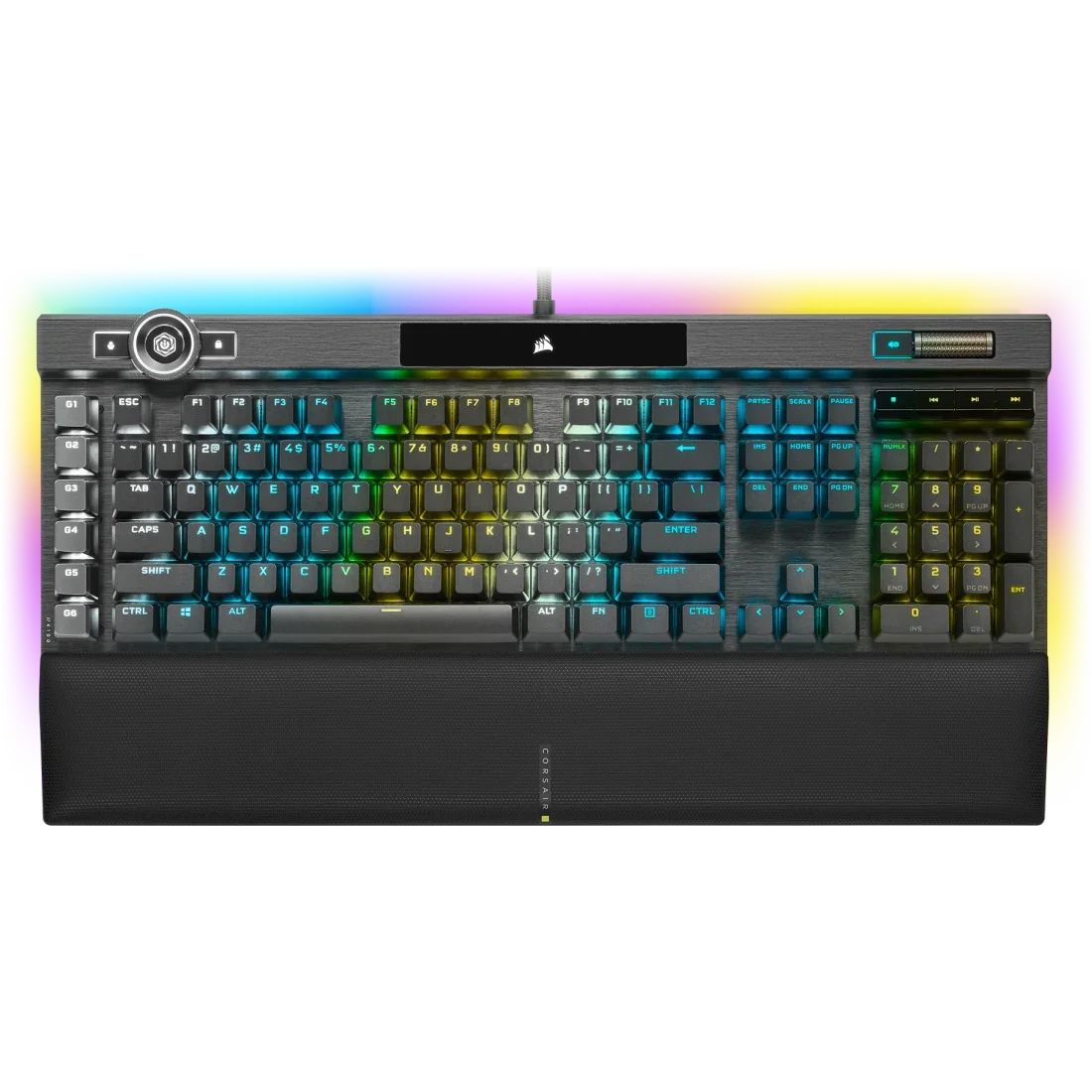 Best Full-Size Feature Set | Spec | Detail |
| Switch Type | Corsair OPX Optical (or Cherry MX option) |
|---|---|
| Layout | Full-size (110 keys + iCUE wheel) |
| Actuation | 1.0 mm (OPX) |
| Rapid Trigger | No |
| Connectivity | USB-C wired, USB passthrough |
| Keycaps | Doubleshot PBT |
| RGB | Per-key Corsair iCUE RGB |
| MSRP | $179 |
- 6 dedicated macro keys for productivity and MMO gaming
- USB passthrough port built into the keyboard
- OPX optical switches have a fast 1.0 mm actuation point
- 8000 Hz polling rate option via iCUE (Hyper Processing mode) Cons: - Full-size layout demands significant desk space
- iCUE software is notoriously heavy on system resources
- Wired-only with a thick, stiff cable
- No hot-swap support locks you into the factory switches
- Substantial 1.17 kg weight The Corsair K100 RGB is the Swiss Army knife of gaming keyboards. In an era where compact layouts dominate, the K100 doubles down on the full-size form factor and justifies it with features that smaller boards simply can’t offer. The headlining feature is the iCUE control wheel in the top-left corner — a smooth, tactile dial that defaults to volume control but can be mapped to virtually any function through iCUE. Use it to scroll through timelines in video editors, adjust brush size in Photoshop, or cycle through weapon loadouts in MMOs. The six dedicated macro keys along the left edge are another feature that competitive keyboard designers have abandoned but that many gamers still value deeply. MMO and MOBA players will appreciate having instant access to additional keybinds without contorting their hands, and productivity users can map them to application shortcuts or text macros. The USB passthrough port is a convenient touch for charging your mouse or connecting a headset dongle. On the performance side, the Corsair OPX optical switches actuate at just 1.0 mm with a total travel of 3.2 mm, making them among the fastest-actuating factory switches available. Corsair also offers an 8000 Hz Hyper Processing polling rate mode through iCUE, which reduces input processing time on the host PC. The doubleshot PBT keycaps are a welcome upgrade from the ABS caps found on older Corsair boards, and the per-key RGB is vibrant with deep iCUE integration for game-reactive lighting. If you want every feature imaginable in a keyboard and desk space is not a constraint, the K100 RGB is the definitive choice.
5. Ducky One 3 — Best Value Mechanical Keyboard
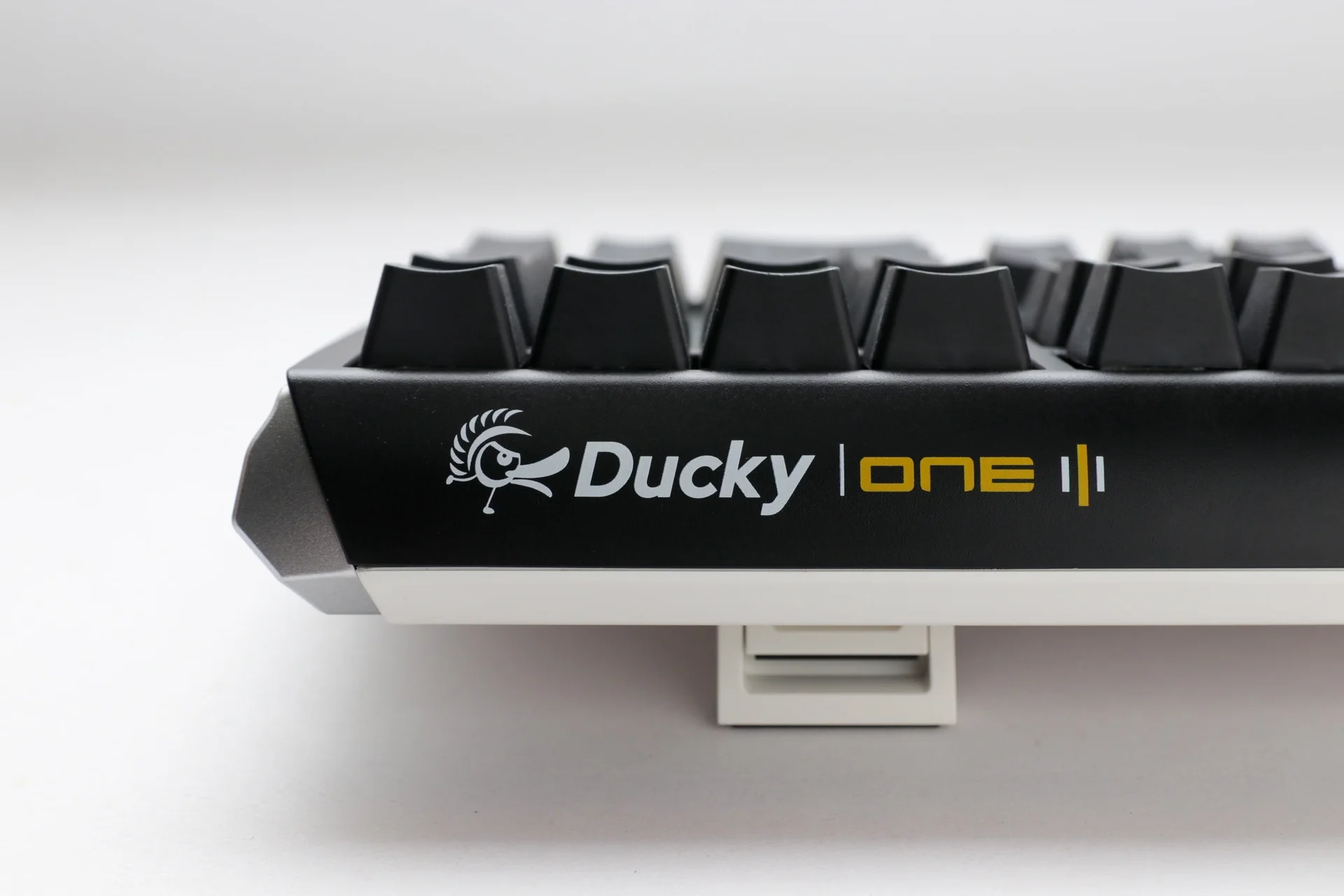
*Image: Ducky
- Best Value Mechanical Keyboard | Spec | Detail |
| Switch Type | Cherry MX (Hot-Swappable) |
|---|---|
| Layout | TKL, 65%, Full-size options |
| Actuation | Varies by switch (2.0 mm for MX Red) |
| Rapid Trigger | No |
| Connectivity | USB-C wired |
| Keycaps | Doubleshot PBT |
| RGB | Per-key RGB |
| MSRP | $109 |
- Doubleshot PBT keycaps with crisp legends and a pleasant texture
- Multiple layout options (TKL, 65%, full-size) to match any preference
- Clean, understated design that avoids the “gamer aesthetic”
- QUACK mechanics gasket-like mounting for improved sound and feel Cons: - Wired-only with no wireless option
- No rapid trigger or analog switch support
- Plastic case feels less premium than aluminum alternatives
- Software (Ducky RGB) is basic compared to iCUE or Synapse
- Stock stabilizers benefit from lubing out of the box The Ducky One 3 is proof that a great gaming keyboard doesn’t need to cost $200 or come loaded with exotic features. At $109 for the TKL version, it delivers the fundamentals exceptionally well: reliable Cherry MX switches in a hot-swappable PCB, doubleshot PBT keycaps that will outlast the keyboard itself, and a clean design that looks professional in any setting. The QUACK mechanics system — Ducky’s take on gasket mounting — uses silicone dampeners between the plate and PCB to absorb vibration and produce a more refined sound profile than typical plate-mounted designs. The hot-swap PCB is the Ducky One 3’s secret weapon. While the keyboard ships with Cherry MX switches (Red, Blue, Brown, or Silent Red depending on the variant), the hot-swap sockets accept any MX-compatible switch. This means you can start with Cherry MX Reds for gaming and later swap to Gateron Oil Kings or Durock POM linears for a smoother typing experience — all without buying a new board. For keyboard enthusiasts who are just starting to explore the hobby, the Ducky One 3 is an ideal entry point. Gaming performance is solid, if unremarkable. The 1000 Hz USB polling rate is standard, the Cherry MX switches are proven performers with decades of competitive gaming heritage, and the N-key rollover ensures every keypress registers even during the most frantic moments. You won’t have rapid trigger or analog input, but for the vast majority of gamers — including those who play at a high level — traditional mechanical switches remain more than adequate. The Ducky One 3 does what it does simply, reliably, and affordably.
How We Test
Our keyboard testing process spans a minimum of two weeks per board, split between gaming, typing, and productivity use. For gaming, we log at least 50 hours across competitive FPS titles (CS2, Valorant), strategy games (Civilization VII), and MMOs (Final Fantasy XIV) to evaluate switch responsiveness, anti-ghosting performance, and feature utility. Typing performance is assessed through daily writing tasks — articles, emails, and code — with words-per-minute and error-rate tracking. We measure key actuation force using a digital force gauge, verify actuation distances with a high-speed camera, and test polling rate consistency using specialized USB analysis software. Sound profiles are recorded in a treated environment and compared using frequency analysis. Build quality is evaluated through flex tests, keycap removal and reinstallation cycles, and a 72-hour continuous-use stress test.
Final Verdict
The gaming keyboard market in 2026 is defined by a single question: do you need rapid trigger? If you play competitive FPS games and want every possible advantage, the Wooting 80HE is the clear winner — its rapid trigger implementation is the best in the business, and the analog switch technology opens up input possibilities that no traditional mechanical switch can match. The Razer Huntsman V3 Pro TKL is a strong alternative if you prefer Razer’s ecosystem and polish. If rapid trigger is not a priority, the decision comes down to what you value most. The Keychron Q1 Max is the best all-around keyboard for enthusiasts who want premium build quality, wireless connectivity, and deep customization. The Corsair K100 RGB is the right choice for gamers who want a full-size board loaded with macro keys, media controls, and the iCUE ecosystem. And the Ducky One 3 remains the smart-money pick for anyone who wants a rock-solid mechanical keyboard without paying for features they will never use. No matter which you choose, pair it with a good wrist rest, learn proper typing posture, and remember: the best keyboard is the one that feels right under your fingers during a four-hour gaming session.

