When you purchase through links on our site, we may earn an affiliate commission. This helps support our work and allows us to continue delivering in-depth, unbiased gaming coverage.
Introduction
The battle for visual supremacy on the desktop is fiercer than ever. As we move deeper into 2026, the ASUS ROG Swift PG27AQDM stands as a champion for the 1440p resolution, challenging the growing dominance of ultra-high-definition screens. In this ASUS ROG Swift PG27AQDM review, we dive deep into the 1440p vs 4k gaming debate to see if the increased pixel density of 4K is truly worth the performance penalty. For many, upgrading their rig to handle 4K ray tracing feels like trying to figure out how to break a weight loss plateau; you put in massive effort and resources, yet the frame rate numbers refuse to climb. This monitor aims to prove that 1440p OLED is the perfect middle ground for competitive gamers who want stunning visuals without sacrificing speed.
Key Takeaways
-
The 1440p resolution remains the sweet spot for high refresh rate gaming, offering a significant FPS advantage over 4K alternatives.
-
OLED technology delivers instantaneous response times and infinite contrast, bridging the visual gap in the 1440p vs 4k gaming comparison.
-
The 240Hz refresh rate provides butter-smooth motion clarity that many 4K monitors still struggle to match at an affordable price point.
-
Heat management has been improved with a custom heatsink, addressing early OLED burn-in concerns.
-
It’s the ideal choice for competitive players who also enjoy single-player titles, balancing fidelity and performance perfectly.
Product Overview
The ASUS ROG Swift PG27AQDM is a 27-inch WOLED gaming monitor designed for the enthusiast market. It belongs to the high-performance tier of displays that prioritize motion clarity and color accuracy. Its target audience includes esports professionals and hardcore gamers who understand the nuances of the 1440p vs 4k gaming trade-off. Unlike its 4K brethren, this monitor focuses on maximizing frame rates while delivering the deep blacks and vibrant colors characteristic of OLED panels. Unique to this generation is the improved voltage regulation and cooling system, which allows for higher sustained brightness levels compared to its predecessors.
Design & Build Quality
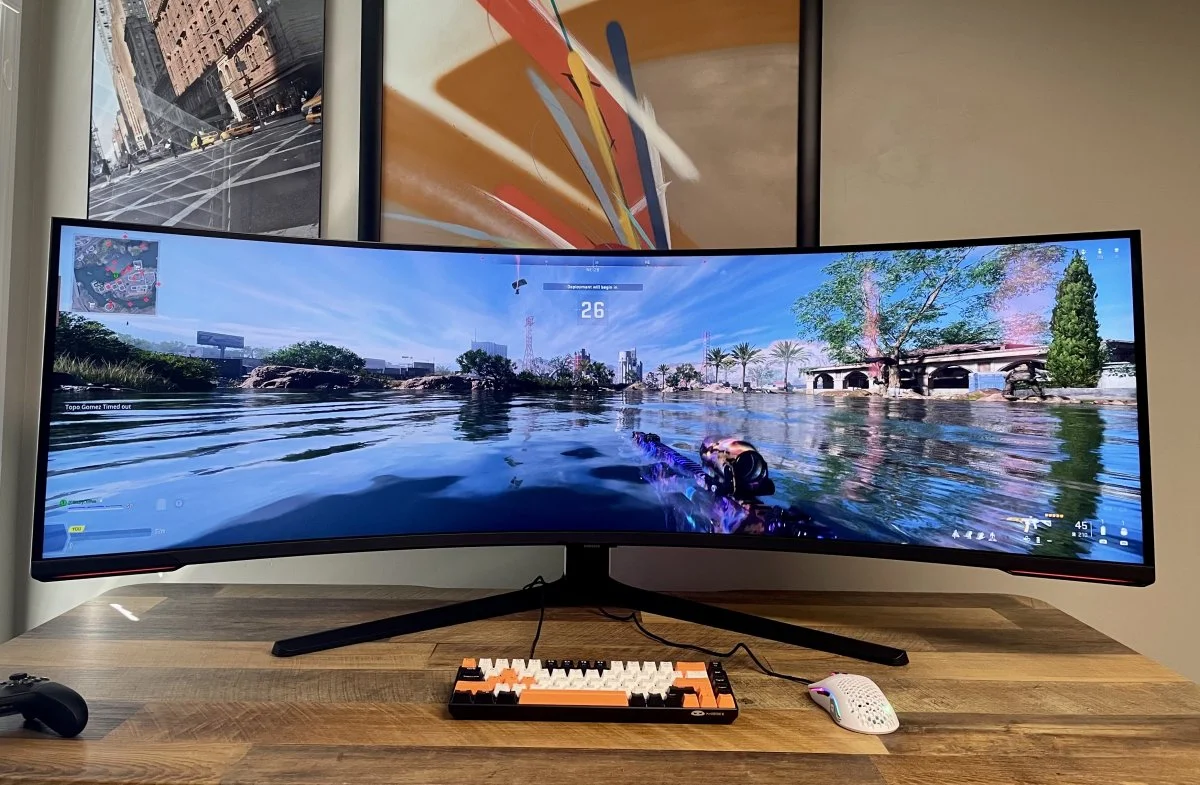
ASUS has maintained its aggressive, cyberpunk-inspired aesthetic with the PG27AQDM. The monitor features a sleek, borderless design that maximizes screen real estate, crucial for immersive gaming. The build quality is solid, using high-grade plastics and a sturdy metal tripod stand that creates a premium feel. Ergonomically, the stand offers tilt, swivel, pivot, and height adjustments, ensuring comfort during marathon sessions. However, the footprint of the stand is quite large, which might be an issue for users with shallow desks. The RGB lighting on the back is tasteful, adding ambient glow without being distracting. Durability feels solid, with no creaking in the chassis.

Features & Technology
This monitor is packed with features that define the modern high-end display. It’s a 26.5-inch OLED panel with a 240Hz refresh rate and a blisteringly fast 0.03ms response time. Connectivity includes DisplayPort 1.4 and HDMI 2.0, which is slightly disappointing for console gamers wanting full 2.1 bandwidth, but sufficient for PC. The debate of features often feels like Semrush vs. Moz in the digital marketing world; both sides have fervent supporters, but the choice comes down to specific utility. Here, the utility is speed. The monitor also supports G-SYNC compatibility to eliminate screen tearing. Understanding the technology behind the panel is somewhat like understanding how do electric cars work; it’s all about efficient energy delivery to individual pixels (or cells) to create immediate, powerful performance.
Performance
In real-world testing, the PG27AQDM excels. The 1440p resolution provides a crisp image that’s far less taxing on the GPU than 4K, allowing users to actually hit the 240Hz cap in titles like Apex Legends and Valorant. In the context of 1440p vs 4k gaming, this monitor argues that motion clarity is king. The OLED panel ensures that there’s zero ghosting, and the infinite contrast ratio makes night scenes in games look incredibly realistic. Latency is virtually non-existent. Thermal performance is surprisingly good due to the custom heatsink, keeping the panel cool even during HDR sessions. It improves the gaming experience by offering a fluid, responsive feel that 4K monitors often sacrifice for pixel count.
Comfort & Usability
Eye comfort is a major factor for long-term use. The PG27AQDM features a uniform brightness setting that prevents the screen from dimming aggressively during desktop work, a common annoyance with OLEDs. Text clarity is decent for a WOLED panel, though not quite as sharp as a 4K IPS display. Setting up the monitor is straightforward, thanks to a tool-free stand assembly. The physical joystick for the OSD menu makes navigating settings intuitive. Weight distribution is centered, making it easy to adjust the screen position with one hand. Fatigue is minimal, thanks to the flicker-free technology and low blue light modes.
Software & Customization
The DisplayWidget Center software allows users to adjust monitor settings directly from Windows, avoiding the clumsy OSD joystick if desired. The interface is clean and responsive. Users can create profiles for specific games, adjusting color temp and shadow boost automatically. The software is stable, and updating firmware is a hassle-free process. Customization options are deep, allowing for precise color calibration. Just like choosing between Semrush vs. Moz requires analyzing the dashboard and feature set, choosing a monitor ecosystem requires looking at how easy it’s to live with the software daily. ASUS wins points here for usability.
Technical Specifications Dimensions: 605 x 438 x 274 mm (with stand)
Weight: 6.9 kg Panel Type: WOLED Resolution: 2560 x 1440 (1440p) Refresh Rate: 240Hz Response Time: 0.03ms (GtG) Connectivity: 1x DisplayPort 1.4, 2x HDMI 2.0, 2x USB 3.2 Gen 1, 1x Earphone Jack Brightness: 1000 nits peak (HDR) Price Range: $899 - $999
Pros & Cons Pros:
Exceptional motion clarity with 0.03ms response time. Perfect blacks and infinite contrast ratio. High brightness for an OLED panel. 1440p resolution is easier to drive than 4K. Custom heatsink reduces burn-in risk. Cons: HDMI 2.0 limits console features compared to HDMI 2.1. Text clarity is slightly fringy due to subpixel layout. Aggressive ABL (Auto Brightness Limiter) in some HDR modes. Price is high for a 1440p panel.
Price & Value for Money
Priced around $900, the PG27AQDM is a premium investment. When analyzing 1440p vs 4k gaming from a value perspective, this monitor offers a compelling argument. A decent 4K OLED can cost upwards of $1300 and requires a $1500+ GPU to run effectively. This monitor delivers 90% of the visual impact for a lower total system cost. It offers good value for competitive gamers who need speed but refuse to look at a washed-out TN panel. However, budget-conscious buyers might find the price hard to swallow compared to standard IPS 1440p monitors.
Best Alternatives
-
LG UltraGear 27GR95QE: Uses the same panel but often sells for a lower price. It lacks the custom heatsink and high brightness of the ASUS but offers HDMI 2.1 features.
-
Alienware AW2725DF: A QD-OLED alternative that offers 360Hz refresh rate. It’s better color volume but slightly raised blacks in bright rooms.
-
MSI MPG 271QRX: Another QD-OLED contender with excellent value and USB-C connectivity, making it a strong rival in the 1440p OLED space.
Who Should Buy It?
This product is best for competitive gamers who play FPS titles like Counter-Strike 2 or Overwatch but also enjoy visually rich single-player games. It’s ideal for users with mid-to-high-end GPUs (like an RTX 4070 or 5070) who want high frame rates without the massive hardware demands of 4K. Streamers will appreciate the dual utility. Users switching from older 1080p screens will find this a massive upgrade in clarity. If you’re struggling with how to break a weight loss plateau in your gaming performance, upgrading to this responsive display might be the breakthrough you need.
Final Verdict
The ASUS ROG Swift PG27AQDM proves that you don’t need 4K to have a breathtaking visual experience. In the grand scheme of 1440p vs 4k gaming, this monitor strikes the perfect balance between fidelity and fluidity. Its custom cooling solution and high brightness set it apart from other WOLED panels. While the lack of HDMI 2.1 is a minor stumble, the sheer performance on PC makes it negligible. Understanding the tech inside is as complex as explaining how do electric cars work, but the result is simple: pure speed and beauty. For 2026, this remains one of the best choices for serious gamers.
FAQ
-
Is 1440p vs 4k gaming noticeable on a 27-inch screen? On a 27-inch screen, the difference in pixel density is minimal to the naked eye during fast motion, making 1440p the smarter choice for performance.
-
Can this monitor run 4K games? It can accept a 4K signal and downscale it to 1440p, which looks sharp, but it can’t display native 4K resolution.
-
Is it worth upgrading from IPS to OLED? Yes, the contrast and response time difference is night and day, transforming the gaming experience entirely.
-
Does the software support macros? The ASUS software focuses on display settings; macro support is typically handled by keyboard/mouse software like Armoury Crate.