When you purchase through links on our site, we may earn an affiliate commission.
Introduction
Investing in a gaming laptop requires careful consideration, particularly when it comes to budget. Unlike desktops, gaming laptops package all components into a compact, portable form factor, meaning every dollar spent directly impacts the performance, display quality, cooling efficiency, and overall user experience. The price not only dictates the raw power of the CPU and GPU but also influences critical aspects like screen refresh rates, storage speed, RAM capacity, and even the keyboard’s tactile feel. This guide aims to navigate the diverse market of portable gaming machines, helping you find the absolute best gaming laptops under $1,200, as well as exploring options across all price tiers. We’ll break down what you can realistically expect at each budget level and highlight how specific features evolve, ensuring you make an informed decision for your portable gaming needs.

How We Chose
These Products Selecting the best gaming laptops by budget involves a rigorous evaluation process that goes beyond just looking at the price tag. Our criteria are designed to ensure that every recommendation offers a compelling blend of capabilities and value. Here’s a transparent look at what factors we prioritized:
-
Performance: This is critical for gaming. We assessed CPU power, GPU capabilities, RAM speed and capacity, and SSD read/write speeds. We considered how these components work together to deliver playable frame rates across various game titles, from demanding AAA blockbusters to fast-paced esports.
-
Build Quality: A gaming laptop needs to withstand travel and intense use. We evaluated chassis materials, hinge durability, keyboard deck flex, and overall structural integrity.
-
Features: Beyond raw power, we looked at display quality (resolution, refresh rate, color accuracy), port selection, Wi-Fi standards, webcam quality, and software enhancements. A key feature for portable gaming is often a MUX switch, which allows the dGPU to bypass the iGPU for better performance.
-
Value for Money: This is crucial for budget-focused recommendations. We analyzed the complete package – specs, features, and build – against the price to determine if it truly delivers bang for your buck.
-
Price-to-Performance Ratio: For each tier, we sought out laptops that offer the most performance for the least investment, rather than just the cheapest options. This ensures that even budget buyers get a powerful machine.
-
User Experience: This encompasses thermal management (how well the laptop stays cool under load), fan noise, keyboard comfort, trackpad responsiveness, and battery life. A powerful laptop that throttles constantly or is uncomfortable to use isn’t a good choice.
-
Brand Reliability & Support: We considered the reputation of manufacturers for customer service, warranty support, and driver updates, which are vital for a long-lasting gaming experience. This comprehensive approach ensures our guide provides a reliable roadmap for choosing a gaming laptop.
Best by Budget - Full
Breakdown Gaming laptops come in a vast array of configurations and price points. To help you navigate this complex market, we’ve categorized our top picks into specific budget tiers. This detailed breakdown explains what you can realistically expect at each level and highlights the key improvements as you move up the price ladder.
Under $800
At this entry-level price point, buyers can realistically expect a gaming laptop capable of handling esports titles (like “CS:GO,” “Valorant,” “League of Legends”) and older AAA games at 1080p on medium to low settings. You’ll typically find a dedicated GPU like an NVIDIA GeForce GTX 1650 or an RTX 3050, paired with an Intel Core i5 or AMD Ryzen 5 processor (often a generation or two older). RAM usually starts at 8GB (though 16GB is ideal and sometimes available), and storage is typically a 256GB or 512GB SSD. The primary compromise compared to the next tier is raw graphical power and often display quality (lower refresh rates, less vibrant colors), as well as less solid cooling systems.
Best Pick: “Acer
Nitro 5” (Entry-Level Enthusiast) The “Acer Nitro 5” consistently delivers surprising value for an entry-level gaming laptop. It often features an NVIDIA GeForce RTX 3050 or GTX 1650, paired with an AMD Ryzen 5 5600H or Intel Core i5-11400H, 8GB of DDR4 RAM (upgradeable), and a 512GB NVMe SSD. The 15.6-inch 1080p display usually offers a 120Hz or 144Hz refresh rate, which is excellent for esports titles. Its cooling system, while not top-tier, is generally effective enough to prevent severe throttling during gaming sessions. For its price, it offers a solid foundation for casual and esports gaming. Key Features:
- NVIDIA GeForce RTX 3050 (or GTX 1650)
- AMD Ryzen 5 / Intel Core i5 H-series CPU
- 15.6-inch 1080p 120Hz/144Hz display
- 512GB NVMe SSD, 8GB DDR4 RAM (often expandable) Pros:
- Excellent performance for the price point
- Decent 1080p high-refresh-rate display
- Good port selection
- Relatively solid cooling for an entry-level model Cons:
- Build quality can feel plasticky
- Battery life is often mediocre
- Can get noisy under load Why it wins this tier: The “Acer Nitro 5” consistently strikes the best balance between price and performance in the sub-$800 category. It provides a proper dedicated GPU capable of modern gaming, a decent display, and room for future upgrades, making it an ideal choice for budget buyers who want a true gaming experience without breaking the bank. Ideal Buyer: Casual gamers, students, and those new to PC gaming who need a portable machine to play esports and less demanding AAA titles without spending a fortune. It’s also suitable for users who plan to upgrade RAM in the future.

$800-$1,000
Moving into the $800-$1,000 range, you’ll find a noticeable improvement in graphical prowess and overall system responsiveness. Here, you’re more likely to consistently find an NVIDIA GeForce RTX 3050 Ti or even an RTX 4050, offering better ray tracing capabilities and DLSS support. CPUs often get a bump to a newer generation Intel Core i5 or AMD Ryzen 5, or even an older generation Core i7/Ryzen 7. RAM typically settles at 16GB DDR4, and storage usually begins at 512GB NVMe SSD. Display refresh rates are almost always 144Hz or higher at 1080p, and some models might start to offer better color accuracy or slightly brighter panels. What specifically improves here’s the GPU’s ability to handle modern AAA games at medium-high settings at 1080p, with smoother frame rates and a better visual experience. Is upgrading from under $800 worth it and for whom? Absolutely, for anyone who wants to play more graphically demanding games or wants a smoother, more future-proof experience. The jump from a GTX 1650/RTX 3050 to an RTX 3050 Ti/4050 offers a significant performance uplift, especially with DLSS, making it a worthwhile investment for those who prioritize current-gen gaming performance.
Best Pick: “MSI Katana 15” (Mid-Range
Performer) The “MSI Katana 15” frequently appears as a strong contender in this segment, offering a compelling package for its price. You can often find it equipped with an NVIDIA GeForce RTX 4050, paired with an Intel Core i5-12450H or an AMD Ryzen 5 6600H. It typically comes with 16GB of DDR4 RAM and a 512GB NVMe SSD, often with an additional slot for expansion. The 15.6-inch 1080p display usually has a 144Hz refresh rate, providing a smooth visual experience. Its aesthetic is more refined than many entry-level options, and the cooling system is designed to handle the improved components. Key Features:
- NVIDIA GeForce RTX 4050
- Intel Core i5-12450H / AMD Ryzen 5 6600H
- 15.6-inch 1080p 144Hz display
- 512GB NVMe SSD, 16GB DDR4 RAM Pros:
- Excellent performance with RTX 4050 for 1080p gaming
- Good thermal design for its price tier
- 16GB RAM as standard is a huge plus
- More refined design than budget counterparts Cons:
- Battery life remains a weak point
- Keyboard backlighting can be basic
- Can run hot under prolonged heavy loads Why it wins this tier: The “MSI Katana 15” stands out due to its consistent inclusion of the RTX 4050 GPU, which is a substantial upgrade from the previous tier’s offerings. This, combined with 16GB of RAM as standard and a competent CPU, provides a genuinely strong mid-range portable gaming experience. It’s a significant step up for those looking to enjoy modern titles without severe compromises. Ideal Buyer: Gamers who want a solid 1080p gaming experience with modern titles at respectable settings, competitive esports players, and users who appreciate a more balanced system than purely budget options.

$1,000-$1,200
This is often considered the sweet spot for value-conscious gamers, where you can find the best gaming laptops under $1,200 without sacrificing too much performance. In this range, the NVIDIA GeForce RTX 4060 or a powerful RTX 3060 is common, offering excellent 1080p gaming performance, often hitting high-ultra settings in many modern AAA titles. CPUs will be current-generation Intel Core i5/i7 or AMD Ryzen 7 processors, paired with 16GB of faster DDR5 RAM and typically a 512GB to 1TB NVMe SSD. Displays are almost universally 1080p with 144Hz or 165Hz refresh rates, often with better brightness and color accuracy. Cooling solutions become more advanced, sometimes including vapor chambers or more elaborate heat pipe designs. You may also start to see MUX switches, which improve gaming performance by allowing the dedicated GPU to directly output to the display. Who actually benefits vs staying at $800-$1,000? Gamers who demand high frame rates in the latest AAA games at high or ultra settings, those who want to experience ray tracing without significant performance hits, and users who plan to keep their laptop for several years. The upgrade to an RTX 4060 (or powerful RTX 3060) and often a newer, faster CPU and RAM, in performance per dollar, making it worthwhile for anyone serious about portable gaming.
Best Pick: “Lenovo Legion 5” (Value
King) The “Lenovo Legion 5” has earned a reputation as a ‘value king’ in the gaming laptop space, and its configurations in the $1,000-$1,200 range are no exception. Often featuring an NVIDIA GeForce RTX 4060 (or a high-TGP RTX 3060), paired with an AMD Ryzen 7 7735HS or Intel Core i7-13620H, it delivers stellar performance for its price. It typically comes with 16GB of DDR5 RAM and a 512GB or 1TB NVMe SSD. The 15.6-inch 1080p display is usually a high-quality 144Hz or 165Hz panel, known for good brightness and color. Crucially, “Legion” laptops are praised for their solid cooling systems, comfortable keyboards, and often include a MUX switch for optimal gaming performance. Key Features:
- NVIDIA GeForce RTX 4060 (or high-TGP RTX 3060)
- AMD Ryzen 7 7735HS / Intel Core i7-13620H
- 15.6-inch 1080p 144Hz/165Hz display with good color accuracy
- 512GB-1TB NVMe SSD, 16GB DDR5 RAM
- Excellent cooling system and often a MUX switch Pros:
- Outstanding performance for the price point
- Superior cooling keeps components running optimally
- Excellent keyboard and build quality
- Often includes a MUX switch for maximum GPU performance Cons:
- Design can be a bit understated for some gamers
- Battery life is average, not exceptional
- Can be slightly heavier than competitors Why it wins this tier: The “Lenovo Legion 5” is the pinnacle for those seeking the best gaming laptops under $1,200. Its combination of a powerful RTX 4060 (or strong RTX 3060), a current-gen CPU, best-in-class cooling, and often a MUX switch, provides an top-tier gaming experience in this budget. It delivers performance that punches above its weight, making it the top pick for serious gamers on a strict budget. Ideal Buyer: Serious gamers who want to play all current AAA titles at high settings on a 1080p display, competitive gamers who need high frame rates, and users who prioritize a balanced, well-engineered machine over flashy aesthetics.

$1,200-$1,500
Stepping into the $1,200-$1,500 bracket unlocks the upper echelon of mid-range gaming laptops. Here, you’ll frequently encounter NVIDIA GeForce RTX 4060 or even RTX 4070 GPUs, paired with Intel Core i7 or AMD Ryzen 7 processors (latest generations). RAM will almost always be 16GB or even 32GB of fast DDR5, complemented by a 1TB NVMe SSD. A significant improvement in this tier is the increased availability of QHD (2560x1440) displays with high refresh rates (120Hz-165Hz), offering a sharper, more immersive visual experience than 1080p. Cooling systems become even more sophisticated, often featuring larger heat pipes and more efficient fan designs. Build quality also sees an improvement, with more metal chassis components and premium finishes. You’ll also find more laptops featuring MUX switches as a standard. What premium genuinely offers that mid-range can’t? The ability to comfortably game at QHD resolution, significantly better ray tracing performance, and often superior battery life due to more efficient components and larger battery capacities. The overall fit and finish are also enhanced, providing a more premium feel and potentially better longevity.
Best Pick: “ASUS ROG Strix G15” (QHD Gaming
Powerhouse) The “ASUS ROG Strix G15” often comes equipped with an NVIDIA GeForce RTX 4070, paired with an AMD Ryzen 9 7945HX or an Intel Core i7-13700HX. These configurations provide immense power, making it a stellar choice for both 1080p ultra-settings gaming and high-refresh-rate QHD experiences. It typically features 16GB or 32GB of DDR5 RAM and a 1TB NVMe SSD. The standout feature is often its vibrant 15.6-inch QHD (2560x1440) display with a 165Hz refresh rate, offering incredible visual fidelity. “Strix” models are also known for their aggressive aesthetics, customizable RGB lighting, and solid cooling solutions tailored for higher-wattage GPUs. Key Features:
- NVIDIA GeForce RTX 4070
- AMD Ryzen 9 7945HX / Intel Core i7-13700HX
- 15.6-inch QHD 165Hz display
- 1TB NVMe SSD, 16GB/32GB DDR5 RAM
- Advanced cooling and MUX switch Pros:
- Exceptional performance for QHD gaming
- Stunning high-refresh-rate QHD display
- Powerful CPU/GPU combo for gaming and productivity
- Effective cooling system for sustained performance Cons:
- Can be bulky and heavy
- Aggressive gamer aesthetic might not appeal to everyone
- Battery life, while improved, is still not all-day Why it wins this tier: The “ASUS ROG Strix G15” with an RTX 4070 provides a noticeable leap in performance, especially for those who want to game at QHD resolution. The combination of a top-tier mid-range GPU, powerful CPU, and a gorgeous QHD screen makes it a fantastic choice for an immersive gaming experience. It offers a premium feel without quite reaching the highest price points. Ideal Buyer: Enthusiast gamers who want to experience games in crisp QHD resolution, content creators who need strong CPU/GPU power, and users who appreciate high frame rates even in demanding titles.

$1,500 and
Above In the $1,500 and Above tier, you’re entering the realm of high-end, no-compromise gaming laptops. These machines are designed for maximum performance, featuring NVIDIA GeForce RTX 4070, RTX 4080, or even the flagship RTX 4090 GPUs, paired with the absolute latest and most powerful Intel Core i9 or AMD Ryzen 9 processors. RAM will be 32GB or even 64GB of lightning-fast DDR5, and storage will typically be 1TB or 2TB NVMe SSDs, often in RAID 0 configurations. Displays are critical here, offering choices between high-refresh-rate QHD (up to 240Hz), mini-LED panels with incredible contrast, or even 4K panels for ultimate visual fidelity. Advanced cooling, premium build materials (all-metal chassis), per-key RGB keyboards, larger batteries, and a full suite of connectivity options are standard. What premium genuinely offers that mid-range can’t? The ability to game comfortably at 4K resolution, unrivaled ray tracing performance, and the sheer power for high-frame-rate competitive gaming on QHD/4K displays. These laptops also offer superior cooling systems, which allow the powerful components to run at their maximum potential for extended periods without throttling. They often feature larger, higher-quality screens, more solid build materials, and advanced features like customizable per-key RGB lighting and high-fidelity audio systems. They’re built for longevity and the absolute best portable gaming experience available. Who it’s made for: These machines are for serious enthusiasts, professional gamers, streamers, and content creators who demand the absolute best performance and features in a portable package, and who are willing to pay a premium for it. They’re also for those who want a desktop-replacement level of power on the go.
Best High-End
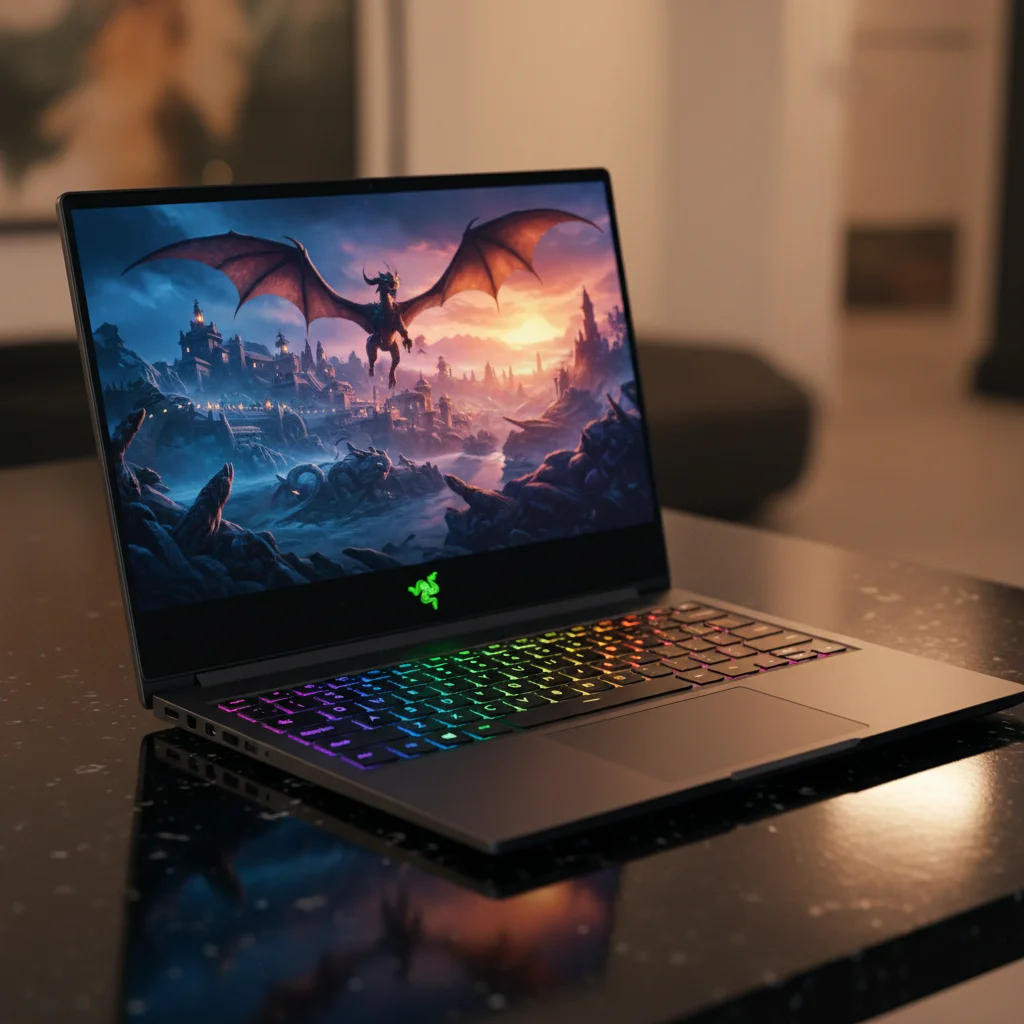
Pick: “Razer Blade 16” (Ultimate Gaming Machine) The “Razer Blade 16” exemplifies what a premium gaming laptop can achieve. It typically houses an NVIDIA GeForce RTX 4080 or RTX 4090 GPU, coupled with an Intel Core i9-13950HX or i9-14900HX processor. It comes standard with 32GB of DDR5 RAM and a 1TB or 2TB NVMe SSD. Its defining feature is often its stunning dual-mode mini-LED display, which can switch between 4K 120Hz and FHD 240Hz, offering top-tier versatility for both high-fidelity visuals and competitive esports. The “Blade 16” has an exquisite all-aluminum chassis, providing a sleek, thin profile with exceptional build quality. Its vapor chamber cooling system is highly efficient, ensuring top-tier components remain cool under pressure. The per-key RGB keyboard, precise trackpad, and excellent speakers complete the premium experience. Key Features:
- NVIDIA GeForce RTX 4080/4090
- Intel Core i9-13950HX/14900HX
- 16-inch Dual-Mode Mini-LED (4K 120Hz / FHD 240Hz)
- 1TB/2TB NVMe SSD, 32GB DDR5 RAM
- Premium aluminum chassis, advanced vapor chamber cooling, per-key RGB Pros:
- Unmatched gaming performance for portable gaming
- Revolutionary dual-mode mini-LED display
- Premium build quality and sleek, thin design
- Excellent thermal management for sustained performance
- High-quality keyboard, trackpad, and audio Cons:
- Extremely expensive
- Battery life is still limited under heavy load
- Can run warm due to thin chassis and powerful components Why it wins this tier: The “Razer Blade 16” represents the pinnacle of portable gaming performance and luxury. Its major dual-mode mini-LED display, coupled with the latest top-tier GPUs and CPUs, delivers an experience that rivals high-end desktops. For those who demand the absolute best in every aspect – performance, display, build, and features – the “Blade 16” is the ultimate choice. Ideal Buyer: Enthusiasts with unlimited budgets, professional streamers, content creators needing top-tier mobile workstations, and gamers who want to experience games at the highest possible settings and resolutions without compromise, both at home and on the go.
Comparison Table
Here’s a quick overview of our top picks across different budget categories, helping you compare key features at a glance:
Product Name
| Product Name | Price Range | Key Specs | Best For | Pros & Cons Summary |
|---|---|---|---|---|
| ”Acer Nitro 5” | Under $800 | RTX 3050/GTX 1650, i5/Ryzen 5, 8GB RAM, 512GB SSD, 1080p 120Hz | Casual & Esports Gaming | + Great entry-level perf, Decent display; - Plasticky build, Mediocre battery |
| ”MSI Katana 15” | $800-$1,000 | RTX 4050, i5/Ryzen 5, 16GB RAM, 512GB SSD, 1080p 144Hz | Mid-Range 1080p Gaming | + Strong RTX 4050, 16GB RAM, Good thermals; - Basic battery life, Simple keyboard |
| ”Lenovo Legion 5” | $1,000-$1,200 | RTX 4060/3060 (high-TGP), i7/Ryzen 7, 16GB DDR5, 1TB SSD, 1080p 165Hz, MUX | High-Value 1080p Gaming | + Outstanding performance/value, Superior cooling, MUX switch; - Understated design, Average battery |
| ”ASUS ROG Strix G15” | $1,200-$1,500 | RTX 4070, Ryzen 9/i7, 16GB/32GB DDR5, 1TB SSD, QHD 165Hz | QHD & Enthusiast Gaming | + Excellent QHD perf, Stunning QHD display, Strong CPU/GPU; - Bulky, Aggressive aesthetics |
| ”Razer Blade 16” | $1,500+ | RTX 4080/4090, i9, 32GB DDR5, 1TB/2TB SSD, Dual-Mode Mini-LED | Ultimate & Pro Gaming | + Unmatched perf, Revolutionary display, Premium build, Advanced cooling; - Very expensive, Still limited battery |
Buying Tips by
Budget Choosing a gaming laptop isn’t just about picking the most expensive one you can afford; it’s about making smart decisions based on your specific needs and budget. Understanding what specs matter most for portable gaming and how to prioritize them can save you money and lead to greater satisfaction.
If You’re on a
Tight Budget When every dollar counts, focus on the essentials. Prioritize the GPU first, as it’s the single most important component for gaming performance. Aim for at least an RTX 3050. Next, ensure you have at least 8GB of RAM (16GB is ideal, even if it means upgrading later) and a 512GB SSD. Don’t overspend on CPU if it means compromising on GPU. A 1080p 120Hz or 144Hz display is perfectly adequate for this tier. Look for sales on last-generation models or refurbished options from reputable sellers. Remember, you might have to accept compromises in build quality or battery life, but a strong GPU for its price point will make the biggest difference in your gaming experience. This guide to gaming laptop performance emphasizes making smart trade-offs.
Best Value for
Mid-Range Buyers For mid-range budgets (especially for those seeking the best gaming laptops under $1,200), the goal is the optimal price-to-performance ratio. Look for an NVIDIA GeForce RTX 4060 or a high-TGP RTX 3060. These GPUs offer excellent 1080p performance and are strong enough for some QHD gaming. Pair this with a current-gen Intel Core i7 or AMD Ryzen 7 processor and 16GB of DDR5 RAM. A 1TB NVMe SSD is highly recommended to accommodate larger game files. Seek out laptops with good cooling systems and, if possible, a MUX switch for an extra performance boost. Screens at 1080p 144Hz/165Hz or entry-level QHD 120Hz/165Hz are excellent. This tier offers the most significant jump in gaming fidelity without entering premium pricing.
Premium Buyers
If budget is less of a concern, focus on maximizing every aspect of the gaming experience. Aim for an NVIDIA GeForce RTX 4070, RTX 4080, or RTX 4090 GPU paired with the latest Intel Core i9 or AMD Ryzen 9 processor. Look for 32GB or more of fast DDR5 RAM and at least a 1TB (preferably 2TB) NVMe SSD. The display is where premium : seek out high-refresh-rate QHD (165Hz+) or 4K panels, preferably Mini-LED or OLED for superior visuals. Advanced cooling solutions (vapor chambers), premium build materials (metal chassis), and features like per-key RGB keyboards, excellent speakers, and solid port selections should be expected. Prioritize a laptop with a large battery if portability is key. In this tier, you’re investing in maximum frame rates, stunning visuals, and a durable, feature-rich machine built to last.
Common Mistakes to
Avoid Navigating the gaming laptop market can be tricky, and certain pitfalls can lead to buyer’s remorse. Avoiding these common mistakes is crucial for making a smart investment in your portable gaming setup.
Overpaying for Unused Features
A common mistake is buying a laptop with features you simply won’t use. For instance, if you only play esports titles, a 4K display or an RTX 4090 GPU is massive overkill. Similarly, if you primarily use external monitors, don’t pay a premium for a laptop with a mini-LED display. Identify your core usage needs (e.g., competitive FPS, casual story games, content creation) and match the specs accordingly. Understanding what specs matter most for portable gaming will prevent you from unnecessary expenditure.
Ignoring Ergonomics and Thermals
A powerful gaming laptop is useless if it’s uncomfortable to use or constantly throttles due to heat. Always consider the keyboard layout, key travel, and trackpad quality. For thermals, research reviews that specifically test sustained gaming performance and temperature management. A laptop with excellent specs on paper might perform poorly in real-world scenarios if its cooling system is inadequate. Poor thermals lead to reduced frame rates and can shorten the lifespan of components. This is a crucial part of how to choose a gaming laptop effectively.
Choosing on
Brand Name Alone While established brands like ASUS, MSI, and Lenovo have a strong reputation, not every model from a premium brand offers the best value. Conversely, less flashy brands can sometimes deliver exceptional price-to-performance ratios. Always compare specifications, read independent reviews, and evaluate the specific model’s merits rather than relying solely on brand loyalty or prestige. A brand’s reputation for one product line doesn’t always extend to all of its offerings.
Confusing Marketing Specs with Real Performance
Manufacturers often highlight impressive-sounding numbers, but they don’t always tell the full story. For example, two laptops might both have an “RTX 4060,” but if one has a 75W TGP (Total Graphics Power) and the other has a 140W TGP, the latter will perform significantly better. Higher wattage GPUs generally mean better performance. Similarly, a high-core-count CPU isn’t always better for gaming than a lower-core-count CPU with higher single-core boost clocks. Always look for detailed reviews that benchmark real-world game performance rather than just raw specifications. A true guide to gaming laptop performance dives into these nuances.
Overlooking RAM and Storage
Upgradability Some budget-friendly gaming laptops come with minimal RAM (8GB) or storage (256GB/512GB). While this might be acceptable for the initial buy, verify if these components are user-upgradeable. Laptops with soldered RAM or a single SSD slot limit your future expansion options, potentially forcing you to buy a new machine sooner. Opt for models that allow for easy access to RAM slots and additional M.2 SSD slots for future-proofing.
Not Considering
Portability vs. Power Gaming laptops come in various sizes and weights. A 17-inch powerhouse with a large battery might offer superior cooling and performance, but it will be heavy and bulky for daily commutes. A thin-and-light 14-inch model might be super portable but often compromises on sustained performance due to thermal constraints. Understand your primary use case – will it mostly stay on a desk, or will it be frequently carried around? This trade-off is critical when choosing a gaming laptop.
Who Should Choose
Which Budget Tier? Matching your gaming habits and expectations to the right budget tier is crucial for satisfaction. Each price point caters to a different type of gamer and user.
Beginners & Casual
Gamers (Under $800) If you’re new to PC gaming, primarily play esports titles like “League of Legends” or “Minecraft,” or older AAA games, this tier is perfect. It offers an affordable entry point into the world of portable gaming without breaking the bank. Don’t expect to run the latest “Cyberpunk 2077” at ultra settings, but you’ll get a solid 1080p experience for less demanding titles. This budget is for those who value cost-effectiveness and an introduction to what specs matter most for portable gaming.
Competitive FPS Players & Balanced
Gamers ($800-$1,200) This range, especially the sweet spot for best gaming laptops under $1,200, is ideal for competitive FPS players who need high frame rates at 1080p for games like “Valorant,” “Overwatch 2,” or “Call of Duty.” It’s also perfect for balanced gamers who want to enjoy the latest AAA titles at high settings (not necessarily ultra) without spending a fortune. You’ll get excellent performance, good cooling, and high-refresh-rate displays. This is where you find the best value for current-generation gaming without going overboard.
MMO Players & Content
Enthusiasts ($1,200-$1,500) For MMO players who want stunning visuals in games like “World of Warcraft” or “Final Fantasy XIV” at QHD resolution, this tier is fantastic. It also suits content enthusiasts who might dabble in video editing or streaming, as the CPUs and GPUs are solid enough to handle these tasks alongside gaming. You get a significant bump in graphical power and often a QHD display, offering a more immersive visual experience. This tier provides a strong guide to gaming laptop performance for those who demand more visual fidelity.
Streamers & Hardcore
Enthusiasts ($1,500 and Above) This is for the serious gamers, professional streamers, and content creators who need top-tier performance for everything. If you plan to stream gameplay while running demanding titles, edit 4K videos, or simply want to play every game at the highest possible settings and resolutions (QHD or 4K) with ray tracing, this tier is for you. These laptops offer desktop-level performance in a portable form factor, with premium features and solid cooling systems to handle intense workloads. This is the ultimate expression of portable gaming performance.
Final Verdict
After exploring the vast market of gaming laptops across various price points, our final verdict aims to help you pinpoint the ultimate choice for your needs. Which tier offers the best overall value? For most gamers, the $1,000-$1,200 tier undoubtedly offers the best overall value. This is where you find the best gaming laptops under $1,200, providing an NVIDIA GeForce RTX 4060 (or a powerful RTX 3060) and a current-gen CPU, capable of handling almost all modern games at high settings and delivering excellent frame rates at 1080p. The performance jump from the previous tier is significant, making it the sweet spot for performance per dollar. Best pick for most gamers: The “Lenovo Legion 5” in the $1,000-$1,200 range stands out as the best pick for most gamers. Its combination of a high-TGP GPU, excellent cooling, solid build quality, and often a MUX switch, delivers a phenomenal gaming experience that punches above its weight. It’s a well-rounded machine that excels in performance, user experience, and value, offering everything a serious gamer needs without unnecessary frills. Is upgrading worth it? Upgrading is definitely worth it if you’re moving from a very old laptop or a non-gaming laptop. The generational leaps in GPU and CPU technology, along with advancements in display refresh rates and cooling systems, have dramatically improved the portable gaming experience. For budget buyers, moving from the “Under $800” tier to the “$800-$1,000” or even the “$1,000-$1,200” tier offers substantial performance gains that are immediately noticeable. For those currently in the mid-range, upgrading might be less critical every single generation, but if you’re chasing QHD gaming or higher frame rates for competitive play, moving into the “$1,200-$1,500” or “$1,500 and Above” tiers will provide a genuinely transformative experience. Ultimately, how to choose a gaming laptop depends on balancing your current needs with your future aspirations, and the market in 2026 offers fantastic options at every price point.
FAQs Got more questions about choosing the right gaming laptop?
We’ve got answers to some of the most common queries.
Q: What’s a
MUX switch and do I need one? A: A MUX (multiplexer) switch allows your gaming laptop’s dedicated GPU (dGPU) to directly send frames to the display, bypassing the integrated GPU (iGPU). This can result in a 5-15% performance increase in games. While not strictly essential, it’s a highly recommended feature, especially for competitive gamers who want every possible frame, and is a key part of maximizing a guide to gaming laptop performance. Many mid-range and high-end laptops now include them.
Q: Is 8GB of
RAM enough for gaming in 2026? A: For most modern AAA games in 2026, 8GB of RAM is generally the bare minimum and can often lead to stuttering or performance issues, especially when multitasking. While some esports titles might run fine, 16GB of RAM is highly recommended for a smooth and future-proof gaming experience. If a laptop comes with 8GB, ensure it’s upgradeable.
Q: Should I prioritize
CPU or GPU for gaming? A: For pure gaming performance, the GPU (Graphics Processing Unit) is almost always the more critical component. While a strong CPU is important to prevent bottlenecks, a more powerful GPU will have a far greater impact on frame rates and visual settings in games. It’s a central factor in what specs matter most for portable gaming.
Q: How important is display refresh rate for gaming?
A: Very important, especially for fast-paced and competitive games. A higher refresh rate (e.g., 120Hz, 144Hz, 165Hz, 240Hz) means the screen updates more often, resulting in smoother motion and reduced input lag. For casual gamers, 60Hz might suffice, but for any serious gaming, 120Hz or higher is highly recommended to fully appreciate high frame rates and enhance your reaction time.
Q: What’s the typical battery life of a gaming laptop?
A: Battery life on gaming laptops varies widely. When actively gaming, most will last only 1-2 hours due to the power demands of the dedicated GPU and CPU. For light tasks like web browsing or video streaming, some modern gaming laptops can achieve 4-8 hours or more, especially if they have efficient components and larger batteries. Always check specific model reviews for realistic battery life expectations.
Q: Are thin and light gaming laptops good for performance?
A: Thin and light gaming laptops have made significant strides, but they often come with thermal compromises. While they may use the same GPUs and CPUs as larger counterparts, their constrained cooling systems can lead to lower sustained performance due to thermal throttling. They’re excellent for portability and style, but if raw, sustained performance is your top priority, larger laptops often have the edge due to better cooling. This is a crucial element in how to choose a gaming laptop based on your priorities.